

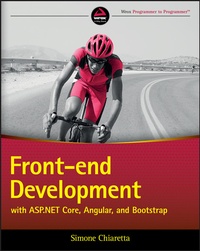
Front-end Development with ASP.NET Core, Angular, and Bootstrap
Description

Front-End Development with ASP.NET Core, Angular, and Bootstrap is the professional's guide to fast, responsive web development. Utilizing the most popular combination of web technologies for Microsoft developers, this guide provides the latest best practices and ASP.NET MVP guidance to get you up to speed quickly. The newest ASP.NET - now called ASP.NET Core - is leaner, easier to use, and less bound to the operating system and IDE.colle, giving you the perfect opportunity to leverage third-party frameworks and libraries that provide functionalities not native to ASP.NET Core and Visual Studio. This book shows you how to integrate ASP.NET Core with Angular, Bootstrap, and similar frameworks, with a bit of jQuery Mobile, Nuget, continuous deployment, Bower dependencies, and Gulp/Grunt build systems, including development beyond Windows on Mac and Linux. With clear, concise instruction and expert insight, this guide is an invaluable resource for meeting the demands of modern web development.
* Combine ASP.NET Core with different tools, frameworks, and libraries
* Utilize third-party libraries with non-native functionalities
* Adopt the most up-to-date best practices for front-end development
* Develop flexible, responsive design sites
The world of web development is evolving faster than ever before, and the trend is toward small, focused frameworks with modular capabilities. Microsoft has noticed, and upgraded ASP.NET Core to align with the latest industry expectations. Front-End Development with ASP.NET Core, Angular, and Bootstrap helps you elegantly integrate these technologies to develop the sites that the industry demands.
More details
Other editions
Additional editions
Content
INTRODUCTION
There was a time when "backend" and "front-end" developers were doing pretty different work. Backend developers were writing code to render web pages, using some server-side language; front-end developers were programming some interactivity using JavaScript and making the web pages look beautiful with CSS.
A few years ago, with the arrival of SPAs (Single Page Applications), JavaScript was not only used to add "some" interactivity, but was used to build the application itself. The skill-set of the so-called backend developers had to expand to include all the tools that were typical of front-developers, such as specific JavaScript frameworks and some basic understanding of CSS.
The goal of this book is to explain the tools in "front-end" developers' toolbox and how to use them effectively in combination with ASP.NET Core MVC.
WHY WEB DEVELOPMENT REQUIRES POLYGLOT DEVELOPERS
In everyday life, a polyglot is a person who knows and is able to use several languages. They are not necessarily bilingual (or multi-lingual), but they can use their second or third or fourth language with a good level of proficiency.
With that definition in mind, what is a polyglot developer? It's a developer who knows more than one (programming) language or framework and uses them within the scope of the same application.
From the beginning of IT industry, applications were mainly written in one language. I personally started with C, then moved to Visual Basic, landed on Cold Fusion, used JavaScript at its early stages (both on the client and the server), did a bit of Java, and finally landed on the.NET platform, but only one at a time.
It was the time of the big enterprise frameworks, when vendors tried to squeeze into their language or platforms all the possible features that an application might need. You probably remember when Microsoft tried to shield web developers from the actual languages of the web, HTML and JavaScript, introducing ASP.NET WebForms and the ASP.NET Ajax Framework. And if you look back at your personal experience in the IT industry, you'll probably find many other similar examples.
But lately a new trend has appeared, which has gone in the opposite direction. The IT industry understands that maybe some languages are more suitable than others for specific tasks, and instead of trying to force everything on top of one single language, applications are being written in multiple languages. We are entering the era of the polyglot developer.
Now that we share the same definition of a polyglot developer, let's see what the benefits of being one are.
The Right Tool for the Job
The first and probably most important benefit of being a polyglot is being able to choose the right tool for the job without having to compromise because your language or framework of choice doesn't support a given feature.
For example, by using the Microsoft AJAX Framework, you are limited by the functionalities it provides, while by directly using JavaScript you have all the flexibility provided by the language.
And I'm confident you will agree with me that as a web developer you have to know HTML, but nevertheless using the design surface of Visual Studio, you can build web applications just by dragging elements from the toolbox. Obviously, you do not have the same level of control as when crafting your HTML code directly.
So, to a certain degree, every web developer is already a polyglot developer.
The integration of SASS into Visual Studio 2015 is another example. A few years ago the Ruby community came up with the idea of a preprocessor for CSS styles. Instead of creating a.NET version of SASS, Microsoft decided to integrate the original version into its IDE, and SASS was the right tool for preprocessing CSS styles.
Cross Pollination
A second benefit of knowing multiple languages or frameworks is that you can take inspiration from what vendors and open-source communities are doing in other languages, and when you cannot just use it, you can adapt it or make a version specific to your own.
A very good example of this is ASP.NET MVC. About 10 years ago, the popular language of the moment was Ruby, thanks to its simple web framework, Ruby on Rails, built on top of the Model View Controller pattern. The.NET developer community took inspiration from it and started building.NET web frameworks also based on the MVC pattern. This led to Microsoft building the ASP.NET MVC framework that is one of the main topics of this book.
Growing Your Comfort Zone
Using several languages and frameworks brings an additional, if not technical, benefit: It forces you to step out of your existing comfort zone, making you more adaptable and breaking the potential boredom of always following the same routine. Not surprisingly, many developers are hesitant to experiment with new things and prefer the comfort of using the tools, frameworks, and language they know best, even if doing so gives them less flexibility and control. But if you are reading this book, you are probably not one of them. So, through the rest of the book, prepare to learn new languages and frameworks that originated outside of the Microsoft.NET space. In the beginning, you'll be stepping out of your comfort zone. By the time you are done, you'll find that your comfort zone has become even larger and more rewarding.
WHO THIS BOOK IS FOR
The audience of this book is web developers who have knowledge of ASP.NET MVC, either with the latest version or with previous versions of the framework, and who want to start using the tools and frameworks that are popular in the front-end development world. Additionally, this book can serve as a guide for developers who are already adopting some of the front-end tools and frameworks but want to make a more efficient use of them via the integrations that have been introduced with Visual Studio 2017.
WHAT THIS BOOK COVERS
This book is about front-end development with ASP.NET Core MVC. Together with giving an overview of the latest framework from Microsoft, it also covers some of the most popular frond-end frameworks and tools, like Angular, Bootstrap, Nuget, Bower, webpack, Gulp, and Azure.
In addition to the frameworks, the book shows the new front-end development-oriented features of Visual Studio 2017 but also how to develop an ASP.NET Core MVC application without it, using instead standard developers' text-editors like Visual Studio Code on Mac OS X.
This is not a beginners' book, so I assume that you know the basics of HTML, JavaScript, and CSS, that you know C# or VB.NET (keep in mind that all samples will be in C#), and that you have already worked with ASP.NET MVC and WebAPI.
HOW THIS BOOK IS STRUCTURED
If you still haven't decided whether this it the right book for you, in this section I'm briefly going to explain how the book is structured and the content of each chapter.
- Chapter 1, "What's New in ASP.NET Core MVC": The first chapter covers all the new features and the new approach to development brought to the table with ASP.NET Core and ASP.NET Core MVC and in general with.NET 2017. This chapter can be used as a refresher for those who already know the latest version of ASP.NET MVC or as a concise introduction for those who haven't seen it yet.
- Chapter 2, "The Front-End Developer Toolset": This chapter starts to explore the world of front-end developers, introducing the categories of tools they use and describing the top players in each category of tools and frameworks.
- Chapter 3, "Angular in a Nutshell": The third chapter introduces Angular, the JavaScript framework from Google, explaining its main concepts and the new Angular tools that came with Visual Studio 2017.
- Chapter 4, "Bootstrap in a Nutshell": The fourth chapter introduces the CSS framework from Twitter, Bootstrap, and shows how to use it to build responsive websites. The chapter also talks about Less, a CSS pre-processing language, and its integration with Visual Studio 2017.
- Chapter 5, "Managing Dependencies with NuGet and Bower": Managing all those components, both front-end and server-side, can be very painful, but luckily there are a few component managers that make it very easy. You can use NuGet to manage.NET server-side dependencies and Bower to handle them on the client-side. The fifth chapter explains how to use them, alone and in combination with Visual Studio 2017, and also how to package your libraries for sharing within your company or with the rest of the world.
- Chapter 6, "Building Your Application with Gulp and webpack": The sixth chapter is about Gulp and webpack, two build systems that can be programmed with JavaScript. Their integration with Visual Studio 2017 is also explained in this chapter, together with some common recipes used in ASP.NET development.
- Chapter 7, "Deploying ASP.NET Core": Once the application is ready, it's time for the deployment. This chapter uses Azure to show how to implement a continuous deployment flow that integrates testing, build, and deployment.
- Chapter 8, "Developing Outside of Windows": One of the...
