

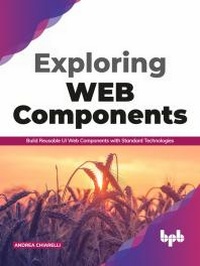
Exploring Web Components
Build Reusable UI Web Components with Standard Technologies (English Edition)
1st Edition
Published on 7. September 2020
224 pages
978-93-89423-98-3 (ISBN)
Description

No detailed description available for "Exploring Web Components".
More details
Other editions
Additional editions
Andrea Chiarelli
Exploring Web Components
Build Reusable UI Web Components with Standard Technologies (English Edition)
Book
08/2020
BPB Publications
€32.00
Available (delivery time upon request)
Content
- Cover Page
- Title Page
- Copyright Page
- Dedication Page
- About the Author
- About the Reviewer
- Acknowledgement
- Preface
- Errata
- Table of Contents
- 1. Getting Started with Web Components
- Structure
- Objectives
- UI, components, and applications
- 1. Decomposing UI
- 2. What is a component?
- 3. Composing components
- 4. Mapping components to HTML
- What are Web Components?
- Using a Web Component
- Browser support
- Using polyfills
- Conclusion
- Questions
- 2. Extending HTML Elements
- Structure
- Objectives
- Setting up a development environment
- The editor
- Development without building
- Development with building
- The Web Components builder project
- Custom elements
- Extending native elements
- Web Components naming rules
- Using a Custom Element based on native elements
- Including in an HTML page
- Importing in a JavaScript module
- Defining function-based Custom Elements
- Benefits of extending native elements
- Conclusion
- Questions
- 3. Creating Custom Web Components
- Structure
- Objectives
- Creating a Web Component from scratch
- Introducing the cookie alert project
- A minimal autonomous custom element
- Basic techniques to add CSS and markup
- The lifecycle of a Web Component
- The constructor
- The connectedCallback() reaction
- The attributeChangedCallback() reaction
- The adoptedCallback() reaction
- The disconnectedCallback() reaction
- Using a custom Web Component
- Conclusion
- Questions
- 4. Managing Properties and Attributes
- Structure
- Objectives
- Attributes and properties
- HTML attributes
- DOM properties
- Non-standard attributes management
- Attributes and properties synchronization
- Managing properties
- Adding properties
- Syncing attributes and properties
- Properties to attributes
- Attributes to properties
- Caveats and suggestions
- Conclusion
- Questions
- 5. Handling Events
- Structure
- Objectives
- Event management basics
- Listening to standard events
- Event propagation
- Creating custom events
- Managing policy acceptance
- Creating events
- Dispatching simple events
- The meaning of 'this'
- Passing data
- Adding onevent attributes
- Removing event listeners
- Conclusion
- Questions
- 6. Using the Shadow DOM
- Structure
- Objectives
- Web Components and the DOM
- The global DOM
- The problem with the DOM
- DOM encapsulation attempts
- The shadow DOM
- What is the shadow DOM
- Using the shadow DOM
- Open and closed shadow DOM
- Conclusion
- Questions
- 7. Using HTML Templates
- Structure
- Objectives
- Introducing templates
- What is a template?
- Activating a template
- Why using a template?
- Template at work
- Composing markup with slots
- Enabling formatted text
- Named slots
- Using named slots
- Conclusion
- Questions
- 8. Distributing and Extending Web Components
- Structure
- Objectives
- Distribution strategies
- The script-based strategy
- Without building step
- With building step
- Implementing modules
- The package-based strategy
- Leveraging the GitHub repository
- Publishing in the public npm registry
- Extending Web Components
- Defining an extended Web Component
- Using an extended Web Component
- Conclusion
- Questions
- 9. Web Components and Other UI Frameworks
- Structure
- Objectives
- Web Components integration
- Web Components and React
- Web Components and Angular
- Web Components and Vue
- Building web components with UI Frameworks
- Building Web Components with React
- Building Web Components with Angular
- Building Web Components with Vue
- Conclusion
- Questions
- 10. Tools for Web Components Development
- Structure
- Objectives
- Simplifying Web Components building
- Polymer and LitElement
- The lit-html library
- Using LitElement
- Basic infrastructure
- Templates and UI
- Properties and attributes
- Events
- Lifecycle
- Hybrids
- Templates and UI
- Properties and attributes
- Events
- Lifecycle
- Slim
- Basic infrastructure
- Templates and UI
- Properties and attributes
- Events
- Lifecycle
- Stencil
- Basic infrastructure
- Templates and UI
- Properties and attributes
- Events
- Lifecycle
- Conclusion
- Questions
