

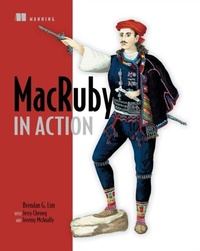
MacRuby in Action
1st Edition
Published on 10. April 2012
272 pages
978-1-63835-211-2 (ISBN)
Description

Summary
MacRuby in Action is a tutorial for Ruby developers who want to code for Mac OS X without learning Objective-C. You'll learn the ins and outs of the MacRuby language, including straightforward examples of creating OS X applications using Cocoa components.
About the Technology
For Rubyists, it's a real drag switching to a static language like Objective-C for Mac development. Fortunately, you don't have to. MacRuby is a Ruby 1.9 implementation that sits right on the Mac OS X core. It gives you access to the Cocoa framework and easy interoperability with the Mac platform.
About the Book
MacRuby in Action teaches Ruby developers how to code OS X applications in Ruby. You'll explore key Cocoa design patterns, along with a few twists that MacRuby makes possible. You'll also pick up high-value techniques including system scripting, automated testing practices, and getting your apps ready for the Mac App Store.
Written for Rubyists. No experience with Cocoa, Objective-C, or Mac OS X required.
Purchase of the print book comes with an offer of a free PDF, ePub, and Kindle eBook from Manning. Also available is all code from the book.
What's Inside
MacRuby in Action is a tutorial for Ruby developers who want to code for Mac OS X without learning Objective-C. You'll learn the ins and outs of the MacRuby language, including straightforward examples of creating OS X applications using Cocoa components.
About the Technology
For Rubyists, it's a real drag switching to a static language like Objective-C for Mac development. Fortunately, you don't have to. MacRuby is a Ruby 1.9 implementation that sits right on the Mac OS X core. It gives you access to the Cocoa framework and easy interoperability with the Mac platform.
About the Book
MacRuby in Action teaches Ruby developers how to code OS X applications in Ruby. You'll explore key Cocoa design patterns, along with a few twists that MacRuby makes possible. You'll also pick up high-value techniques including system scripting, automated testing practices, and getting your apps ready for the Mac App Store.
Written for Rubyists. No experience with Cocoa, Objective-C, or Mac OS X required.
Purchase of the print book comes with an offer of a free PDF, ePub, and Kindle eBook from Manning. Also available is all code from the book.
What's Inside
- Intro to Mac OS X development
- Full coverage of the Cocoa framework
- MacRuby for iOS
Table of Contents
- Introducing MacRuby
- Using Macirb and the Apple development tools
- Going beyond the basics with Xcode Interface Builder
- Using the delegate pattern
- Notifications and implementing the observer pattern
- Using key-value coding and key-value observing
- Implementing persistence with Core Data
- Core Animation basics
- HotCocoa
- MacRuby testing
- MacRuby and the Mac App Store
More details
Other editions
Additional editions
Brendan Lim | Paul Crawford
MacRuby in Action
Book
04/2012
Manning Publications
€54.65
Article exhausted; check different version
Persons
Jerry Cheung loves creating software. He started experimenting with Ruby on Rails in 2007 and has been hooked on Ruby ever since. Upon graduating from Berkeley, he joined Coupa and later went on to start his own company Outspokes with several friends from Berkeley. He currently works as a Rails engineer at Intridea, and experiments with emerging technologies like Macruby, and Node.js.
Brendan G. Lim is a professional web and mobile developer. He is a Y Combinator alum and is the co-founder of Kicksend, a mobile-focused startup that lets people send and print photo albums. Brendan is the author of MacRuby in Action.
Jeremy McAnally has been programming for about eight years and doing graphic design for four years. He is curerntly a freelance Ruby and Rails developer, consultant, and author. He has over three years' experience with Ruby and two years' with Rails; in that time has has developed a number of small, localized intranet systems and mediumt- large-scale systems in Ruby.
Brendan G. Lim is a professional web and mobile developer. He is a Y Combinator alum and is the co-founder of Kicksend, a mobile-focused startup that lets people send and print photo albums. Brendan is the author of MacRuby in Action.
Jeremy McAnally has been programming for about eight years and doing graphic design for four years. He is curerntly a freelance Ruby and Rails developer, consultant, and author. He has over three years' experience with Ruby and two years' with Rails; in that time has has developed a number of small, localized intranet systems and mediumt- large-scale systems in Ruby.
Content
- Intro
- Copyright
- Brief Table of Contents
- Table of Contents
- Preface
- Acknowledgments
- About this Book
- About the Authors
- About the Cover Illustration
- Part 1. Starting with MacRuby
- Chapter 1. Introducing MacRuby
- Chapter 2. Using Macirb and the Apple development tools
- Chapter 3. Going beyond the basics with Xcode Interface Builder
- Part 2. Take it for a Spin
- Chapter 4. Using the delegate pattern
- Chapter 5. Notifications and implementing the observer pattern
- Chapter 6. Using key-value coding and key-value observing
- Chapter 7. Implementing persistence with Core Data
- Chapter 8. Core Animation basics
- Part 3. MacRuby Extras
- Chapter 9. HotCocoa
- Chapter 10. MacRuby testing
- Chapter 11. MacRuby and the Mac App Store
- Appendix A. Scripting with MacRuby
- Index
- List of Figures
- List of Tables
- List of Listings
