

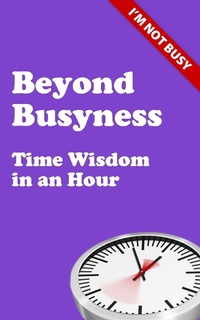
Beyond Busyness
Time Wisdom in an Hour
Published on 12. February 2013
56 pages
978-1-908381-63-7 (ISBN)
Description

Following the success of his previous book, Beyond Busyness: Time Wisdom for Ministry, Dr Stephen Cherry has distilled the essence of Time Wisdom into this bite-sized book, essential for anyone seeking to restore some balance in their busy life.As part of his "e;Give up busyness for Lent"e; campaign - or as a standalone guide - this concise e-book will help you get to grips with Time Wisdom in just an hour!Why give up busyness?You might just find you get more done...Busyness has become a disease.The developed world is suffering from an epidemic of major proportions, and the disease at the heart of it is busyness. We are addicted to doing one thing after another with as little down-time as possible. This is a sickness, a spiritual sickness.Why is busyness so bad?It distorts your perceptionIt makes you feel self-importantIt makes you rudeIt's an excuse for impatienceIt's an excuse for not getting things doneIt's addictiveIt burns you outIt's lazy - chronic busyness occurs when you have not asked the important questions or decided on your prioritiesLearn Time Wisdom in an hour and get your life back!
More details
Language
English
Place of publication
Durham
United Kingdom
File size
0,12 MB
ISBN-13
978-1-908381-63-7 (9781908381637)
Copyright in bibliographic data and cover images is held by Nielsen Book Services Limited or by the publishers or by their respective licensors: all rights reserved.
Schweitzer Classification
Other editions
Additional editions
Book
02/2013
Sacristy Press
€11.80
Shipment within 3-4 weeks
Content
- Intro
- Part 1: Before You Begin
- Part 2: "New Busy" or "The Busyness Syndrome"
- Part 3: Two Ironies
- Part 4: Time Wisdom
- Part 5: Two Types of Time
- Part 6: Why Give Up Busyness?
- Part 7: What does NOT BUSY mean?
- Part 8: Time is a Spiritual Issue
- Part 9: How?
- Part 10: Tips on Implementing the Ten Top Tips
- 1. Decide to never describe yourself as busy.
- 2. Don't let others get away with saying "I thought you'd be too busy".
- 3. Take some time out to do nothing every day.
- 4. Make a two-column "To Do" list regularly.
- 5. Draw up a list of things you are not going to do (your "Don't Do" list).
- 6. Stop using your smartphone as an alarm clock.
- 7. Arrive and leave on time.
- 8. Book your holiday well in advance.
- 9. Earmark some time in your diary for "preparation" and some for "catch-up" every week.
- 10. Tell someone else that you are giving up busyness and ask them to monitor you for "white rabbit behaviour".
- Part 11: A Non-Busy Life
- Part 12: It's Micro-Party Time
- Part 13: Finally
- Endnotes
