

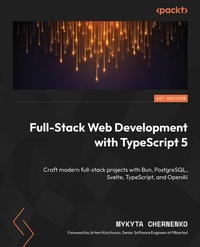
Full-Stack Web Development with TypeScript 5
Craft modern full-stack projects with Bun, PostgreSQL, Svelte, TypeScript, and OpenAI
1st Edition
Published on 18. March 2025
272 pages
978-1-83588-559-8 (ISBN)
Description

No detailed description available for "Full-Stack Web Development with TypeScript 5".
All prices
More details
Other editions
Additional editions
Mykyta Chernenko
Full-Stack Web Development with TypeScript 5
Craft modern full-stack projects with Bun, PostgreSQL, Svelte, TypeScript, and OpenAI
Book
08/2024
Packt Publishing
€43.80
Shipment within 3-4 weeks
Persons
Chernenko Mykyta :
Mykyta Chernenko has over seven years of experience in technology, mainly in full-stack development with a focus on Python and TypeScript. He has also worked with Go, Kotlin, and Dart on various projects. His technical contributions include working on the Azure integration for Nutanix's cluster discovery project and a key engineering role at Factmata, overseeing engineering and infrastructure. Currently, he holds a position as a senior consultant at KodeWorks. In addition to his technical work, Mykyta has mentored over 20 professionals, sharing his knowledge and experience. He is also the author of The Rational Software Engineer and runs a blog with the same name on Hackernoon, where he writes about his insights in the field.
Mykyta Chernenko has over seven years of experience in technology, mainly in full-stack development with a focus on Python and TypeScript. He has also worked with Go, Kotlin, and Dart on various projects. His technical contributions include working on the Azure integration for Nutanix's cluster discovery project and a key engineering role at Factmata, overseeing engineering and infrastructure. Currently, he holds a position as a senior consultant at KodeWorks. In addition to his technical work, Mykyta has mentored over 20 professionals, sharing his knowledge and experience. He is also the author of The Rational Software Engineer and runs a blog with the same name on Hackernoon, where he writes about his insights in the field.
Content
- Cover
- Title Page
- Copyright and Credits
- Foreword
- Contributors
- Table of Contents
- Preface
- Part 1: Introduction to TypeScript
- Chapter 1: TypeScript Fundamentals
- Technical requirements
- Introduction to TypeScript and its evolution
- Key differences between TypeScript and JavaScript
- The advantages of using TypeScript in modern web development
- Basic syntax of TypeScript
- Simple types
- Interfaces
- Summary
- Chapter 2: TypeScript Deep Dive - Typing, Generics, Classes, and Interfaces
- Technical requirements
- Advanced typing techniques
- Narrowing
- null types
- Function types
- Creating types from other types
- Utility types
- Union types
- Type intersections
- Interface and OOP features
- Interfaces
- OOP functionalities
- Generics
- Promises
- Summary
- Part 2: Backend Development with Bun and TypeScript
- Chapter 3: Configuring a Backend Environment with Bun and Hono
- Technical requirements
- Introducing Bun
- Introducing Hono
- Setting up the project
- Adding linting and formatting
- Adding middleware
- Handling environment variables
- Discussing the project structure
- Summary
- Chapter 4: Building Backend Infrastructure with Bun, Hono, and TypeScript
- Technical requirements
- Implementing in-memory storage
- Defining the interfaces
- Creating database and API types
- In-memory implementation of the interfaces
- Implementing authentication and authorization
- Developing the authentication middleware
- Defining our controllers
- Implementing chat controllers
- Implementing the endpoints
- Combining the endpoints
- Using the index file for calling the function
- Summary
- Chapter 5: Improving Reliability - Testing and Validation
- Technical requirements
- Writing validation with Zod
- Adding validation to our authentication endpoints
- Adding validation to our chat endpoints
- Developing tests with Bun
- Writing tests with Bun's test runner
- Writing tests for our authentication endpoints
- Writing test for our chat endpoints
- Summary
- Chapter 6: Advanced Backend Development - Security, Throttling, Caching, and Logging
- Technical requirements
- Managing security aspects
- Adding request throttling
- Writing the middleware
- Implementing the middleware
- Including the middleware in the main app
- Managing the cache
- Writing the cache middleware
- Using the cache middleware in our chat endpoints
- Using logging
- Creating our logger's configuration
- Adding logger to our caching middleware
- Summary
- Part 3: Integrating PostgreSQL for Data Management
- Chapter 7: PostgreSQL Basics, Storage, and Setup
- Technical requirements
- Setting up PostgreSQL in Docker
- What are Docker and Docker Compose?
- What is PostgreSQL?
- Creating a database as a Docker container
- Constructing the database schema
- Defining the database schema
- Creating the database schema
- Writing CRUD SQL operations
- Summary
- Chapter 8: Interacting with PostgreSQL Using Libraries
- Technical requirements
- Integrating SQL implementation in the codebase
- Writing a class
- Updating a user
- Incorporating SQL implementation into the main function
- Replacing in-memory data storage with a SQL-based solution
- Testing our SQL integrations to ensure reliability
- Summary
- Chapter 9: Interacting with PostgreSQL Using Prisma ORM
- Technical requirements
- Introduction to ORMs and Prisma
- Introducing Prisma - our ORM of choice
- Understanding Prisma Migrate
- Handling migrations using Prisma
- Defining the database schema
- Applying the migration to our database
- Interacting with the database using Prisma
- Defining the Prisma Client class
- Integrating ORM into the main function
- Testing our ORM integration
- Summary
- Part 4: AI Integration with OpenAI API
- Chapter 10: Basics of Integrating External APIs with TypeScript and Hono
- Technical requirements
- Introduction to API integration in TypeScript using fetch
- Handling errors and retries
- Validating API correctness
- Summary
- Chapter 11: Setting Up and Configuring the OpenAI API for the Backend
- Technical requirements
- Introduction to LLMs and their applications
- Setting up OpenAI API integration
- Integrating the OpenAI API into our backend
- Summary
- Part 5: Frontend Development with Svelte
- Chapter 12: Introduction to Svelte for Frontend Development
- Technical requirements
- What is Svelte?
- History of Svelte
- Differentiation from other frameworks
- Learning Svelte fundamentals
- Component composition structure
- Introduction to .svelte file structure
- Reactivity
- Events
- Bindings
- Handling conditionals and iterating arrays
- Props
- Lifecycle
- Stores
- Summary
- Chapter 13: Setting Up the Svelte Project
- Technical requirements
- Discussing Vite and SvelteKit
- Setting up the project
- Exploring the project structure
- Vite configuration file
- TypeScript configuration file
- Svelte configuration file
- Configuring package.json
- HTML entry point
- Main file
- Application title
- Summary
- Chapter 14: Svelte Chat Application Development
- Technical requirements
- Writing routes for our application
- Handling authentication logic
- Defining the authentication store
- Implementing Login component
- Implementing Register component
- Developing chat logic
- Creating a parent component
- Implementing the Header component
- Creating the Chat component
- Introducing styling
- Writing application-wide styling
- Styling for our Login and Register components
- Styling our header component
- Styling the chat container
- Styling for the chat list
- Styling our chat popup creation component
- Styling for specific chats
- Summary
- Chapter 15: Advanced Svelte Techniques
- Technical requirements
- Configuring formatting and linting
- ESLint config file
- Prettier file
- Exploring a11y
- The importance of accessibility
- Accessibility rules and best practices in Svelte
- Fixing accessibility issues in our project
- Setting up i18n
- Introducing testing
- Configuring the Vite file
- Exploring our setup file
- Writing a test for our component
- Further reading
- Summary
- Index
