

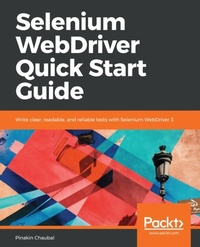
Selenium WebDriver Quick Start Guide
Write clear, readable, and reliable tests with Selenium WebDriver 3
Published on 23. September 2024
192 pages
978-1-78961-134-2 (ISBN)
Description

No detailed description available for "Selenium WebDriver Quick Start Guide".
More details
Edition
Digital original
Language
English
Place of publication
Birmingham
United Kingdom
Target group
Professional and scholarly
US School Grade: College Graduate Student
Edition type
Digital original
File size
4,11 MB
ISBN-13
978-1-78961-134-2 (9781789611342)
Copyright in bibliographic data and cover images is held by Nielsen Book Services Limited or by the publishers or by their respective licensors: all rights reserved.
Schweitzer Classification
Other editions
Additional editions
Pinakin Chaubal
Selenium WebDriver Quick Start Guide
Write clear, readable, and reliable tests with Selenium WebDriver 3
Book
10/2018
Packt Publishing
€39.30
Shipment within 3-4 weeks
Person
Chaubal Pinakin :
Pinakin is a BE(Computer Science) with 17+ years of IT experience which includes development and test automation experience. I am PMP and ISTQB certified. He is currently working at Intellect Design Arena as an automation architect. He handles the automation framework creation and maintenance effort in various projects. Previously, Pinakin has worked at Patni, Accenture, L&T Infotech etc. Following are some of the prestigious clients for which Pinakin has worked, General Electric, Bellsouth Telecommunications, Albertsons Retail,Travelers Insurance, Harleysville insurance, Barclays,Bank of Santander, Bank of Montreal, HSBC, CITI, Canadian Imperial Bank of Commerce,HDFC. Pinakin has used tools like QTP, Winrunner, UFT and now working with Selenium WebDriver.
Pinakin is a BE(Computer Science) with 17+ years of IT experience which includes development and test automation experience. I am PMP and ISTQB certified. He is currently working at Intellect Design Arena as an automation architect. He handles the automation framework creation and maintenance effort in various projects. Previously, Pinakin has worked at Patni, Accenture, L&T Infotech etc. Following are some of the prestigious clients for which Pinakin has worked, General Electric, Bellsouth Telecommunications, Albertsons Retail,Travelers Insurance, Harleysville insurance, Barclays,Bank of Santander, Bank of Montreal, HSBC, CITI, Canadian Imperial Bank of Commerce,HDFC. Pinakin has used tools like QTP, Winrunner, UFT and now working with Selenium WebDriver.
Content
Table of Contents
Introducing Selenium WebDriver and Environment Setup
Understanding the Document Object Model and creating customized x-paths
Basic Selenium Commands and Their Usage in Building a Framework
Handling Popups, Frames, and Alerts
Synchronization
The Actions Class and JavaScriptExecutor
The Command Pattern and Creating Components
Hybrid Framework
Introducing Selenium WebDriver and Environment Setup
Understanding the Document Object Model and creating customized x-paths
Basic Selenium Commands and Their Usage in Building a Framework
Handling Popups, Frames, and Alerts
Synchronization
The Actions Class and JavaScriptExecutor
The Command Pattern and Creating Components
Hybrid Framework
