

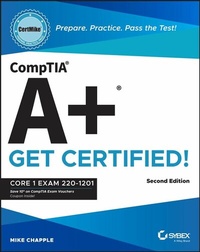
CompTIA A+ CertMike: Prepare. Practice. Pass the Test! Get Certified!
Description

Skip the fluff and quickly master the essentials with this accurate CompTIA A+ certification test prep
In the second edition of CompTIA A+ CertMike: Prepare. Practice. Pass the Test! Get Certified! Core 1 Exam 220-1201, tech educator and expert Mike Chapple delivers a hands-on guide to efficiently and effectively preparing for the CompTIA A+ Core 1 exam. The book contains concise discussions of the mobile devices, networking technologies, hardware components, virtualization and cloud computing services, and troubleshooting techniques you'll need for the updated test and on a day-to-day basis at your job.
Chapple covers all relevant technological advances in mobile, cloud, networking, and security that have taken place since publication of the first edition of this book. He also walks you through the material you need to know to succeed on the newly created 220-1201 exam.
You'll use the proven CertMike approach to:
- Prepare-CertMike is your personal study coach, guiding you through all the exam objectives and helping you gain an understanding of how they apply to on-the-job tasks!
- Practice-Each chapter includes two multiple choice practice questions. Work through the detailed explanations to evaluate each answer option and understand the reason for the best answer!
- Pass-On exam day, use the critical knowledge you've learned when you're ready to take the test. You'll feel ready and confident to pass the exam and earn your certification!
Laser-focused on starting and accelerating your IT technician career and ensuring your success on the A+ certification Core 1 exam, the book skips the fluff and familiarizes you with IT basics you'll use on the test and every day in your work. It also offers complimentary access to helpful online study tools, like a bonus practice exam and audio recordings of the CertMike Exam Essentials.
The second edition of CompTIA A+ CertMike is perfect for anyone preparing for their A+ certification who wants to reduce test anxiety, boost their confidence, and get up to speed quickly and efficiently. It's also a great resource for hardware and PC technicians who want to reinforce foundational skills and upgrade their professional knowledge.
More details
Other editions
Additional editions
Person
ABOUT THE AUTHOR
Mike Chapple, PhD, CISSP, CISM, CIPP/US, CIPM, CCSP, is Teaching Professor of Information Technology, Analytics, and Operations at Notre Dame's Mendoza College of Business. He is the bestselling author of over 50 technical books. He is also the Faculty Director of the University's Business/Computer Science program.
Content
Introduction xxi
Part I Domain 1.0: Mobile Devices 1
Chapter 1 Mobile Device Hardware 3
Chapter 2 Mobile Device Accessories and Connectivity 19
Chapter 3 Mobile Device Network Connectivity and Application Support 35
Part II Domain 2.0: Networking 53
Chapter 4 TCP/IP Networking 55
Chapter 5 TCP/IP Ports and Protocols 61
Chapter 6 Wireless Networking Protocols 71
Chapter 7 Networked Host Services 85
Chapter 8 Network Configuration 97
Chapter 9 Networking Hardware 109
Chapter 10 Installing and Configuring Networks 125
Chapter 11 Internet Connection Types 137
Chapter 12 Networking Tools 149
Part III Domain 3.0: Hardware 159
Chapter 13 Displays 161
Chapter 14 Cables and Connectors 171
Chapter 15 Random Access Memory (RAM) 195
Chapter 16 Storage Devices 207
Chapter 17 Motherboards 229
Chapter 18 Booting, CPUs, and Expansion Cards 247
Chapter 19 Power Supplies 265
Chapter 20 Printer and Multifunction Device Configuration 277
Chapter 21 Printer Maintenance 297
Part IV Domain 4.0: Virtualization and Cloud Computing 309
Chapter 22 Virtualization 311
Chapter 23 Cloud Computing 321
Part V Domain 5.0: Hardware and Network Troubleshooting 329
Chapter 24 Troubleshooting 331
Chapter 25 Troubleshooting Motherboards, RAM, CPU, and Power 337
Chapter 26 Troubleshooting Storage 355
Chapter 27 Troubleshooting Video 373
Chapter 28 Troubleshooting Mobile Devices 385
Chapter 29 Troubleshooting Networks 399
Chapter 30 Troubleshooting Printers 409Index 421
