

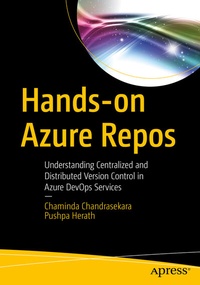
Hands-on Azure Repos
Description

You'll start with an introduction to Azure Repos, focusing on TFVC and Git, and then gradually transition to hands on lessons of working with TVFC. Next, you'll see how to set up and work with TFVC branches and tracking systems followed by usage of command line and security in TFVC Repos.
Create and work on Git Repos in Azure DevOps and use branching with Azure Git Repos and Git command line in Visual Studio and vscode. The book then explores security in Git Repos and advanced options you can use to import from external Repos. With Hands-on Azure Repos as your guide, you'll be able to work with these version control tools on any platform and with any language.
What You'll Learn
- Integrate Azure Repos with Azure Boards to enable tracking work with code.
- Create guidelines to tackle difficult situations in using Azure Repos
- Clone Azure Repo to local using Visual Studio and vscode
- Work with shelvesets, code reviews and lock types
- Perform activities using REST API with Azure Repos
Software developers, tech leads and architects.
More details
Other editions
Additional editions
Persons
Pushpa Herath is a DevOps/Test Automation Engineer at Datavail Lanka (Pvt) Ltd. She has many years of experience in QA automation and Azure DevOps Server and Services (former VSTS/TFS). She is an expert on functional test automation using Selenium and Coded UI. Pushpa blogs on technology at https://devopsadventure.blogspot.com/ . Pushpa has experience with Microsoft tools (C#, VSTS/TFS, SQL Server, and Azure) and open source tools (MAQS open framework and Sikuli). She has published a book with Apress.
Content
Chapter 1: Getting Started with Azure Team Foundation Version Control. - Chapter 2: Working with Team Foundation Version Control - part 1. - Chapter 3: Working with Team Foundation Version Control - part 2. - Chapter 4: Team Foundation Version Control Branching. - Chapter 5: Team Foundation Version Control - Command Line. -Chapter 6: Team Foundation Version Control - Security. - Chapter 7: Getting started with Azure Git Repos. - Chapter 8: Branching with Azure Git Repos. - Chapter 9: Git Command Line. - Chapter 10: Azure Git Repos - Security. - Chapter 11: Azure Git Repos - Extras. - Chapter 12: Azure Repos - REST API.
