

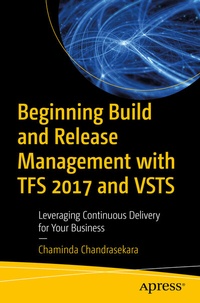
Beginning Build and Release Management with TFS 2017 and VSTS
Leveraging Continuous Delivery for Your Business
Published on 1. June 2017
XVII, 559 pages
978-1-4842-2811-1 (ISBN)
Description

Master build and release management with Team Foundation Service and Visual Studio Team Services to facilitate the continuous delivery of software updates to your development team.
You'll receive detailed, practical guidance on automating website deployments in Azure App Service, database deployments to Azure platform, Micro Services deployments in Azure Service Fabric, and more. Each deployment is structured with the aid of hands-on lessons in a given target environment designed to empower your teams to achieve successful DevOps.
This book provides lessons on how to optimize build release management definitions using capabilities, such as task groups. With the help of practical scenarios, you'll also learn how to diagnose and fix issues in automated builds and deployments. You'll see how to enhance the capability of build and release management, using team services/TFS Marketplace extensions and writing your own extensions for any missing functionality via hands-on lessons. What You Will Learn
-
Automate deployment to Azure platform, including Web App Service, Azure SQL and Azure Service Fabric
-
Test automation integration with builds and deployments
-
Perform Dynamic CRM deployment handling and package management with TFS/VSTS
- Examine requirement to production delivery traceability in practical terms
- Review cross platform build/deployment capabilities of TFS/VSTS.
Who This Book Is For
Build/Release Engineers, Configuration Managers, Software Developers, Test Automation Engineers, System Engineers, Software Architects and System/Production Support Engineers or anyone who handles and involves in the software delivery process.
More details
Series
Edition
1st ed.
Language
English
Place of publication
Berkeley
United States
Publishing group
APRESS
Target group
Professional and scholarly
Product notice
Reflowable
Illustrations
XVII, 559 p. 785 illus., 778 illus. in color.
File size
41,66 MB
ISBN-13
978-1-4842-2811-1 (9781484228111)
DOI
10.1007/978-1-4842-2811-1
Schweitzer Classification
Other editions
Additional editions
Chaminda Chandrasekara
Beginning Build and Release Management with TFS 2017 and VSTS
Leveraging Continuous Delivery for Your Business
Book
06/2017
APress
€64.19
Shipment within 15-20 days
Person
Chaminda is a Microsoft MVP for Visual Studio ALM and Scrum Alliance Certified ScrumMaster®. he focuses on and believes in continuous improvement of Software Development Life-cycle. He works as the ALM/DevOps Architect for Navantis IT (Pvt) Ltd, a fully owned subsidiary of Toronto, Canada based Navantis Inc.
Chaminda is also an active Microsoft Community Contributor (MCC), well recognized for his contributions in Microsoft forums, TechNet galleries, Wikis, and contributes extensions to Visual Studio Team Services/TFS, in Microsoft Visual Studio marketplace. He also contributes to other open source projects in GitHub. His technical blog is popular among ALM practitioners around the world for quick and descriptive tech guidance.
Chaminda is also an active Microsoft Community Contributor (MCC), well recognized for his contributions in Microsoft forums, TechNet galleries, Wikis, and contributes extensions to Visual Studio Team Services/TFS, in Microsoft Visual Studio marketplace. He also contributes to other open source projects in GitHub. His technical blog is popular among ALM practitioners around the world for quick and descriptive tech guidance.
Content
Chapter 1: Understanding the Concepts.- Chapter 2: TFS15/VSTS Build/Release Agents - Configuring & Marketplace Extensions.- Chapter 3: ASP.Net Web Application Deployment to Azure and IIS.- Chapter 4: Deployment to other platforms.- Chapter 5: Azure SQL and TFS/VSTS Build and Release.- Chapter 6: Team Services for Azure Service Fabric Deployments.- Chapter 7: Meta-Tasks, Folders, Tags and Build/Release Definition.- Chapter 8: Building with External Repositories and other platform builds.- Chapter 9: Test Automation with Build and Release.- Chapter 10: Dynamics CRM 2016 /CRMOnline Deployments with TFS/VSTS Release.- Chapter 11: Effective Release Note - with TFS Release.- Chapter 12: Package Management.- Chapter 13: Extending Build and Release Tasks on Your Own.
