

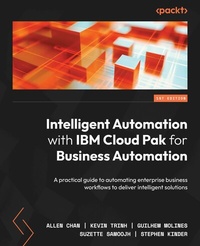
Intelligent Automation with IBM Cloud Pak for Business Automation
A practical guide to automating enterprise business workflows to deliver intelligent solutions
Published on 23. September 2024
450 pages
978-1-80181-112-5 (ISBN)
Description

No detailed description available for "Intelligent Automation with IBM Cloud Pak for Business Automation".
All prices
More details
Edition
Digital original
Language
English
Place of publication
Birmingham
United Kingdom
Target group
Professional and scholarly
US School Grade: College Graduate Student
Edition type
Digital original
Product notice
Reflowable
File size
32,68 MB
ISBN-13
978-1-80181-112-5 (9781801811125)
Copyright in bibliographic data and cover images is held by Nielsen Book Services Limited or by the publishers or by their respective licensors: all rights reserved.
Schweitzer Classification
Other editions
Additional editions
Allen Chan | Kevin Trinh | Guilhem Molines
Intelligent Automation with IBM Cloud Pak for Business Automation
A practical guide to automating enterprise business workflows to deliver intelligent solutions
Book
12/2022
Packt Publishing
€50.20
Shipment within 3-4 weeks
Persons
Chan Allen :
Allen Chan works as an IBM Distinguished Engineer and CTO for IBM Business Automation. He is responsible for defining and directing the technical strategy of IBM CloudPak for Business Automation. His educational background includes B.Sc., Computer and Electrical Engineering at Purdue University, United States and M.Sc., Electrical and Computer Engineering at University of Toronto, Canada.Trinh Kevin :
Kevin Trinh works as the Chief Architect for IBM Cloud Pak for Business Automation Adoption and Deployment. He is a member of the IBM Business Automation CTO Office and is responsible for defining the cloud adoption strategy for IBM Cloud Pak for Business Automation. His work experience includes 3 years as cloud integration architect and 18 years in FileNet development. His educational background includes Bachelor of Science in Accounting, University of the Pacific, United States.Molines Guilhem :
Guilhem Molines works as the Chief Architect for IBM Decision Services and is a member of the IBM Business Automation CTO Office. He has been working in the Automation/Decision industry for the last 15 years. His educational background includes M.Sc, Computer Sciences and Artificial Intelligence, University of Paris VI, France.Samoojh Suzette :
Suzette Samoojh works as an IBM Architect and is a member of the IBM Business Automation CTO Office. She leads the architecture for IBM Blueworks Live and is helping to define the SaaS onboarding strategy for IBM Watson Orchestrate. Her educational background includes B. Sc. in Computer Science, University of Toronto, Canada.Kinder Stephen :
Stephen Kinder works as a RPA Architect and is a member of IBM Business Automation CTO office. His work experience includes WebSphere Architecture, IBM SOA Foundation, WebSphere as a Service SaaS Architect. His educational background includes B.S. Computer Science, California State University, Sacramento, United States.
Allen Chan works as an IBM Distinguished Engineer and CTO for IBM Business Automation. He is responsible for defining and directing the technical strategy of IBM CloudPak for Business Automation. His educational background includes B.Sc., Computer and Electrical Engineering at Purdue University, United States and M.Sc., Electrical and Computer Engineering at University of Toronto, Canada.Trinh Kevin :
Kevin Trinh works as the Chief Architect for IBM Cloud Pak for Business Automation Adoption and Deployment. He is a member of the IBM Business Automation CTO Office and is responsible for defining the cloud adoption strategy for IBM Cloud Pak for Business Automation. His work experience includes 3 years as cloud integration architect and 18 years in FileNet development. His educational background includes Bachelor of Science in Accounting, University of the Pacific, United States.Molines Guilhem :
Guilhem Molines works as the Chief Architect for IBM Decision Services and is a member of the IBM Business Automation CTO Office. He has been working in the Automation/Decision industry for the last 15 years. His educational background includes M.Sc, Computer Sciences and Artificial Intelligence, University of Paris VI, France.Samoojh Suzette :
Suzette Samoojh works as an IBM Architect and is a member of the IBM Business Automation CTO Office. She leads the architecture for IBM Blueworks Live and is helping to define the SaaS onboarding strategy for IBM Watson Orchestrate. Her educational background includes B. Sc. in Computer Science, University of Toronto, Canada.Kinder Stephen :
Stephen Kinder works as a RPA Architect and is a member of IBM Business Automation CTO office. His work experience includes WebSphere Architecture, IBM SOA Foundation, WebSphere as a Service SaaS Architect. His educational background includes B.S. Computer Science, California State University, Sacramento, United States.
Content
Table of Contents
What is Cloud Pak for Business Automation?
RPA, Workflow, Decisions, and Business Applications
Process Discovery and Process Mining
Content Management and Document Processing
Task Automation with RPA
Chatbot with RPA
Workflow for Process Automation
Automate Decisions to Speed Up Your Processes
Manage Documents with Content Management
Extracting Meanings with Document Processing
Engaging Business Users with Business Applications
Workforce Insights
On-Premises and On-Cloud Deployment
Deployment Topology, High Availability, and Disaster Recovery
Automating Your Operations and Other Considerations
What is Cloud Pak for Business Automation?
RPA, Workflow, Decisions, and Business Applications
Process Discovery and Process Mining
Content Management and Document Processing
Task Automation with RPA
Chatbot with RPA
Workflow for Process Automation
Automate Decisions to Speed Up Your Processes
Manage Documents with Content Management
Extracting Meanings with Document Processing
Engaging Business Users with Business Applications
Workforce Insights
On-Premises and On-Cloud Deployment
Deployment Topology, High Availability, and Disaster Recovery
Automating Your Operations and Other Considerations
