

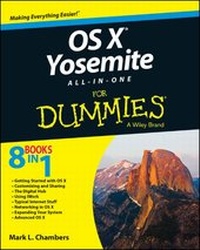
OS X Yosemite All-in-One For Dummies
Description

More details
Other editions
Additional editions
Person
Content
Introduction
I remember the first moment I moved a mouse across an OS X Desktop. At that time, it was the beta of version 10.0 - and I very well remember the word elegant as my first impression. (My second impression was Unix done better.) That's really saying something because I'm an old personal computer operating system curmudgeon: I cut my computing teeth on Atari and TRS-80 Model III machines, and I still feel at home in the character-based environment of DOS and Unix. Of course, I've also used every version of Windows that Microsoft has produced (everything from Microsoft Bob and Windows/286 to the much-maligned Windows 8). And yes, I've used Mac OS since before the days of System 7, using a Macintosh SE with a 9" monitor (and a built-in handle).
But out of this host of operating systems, could you really call one elegant before now? OS X - now at version 10.10, affectionately called Yosemite - is something different: a fine-cut diamond amongst a handful of semiprecious stones. It's the result of an unnatural marriage, I'll admit . the intuitive, graphical world of Mac paired with the character-based stability and efficient multitasking of Unix, along with the iOS operating system developed especially for Apple's mobile devices. Who would have thought that they would work together so well?
Therefore, you can imagine how I immediately jumped at the chance to write a comprehensive guide to Apple's masterpiece. (Although it's been more than a decade ago now, I've never regretted the decision.) The book you hold in your hands uses the classic For Dummies design; it provides you with the step-by-step instruction (plenty of which my editors grudgingly agree is somewhat humorous) on every major feature of OS X. It also goes a step further from time to time, delving into why something works the way it does or what's going on behind the scenes. You can chalk that up to my sincere admiration for everyone in Cupertino and what they've produced.
What you won't find in this All-in-One is wasted space. All the new features of version 10.10 are here, including the arrival of the new iCloud Drive and features like Handoff that tie your Mac even closer to iOS devices. You'll also find coverage of the current Apple consumer applications. Everything's explained from the ground up, just in case you've never touched an Apple computer before. By the time you reach the final pages, you'll have covered advanced topics, such as networking, AppleScript, Internet security . and yes, even an introduction to the powerful world of Unix that exists underneath.
I sincerely hope that you enjoy this book and that it will act as your guide while you discover all the wonderful features of OS X Yosemite that I use every day. Remember, if a Windows-minded acquaintance still titters about your Mac mini, I'll understand if you're tempted to drop this weighty tome on his foot. (Of course, you can also boot into Windows and watch him turn purple - truth is, he can't boot into OS X on his PC.)
The official name of the latest version is (portentous pause here, please) OS X version 10.10 Yosemite. But who wants to spit out that mouthful every time? Throughout this book, I refer to the operating system as OS X or simply Yosemite.
About This Book
No one expects a book in the For Dummies series to contain techno-jargon or ridiculous computer science semantics - especially a book about the Macintosh! Apple has always strived for simplicity and user friendliness. I hereby promise that I've done my absolute best to avoid unnecessary techno-talk. For those who are interested in what's happening under the hood, I provide sidebars that explain a little more about what's doing what to whom. If you'd rather just have fun and ignore the digital dirty work, please feel free to disregard these additions (but don't tear sidebars out of the book because there's likely to be important stuff on the opposite side of the page).
However, even For Dummies books have to get technical from time to time, usually involving commands that you have to type and menu items that you have to click. If you've read any of my other For Dummies books, you'll know that a helpful set of conventions is used to indicate what needs to be done or what you see onscreen:
- Stuff you type: When I ask you to type a command or enter something in a text field (such as your name or phone number), the text appears like this: Type me. Press the Return key to process the command or enter the text.
- Menu commands: When I give you a specific set of menu commands to use, they appear in the following format: Edit?Copy. In this example, you should click the Edit menu and then choose the Copy menu item.
- Links: URLs (web addresses) look like this: www.mlcbooks.com. I added plenty of them so you can quickly find cool products or helpful info online.
Foolish Assumptions
If you have a Mac that's either running OS X version 10.10 (Yosemite) or is ready to be upgraded to it, you're set to go. Despite what you might have heard, you won't require any of the following:
- A degree in computer science: Apple designed OS X for regular people, and I designed this book for people of every experience level. Even if you've never used a Mac before, you'll find no hostile waters here.
- A fortune in hardware and software: I do describe additional hardware and software that you can buy to expand the functionality of your Mac; however, that coverage includes only a couple of chapters. Everything else covered in this book is included with OS X Yosemite - and by the size of this volume, you get a rough idea of just how complete OS X is! Heck, many folks buy Macs just because of the free software you get, such as iMovie and GarageBand.
- Full-time technical help: Granted, you may need occasional professional technical support for specific hardware or software issues, but such instances will be rare - you won't have your smartphone constantly stuck to your ear as you wait for a human voice! Within the confines of this book, I try my best to cover all the bases, including troubleshooting you can perform on your own and possible pitfalls that you can avoid.
Oh, and you need to download Yosemite from the Apple App Store, unless Yosemite came pre-installed on your Mac. Go figure.
Icons Used in This Book
The icons in this book are more than just attractive - they're also important visual cues for stuff that you don't want to miss.
My unique Mark's Maxims represent big-time-important stuff, so I call your attention to these nuggets in bold, like this:
Something Really Important Is Being Said that will likely affect your person in the near future.
Pay attention, and commit these maxims to memory; you'll avoid the pitfalls that the rest of us have hit on the way.
The Tip icons flag short snippets of information that will save you time or trouble (and, in some cases, even cash).
This icon highlights optional technical information. If you also used to disassemble alarm clocks for fun when you were 6 years old, you'll love this stuff.
Always read the information next to this icon first! Something looms ahead that could put your hardware or software at risk.
Look to the Remember icons for those tidbits that you need to file away in your mind. Just remember to remember.
Beyond the Book
I've written extra content that you won't find in this book. Go online to find the following:
- Online articles covering additional topics at
www.dummies.com/extras/osxyosemiteaio
These "Web Extras" show you how to record audio, video, and screen activity in QuickTime Player, how to manipulate images in Pages, how to search for an Internet service provider, how to remotely control your Mac using VNC, and even how to display a virtual keyboard on your Mac's screen.
- The Cheat Sheet for this book is at
www.dummies.com/cheatsheet/osxyosemiteaio
Here you'll find a listing of common Yosemite keyboard shortcuts, a schedule to help you keep track of OS X maintenance, and an explanation of the special symbols on your Mac keyboard.
- Updates to this book, if there are any, can be found at
Where to Go from Here
The material in this book is divided into eight minibooks, each of which covers an entire area of OS X knowledge. For example, you'll find minibooks on networking, the Apple Digital Hub suite of consumer applications (formerly known as iLife), Apple's iWork office productivity suite, customizing your Desktop, and Internet-related applications. Each self-contained chapter discusses a specific feature, application, connection, or cool thing about OS X.
You could read this book in a...
