

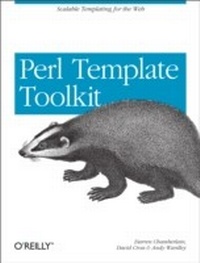
Perl Template Toolkit
Scalable Templating for the Web
1st Edition
Published on 23. December 2003
592 pages
978-1-4493-1383-8 (ISBN)
Description

Among the many different approaches to "e;templating"e; with Perl--such as Embperl, Mason, HTML::Template, and hundreds of other lesser known systems--the Template Toolkit is widely recognized as one of the most versatile. Like other templating systems, the Template Toolkit allows programmers to embed Perl code and custom macros into HTML documents in order to create customized documents on the fly. But unlike the others, the Template Toolkit is as facile at producing HTML as it is at producing XML, PDF, or any other output format. And because it has its own simple templating language, templates can be written and edited by people who don't know Perl. In short, the Template Toolkit combines the best features of its competitors, with ease-of-use and flexibility, resulting in a technology that's fast, powerful and extensible, and ideally suited to the production and maintenance of web content and other dynamic document systems.In Perl Template Toolkit you'll find detailed coverage of this increasingly popular technology. Written by core members of the technology's development team, the book guides you through the entire process of installing, configuring, using, and extending the Template Toolkit. It begins with a fast-paced but thorough tutorial on building web content with the Template Toolkit, and then walks you through generating and using data files, particularly with XML. It also provides detailed information on the Template Toolkit's modules, libraries, and tools in addition to a complete reference manual.Topics in the book include:Getting started with the template toolkitThe Template languageTemplate directivesFiltersPluginsExtending the Template ToolkitAccessing databasesXMLAdvanced static web page techniquesDynamic web content and web applicationsThe only book to cover this important tool, Perl Template Toolkit is essential reading for any Perl programmer who wants to create dynamic web content that is remarkably easy to maintain. This book is your surefire guide to implementing this fast, flexible, and powerful templating system.
More details
Other editions
Additional editions
Darren Chamberlain | David Cross | Andy Wardly
Perl Template Toolkit
Book
01/2004
1st Edition
O'Reilly
€37.50
Shipment within 10-20 days
Content
- Intro
- Table of Contents
- Preface
- Audience
- About this Book
- Conventions Used in This Book
- Comments and Questions
- Acknowledgments
- Andy Wardley
- Darren Chamberlain
- David Cross
- Getting Started with the Template Toolkit
- What the Template Toolkit Does
- The Templating Ecosystem
- The Template Toolkit Is for More Than HTML
- The Template Toolkit Lets You Choose Your Separation
- Nonprogrammers Can Maintain Templates
- The Template Toolkit Is Easy to Extend
- Installing the Template Toolkit
- Downloading
- Installing
- Documentation and Support
- Viewing the Documentation
- Overview of the Documentation
- Accessing the Mailing List
- Using the Template Toolkit
- tpage
- ttree
- The Template Module
- Template configuration options
- Apache::Template Module
- The Template Toolkit Language
- Template Variables
- Complex Variables
- Lists
- Hashes
- Nesting list and hash definitions
- Dynamic Variables
- Virtual Methods
- Template Directives
- Variable Directives
- Template Processing Directives
- Loops
- Conditionals
- Filters, Plugins, and Macros
- Integrating and Extending the Template Toolkit
- Building a Complete Web Site Using the Template Toolkit
- Getting Started
- A Single Page
- A "Hello World" HTML Template
- Processing Templates with tpage
- Template Components
- Headers and Footers
- The PROCESS directive
- The INSERT directive
- Benefits of Modularity
- Defining Variables
- Configuration Template
- Comments
- Variable values
- Loading the Configuration Template
- Merging directives
- Generating Many Pages
- Creating a Project Directory
- ttree Configuration File
- Running ttree for the First Time
- Using a Build Script
- ttree Configuration Directory
- Calling ttree Through the Build Script
- A Place for Everything, and Everything in Its Place
- Running the Build Script
- Skipping Unmodified Templates
- Adding Headers and Footers Automatically
- Defining META Tags
- More Template Components
- The INCLUDE Directive
- Setting Default Values
- The DEFAULT directive
- Expressions
- The IF Directive
- Wrapper and Layout Templates
- The WRAPPER Directive
- Using an Automatic Wrapper Template
- Using Layout Templates
- Layout Example
- Side-effect wrappers
- Separating layout concerns
- Plugins and the USE directive
- Menu Components
- Simple Menu Template
- The BLOCK directive
- Component Libraries
- The EXPOSE_BLOCKS option
- The FOREACH Directive
- Defining and Using Complex Data
- Structured Configuration Templates
- Layered Configuration Templates
- Choosing Global Variables Wisely
- Passing Around Data Structures
- Assessment
- The Template Language
- Template Syntax
- Text and Directives
- Template parser
- Parse errors
- Caching templates
- Flexible syntax
- Template Tags
- Interpolated Variables
- Comments
- Whitespace Chomping
- Chomping flags
- Chomping options
- Chomping constants
- Multiple Directive Tags
- Side-Effect Notation
- Capturing Directive Output
- Template Filenames
- Template Variables
- What's in a Name?
- Simple Data Types
- Complex Data Types
- Lists
- Hashes
- Dot Operator
- Compound dot operations
- Interpolated variables names
- Private variables
- Dynamic Data Types
- Subroutines
- Objects
- Passing arguments
- Pointless arguments
- Named parameters
- Mixing dynamic and static data
- Returning values
- Error handling
- Special Variables
- template
- component
- loop
- error
- content
- global
- view, item
- Variable Scope
- Compile-Time Constant Folding
- Virtual Methods
- Scalar Virtual Methods
- chunk(size)
- defined
- hash
- length
- list
- match(pattern)
- repeat(n)
- replace(search, replace)
- size
- split(pattern)
- List Virtual Methods
- first(n)
- grep(pattern)
- join(delimiter)
- last(n)
- max
- merge(list)
- pop
- reverse
- shift
- size
- slice(from, to)
- sort, nsort
- splice(offset, length, list)
- unique
- unshift(item)
- push(item)
- Hash Virtual Methods
- defined(key)
- each
- exists(key)
- import(hash)
- item(key)
- keys
- list
- size
- sort, nsort
- values
- Defining New Virtual Methods
- Stash package variables
- Stash and context methods
- Template Directives
- Accessing Variables
- GET
- SET
- CALL
- DEFAULT
- Accessing External Templates and Files
- INSERT
- INCLUDE
- PROCESS
- WRAPPER
- Defining Local Template Blocks
- Loops
- FOREACH
- Complex data
- Importing hash array items
- Iterating over entries in a hash array
- The loop iterator object
- Nested FOREACH loops
- WHILE
- Flow control: NEXT and LAST
- Conditionals
- IF, ELSIF, ELSE, and UNLESS
- SWITCH and CASE
- Filters
- Plugins
- USE
- Macros
- MACRO
- Template Metadata
- META
- Exception Handling
- TRY / THROW / CATCH / FINAL
- CLEAR
- Flow Control
- RETURN
- STOP
- NEXT
- LAST
- Debugging
- Perl Blocks
- PERL
- RAWPERL
- Filters
- Using Filters
- Standard Template Toolkit Filters
- collapse
- eval / evaltt
- format(fmt)
- html
- html_break / html_para_break
- html_entity
- html_line_break
- html_para
- indent(pad)
- latex(outputType)
- lcfirst
- lower
- null
- perl / evalperl
- redirect(file, options)
- remove(string)
- repeat(iterations)
- replace(search, replace)
- stderr
- stdout(options)
- trim
- truncate(length)
- ucfirst
- upper
- uri
- Plugins
- Using Plugins
- Standard Template Toolkit Plugins
- Autoformat
- CGI
- Datafile
- Date
- Directory
- DBI
- Dumper
- File
- Format
- GD
- HTML
- Image
- Iterator
- Pod
- String
- Table
- URL
- Wrap
- XML::DOM
- XML::RSS
- XML::Style
- XML::XPath
- Anatomy of the Template Toolkit
- Template Modules
- Template::Service
- Template::Context
- Template::Stash
- Template::Provider
- Template::Parser
- Template::Grammar
- Template::Directive
- Template::Namespace::Constants
- Template::Document
- The Runtime Engine
- Module Interfaces
- Template's process Method
- The process method
- The error method
- Template::Config
- load
- preload
- instdir
- Template::Constants
- :status
- :error
- :chomp
- :debug
- Template::Base
- new
- error
- debug
- Template::Context
- stash
- insert, include, and process
- template
- plugin and filter
- define_filter
- Template::Provider
- fetch($name)
- store($name, $template)
- paths
- Template::Stash
- get, set
- clone, declone
- Template::Filters
- new
- fetch
- store
- Template::Plugin
- load
- new
- error
- Template::Plugins
- new
- fetch
- Template::Parser and Template::Grammar
- Template::Directive
- Template::Document
- new
- process
- write_perl_file
- AUTOLOAD
- Template::Exception
- Template::Iterator
- Extending the Template Toolkit
- Using and Implementing Noncore Components
- A Provider That Can Fetch Files over HTTP
- Restricting Access to Plugins
- A chrooted Provider
- Creating Filters
- Static Filters
- Dynamic Filters
- Template::Plugin::Filter
- Writing New Filters
- Digest::MD5
- Text::Bastardize
- Text::FIGlet
- Normalizing HTML: HTML::Clean
- Creating Plugins
- The Template::Plugin Module
- Installing Functions into the Stash from Within a Plugin
- Defining Filters from Within a Plugin
- Defining New Virtual Methods from Within a Plugin
- Writing New Plugins
- A simple wrapper plugin
- A more complex wrapper plugin
- A plugin that sends mail
- GoogleSearch
- Normalizing URLs
- Building a New Frontend
- Mail::Template
- Custom Apache Handlers
- Changing the Language
- Building the Grammar
- Extending the Existing Grammar
- Replacing the Default Grammar
- Template::Simple
- The Template::Simple grammar
- Accessing Databases
- Using the DBI Plugin
- Simple Database Access with the DBI Plugin
- A More Complex Example: Web Access Logs
- Using Class::DBI
- Using DBIx::Table2Hash
- Writing Your Own Database Abstraction Layer
- XML
- Simple XML Processsing
- Creating XML Documents
- Modeling Data About a TV Show
- DTD for a TV Show
- XML Template
- Processing RSS Files with XML.RSS
- Processing XML Documents with XML.DOM
- Processing XML Documents with XML.XPath
- Processing XML Documents with XML.LibXML
- Using Views to Transform XML Content
- Advanced Static Web Page Techniques
- Getting Started
- Directory Structure
- Web Server Configuration
- ttree Configuration
- Simple pre_process and wrapper Templates
- Creating the Build Script
- A First HTML Page
- Automating the Project Configuration Process
- Library Templates
- Configuration Templates
- Layout Templates
- Page wrappers
- Layout components
- Content Templates
- HTML Pages
- CSS and Other Non-HTML Pages
- Content Components
- Debugging Pages
- Navigation Components
- Adding Site Structure
- Map nodes
- XML site map
- Selective mapmaking
- Walking the Structure
- Building a Nested Menu
- A Stacked Menu
- Bread-Crumb Trail
- Previous and Next Pages
- Structuring Page Content
- Defining Sections
- Section headers
- Section wrappers
- Sections and subsections
- A Table of Contents
- Anchor points
- Better page macros
- Generating the table of contents
- Reusing menu components
- Adding the table of contents automatically
- Declarative Markup Using XML
- XML page content
- XML page wrapper
- XML view templates
- Creating a New Skin
- Creating a Skin
- Custom Navigation Components
- Nested menu
- Menu elements
- Stacked menu
- Other page components
- Dynamic Web Content and Web Applications
- CGI Scripts
- Simple CGI Script
- Using standard templates
- Using the DATA Section
- Using the CGI Module
- Setting cookies
- CGI Script Web Application
- CGI script
- Template components
- Page templates
- CGI Templates
- Using the CGI Plugin
- Web Programming in Templates
- Dispatching CGI script
- Main control template
- Additional control templates
- Perl or template?
- Apache and mod_perl
- Apache::Template
- Custom Apache Handler
- A Complete Web Application
- Storage
- TTBook::H2G2::Database
- Configuration
- Application
- Apache mod_perl Interface Module
- Apache Configuration
- Appendix: Configuration Options
- Template Toolkit Configuration Options
- ABSOLUTE
- ANYCASE
- AUTO_RESET
- BLOCKS
- CACHE_SIZE
- COMPILE_EXT
- COMPILE_DIR
- CONSTANTS
- CONSTANT_NAMESPACE
- NAMESPACE
- CONTEXT
- DEBUG
- DEBUG_FORMAT
- DEFAULT
- DELIMITER
- ERROR
- EVAL_PERL
- FACTORY
- FILTERS
- GRAMMAR
- INCLUDE_PATH
- INTERPOLATE
- LOAD_FILTERS
- LOAD_PERL
- LOAD_PLUGINS
- LOAD_TEMPLATES
- OUTPUT_PATH
- OUTPUT
- PARSER
- PLUGIN_BASE
- PLUGINS
- PRE_CHOMP, POST_CHOMP
- PRE_DEFINE, VARIABLES
- PRE_PROCESS, POST_PROCESS
- PROCESS
- RECURSION
- RELATIVE
- SERVICE
- STASH
- START_TAG, END_TAG
- TAG_STYLE
- TOLERANT
- TRIM
- VARIABLES, PRE_DEFINE
- V1DOLLAR
- Apache::Template Configuration Options
- TT2Tags
- TT2PreChomp
- TT2PostChomp
- TT2Trim
- TT2AnyCase
- TT2Interpolate
- TT2IncludePath
- TT2Absolute
- TT2Relative
- TT2Delimiter
- TT2PreProcess
- TT2PostProcess
- TT2Process
- TT2Default
- TT2Error
- TT2EvalPerl
- TT2LoadPerl
- TT2Recursion
- TT2PluginBase
- TT2AutoReset
- TT2CacheSize
- TT2CompileExt
- TT2CompileDir
- TT2Debug
- TT2Headers
- TT2Params
- TT2ServiceModule
- Index
