

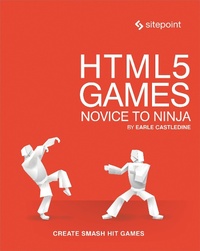
HTML5 Games: Novice to Ninja
Description

This book will teach you how to create awesome video games. Games from scratch. Games that run cross-platform, in web browsers, and on phones. Games filled with dynamic sound and music. Games overflowing with impressive visual effects. Fun games.
More importantly, this book will teach you how to think about making games. You'll learn to analyze and dissect games; to understand what it is that makes great games great. By the end of the journey you'll have all the knowledge and tools needed to produce engaging, polished products that people will love to play.
What's inside?
- Learn the basics: game loops and input
- Draw graphics on the screen using Canvas
- Add amazing sound effects and music using the Web Audio API
- Develop several fun games: a platformer, a shoot ‘em up, a dungeon crawler, and a physics-based game
- Create your own JavaScript game library
- Jazz up your game up with "juice": screen shakes, particle effects, and more
More details
Other editions
Additional editions
Person
Sporting a Masters in Information Technology and a lifetime of experience on the "web of hard knocks", Earle Castledine (Mr Speaker) holds an interest in everything to do with computers. A Senior Systems Analyst and JavaScript expert - he is equally happy in the muddy pits of .NET code as in the fluffy fields of client-side interaction development. Co-creator of the client-side opus TurnTubelis, Earle recognizes the Internet not as a lubricant for social change, but as a vehicle for unleashing frivolous ECMAScript gadgets and interesting time-wasting technologies.
Content
- Intro
- HTML5 Games: Novice to Ninja
- Notice of Rights
- Notice of Liability
- Trademark Notice
- About Earle Castledine
- About SitePoint
- Table of Contents
- Preface
- Who Should Read This Book?
- Acknowledgments
- Conventions Used
- Code Samples
- Tips, Notes, and Warnings
- Hey, You!
- Ahem, Excuse Me ...
- Make Sure You Always ...
- Watch Out!
- Supplementary Materials
- Press Space to Start
- This Might Seem Strange to You
- Game Design
- A Brief History
- Games and JavaScript
- Strengths of JavaScript
- Limitations of JavaScript
- Bringing Static Typing to JavaScript
- The Future of HTML5 Games
- Enough Talk
- Let's Make Games
- These Are Just Guidelines
- Modules
- Making Art
- Rasterizing
- Copyright
- Build Tools and Workflow
- Bypassing Budo
- Version Control Systems
- Valuable Time Spent
- Staying Motivated
- Get Ready!
- Drawing Things
- Don't Get Pigeonholed
- DOM vs Canvas vs WebGL
- Plain Ol' DOM
- Finding DOM Elements
- Why Not DOM?
- Canvas API
- Using the Console
- Using the Context
- Drawing Some Shapes
- Skim the Following if You're Super Impatient
- Degrees vs Radians
- Images
- Transformations
- HSL
- Blending and Alpha
- Performance Considerations
- Game Engines vs Reinventing the Wheel
- Game Libraries and Engines
- Godot
- Quick, Draw
- Game Loops & User Input
- The Loop
- The Loop Exists
- The Old-school Way
- Looping with HTML5
- Commit This Loop to Memory
- An Even More Accurate Loop
- Tiny Movement
- Switch Tabs
- User Input
- Keyboard Input
- Structuring the Code, or Not?
- Game Genre Doesn't Really Matter
- Mouse Controls
- Why are we doing this every frame?
- Creating Your Game Library
- When to Add Things to Your Library
- Our Game Architecture Idea
- One Approach of Many
- Variable Names
- Returning the Same Item
- The Renderer
- Following Canvas's Conventions
- Thinking Beyond Canvas
- Font Baseline
- Bonus Renderer Features
- Adding the Loop
- The update Method
- Game Entities
- Adding Some Action
- A Space Shoot-'em-up
- Setting Up the Game
- A Controllable Player
- Moving Things
- A Player That Shoots
- Playing Fast and Loose, for Now
- Removing "Dead" Entities
- Optimization
- The Bad Guys Strike Back
- A Neat Randomization Trick
- Collisions-at Last!
- Imperfect Collisions
- Game Over
- Animation, Levels, Maps, Cameras.
- An Unexpected Proposition
- De-boilerplating Our Prototypes
- Starting a New Game
- Skip Ahead if You're Impatient
- A Little Help with the Children
- Sprites with Zing!
- Affine Transitions
- Sprite Translation
- Scaling Sprites
- Creating and Adding to the Scene in One line
- Math Helper Functions
- Zero-based Random Numbers
- Anchor Points
- Sprite Rotation
- An Unexpected Assignment
- Sprite Sheets & Animation
- Sprite Sheets
- Where to Get Sprite Sheets
- Creating the TileSprite
- Why is it called a "tile" sprite?
- Different Sprite Sheet Formatting
- Cell-based Animation: the Easy Way
- Using Remainder
- Cell-based Animation: A More Powerful Way
- You Can Use This Mechanism Everywhere
- Adjusting the Anchor Point
- The Animation Manager
- Tile Maps
- Tile Map Eye Candy
- Clamping Down
- Snapping to a Grid
- Tile Map Helpers
- Entities Utilities
- Scrolling Maps with a Camera
- Camera Subject
- A Hidden Issue
- Grid-based Baddies
- Screens & Game Life Cycle
- Game Screens
- Put Yourself in the Player's Shoes
- The Circle of Life
- Stopping Accidental Skipping of the Title Screen
- Don't Overuse Text
- Finishing Touches
- Do It Yourself
- Leveled Up
- Collision Detection & AI
- Game Jams
- Colliding with Things
- Bounding-box Collisions
- Why Use AABB?
- The && Operator
- Avoiding Manual Effort
- Drawing Rectangles
- Adjusting the Bounding Box
- Bounding Box Highlighting
- Collision Testers
- Off-by-one
- Procedural Level Generation
- Procedural Generation
- A little help
- Weighting
- Getting the Faux-3D Look
- Colliding with Maps
- Keeping Things Simple
- Finding Empty Tiles
- Inspecting Metadata
- Wall Sliding
- Destructuring Results
- Snap to Edges
- wallslide.js Isn't a Catch-all
- AI: The Bots Strike Back
- Intentional Movement
- Waypoints
- Using Absolute Value for Distance
- Moving, and Shooting, Towards a Target
- Trigonometry
- Don't lose your entities
- Flexible Mechanics
- Smart Bad Guys: Attacking and Evading
- We Don't Actually Need to Define States
- Emergent Behavior
- A More Stately State Machine
- Controlling Game Flow
- Pathfinding
- Target the Player
- Pathfinding & Performance
- Moving Along a Path
- Enemies alive
- Mathematics & Physics
- Jump Everybody, Jump
- Faking Gravity
- Gravitational Constant
- Jumping Platformer
- Aesthetic Tweaks
- Wall Jumping
- Not Quite Natural
- Fixing Our Time Step
- Simulating High CPU Load
- Triangles and Vectors
- Building a Vector Library
- Enabling Method Chaining
- Static Methods and Properties
- Normalizing, and the Dot Product
- The Need for Speed (and Direction)
- Pausing Bravedigger
- Velocity
- Using an Old Approach
- Velocity Bounce
- Acceleration
- Integration
- More Advanced Physics
- Impulse Forces
- Friction
- Figuring Out the Best Values
- More Accurate Friction
- Gravity-based Platformer
- Skipping the Physics
- Billiard Ball Physics
- Collision Resolution
- Polar Coordinates
- Offsetting Rotation
- Physics All the Things
- Physics Libraries
- Do You Need a Real Physics Engine?
- Penguin Golf
- Matter.js
- Other Stuff to Play With
- Syncing with Our Library
- Event Systems
- Not Every Game Needs Sleeping
- Available Events
- Applying Forces
- Dragging Indicator
- Procedurally Generated Terrain
- Some JS Trickery
- We Got Physical
- Audio
- Old-school Techniques
- Audio on the Web
- Playing Sounds
- Object.assign
- Keeping Things Tidy
- Playing SFX
- Repeating Sounds
- Polyphonic Sounds
- Randomly Ordered Sounds
- An Asset Manager
- Dependencies
- Browser Caching
- Higher Order Functions
- Asset Manager Events
- Sound Production
- Tools and Software
- Deep Note
- Sound-effect Generators
- That Sounds Familiar
- Samples and DIY Recording
- Don't Go to Eleven
- Cropping and Editing
- Layering Sounds
- Zany Effects
- Mastering Effects
- This Is Not the Same as File Size Compression!
- Recording Tips
- Use the Best Gear You Can Get Your Hands On
- Find a Quiet Recording Environment
- Watch Your Signal Level
- Reduce the Echo
- Music for Games
- Creating a Track from Scratch
- Making Music
- What Else?
- The Web Audio API
- Web Audio API
- Audio Nodes
- Oscillators
- Look After Your Ears
- You Can't Restart a Stopped Oscillator
- Combining Oscillators
- Moving into Our Library
- Audio Element as a Source
- Source as an Audio Buffer
- Effecting a Sound Source
- Timing and Scheduling
- Ramps and Modulators
- Liner vs Exponential
- Post Production: Mixing and Mastering
- Checking Volume Levels
- Used in Film
- Other Effects
- Fade to Silence
- Bringing a Game to Life with "Juice"
- Juice?
- Screen Effects
- Screen Shake
- Without a Camera
- Alpha support
- Screen Flash
- Hit Stop, Hit Lag (Time Dilation)
- Animations, Tweens, and Easing
- Normalization and Lerping
- Not Just for Animation
- A Generic Timer
- How Would You Do This?
- Are Timers Really Entities?
- Easing
- Easing Functions Without the Timer
- Visualizing Curves
- Robert Penner's Easing Functions
- Particle Effects
- Performance Using Canvas
- 1-UPs
- Firework Particles
- Improving the Fireworks
- Camera Tricks
- Smooth Camera Motion
- Let it Scroll
- Camera Tracking Box
- More on Tracking
- Platformer Tricks
- Invincibility Blinking
- Why Not Just Adjust the Tint at Runtime?
- Jump Forgiveness
- Bounce Forgiveness
- Knockback
- Wall Jumping
- Quirks
- More Tiles
- Using a Common Vocabulary
- Cloud Platforms
- Shorthand
- Disappearing Tiles
- Memory Usage
- A Little More Help
- Trigger Areas and Doors
- Triggers
- Dialogs and Screen Transitions
- Pause Dialog
- Fading Screens
- Designing Levels with a Level Editor
- Tiled: a Level Editor
- Where to Get the Editor
- Custom Brushes
- Loading a Tiled Level
- Reverse Engineering
- Tiled Objects and Properties
- Game State and Serialization
- Cheat Codes are Handy for Testing
- Got Game
- Optimizing & Packaging
- Debugging
- Console Tools
- Browser Debugger
- A Confession
- Control Time, Squash Bugs
- Where to Put This
- Debug Overlay
- toFixed
- Profiling
- Beware Generic Programming Wisdom About Performance
- Adding an FPS Counter
- Measuring
- Speeding Up Your Code
- Looping Over Arrays
- JSPerf
- Sacrificing Style
- Object Pools
- More Memory Hungry
- Faster Collisions with Spatial Partitioning
- Added Complexity
- Speeding Up Rendering
- Don't Render Off-screen Entities
- Canvas Tricks
- Fun Fact
- TileMap Enhancements
- A WebGL Renderer
- Getting on Devices
- Research
- Gamepad Controls
- Mobile Web Tricks
- PWAs and the Web App Manifest
- Touch Controls
- Emulating Mobile Devices on Desktop
- No Multitouch
- Deploying to Mobile
- Desktop Executables
- Getting on the Stores
- Releasing to the World
- Buying More Lottery Tickets
- Game Over
- Bonus Round: The Epilogue
- List of Games Mentioned
