

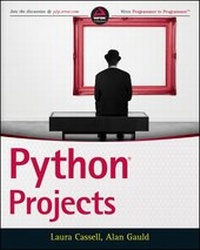
Python Projects
Published on 24. November 2014
384 pages
978-1-118-90889-1 (ISBN)
Description

A guide to completing Python projects for those ready to take their skills to the next level
Python Projects is the ultimate resource for the Python programmer with basic skills who is ready to move beyond tutorials and start building projects.
The preeminent guide to bridge the gap between learning and doing, this book walks readers through the "where" and "how" of real-world Python programming with practical, actionable instruction. With a focus on real-world functionality, Python Projects details the ways that Python can be used to complete daily tasks and bring efficiency to businesses and individuals alike.
Python Projects is written specifically for those who know the Python syntax and lay of the land, but may still be intimidated by larger, more complex projects. The book provides a walk-through of the basic set-up for an application and the building and packaging for a library, and explains in detail the functionalities related to the projects. Topics include:
*How to maximize the power of the standard library modules
*Where to get third party libraries, and the best practices for utilization
*Creating, packaging, and reusing libraries within and across projects
*Building multi-layered functionality including networks, data, and user interfaces
*Setting up development environments and using virtualenv, pip, and more
Written by veteran Python trainers, the book is structured for easy navigation and logical progression that makes it ideal for individual, classroom, or corporate training.
For Python developers looking to apply their skills to real-world challenges, Python Projects is a goldmine of information and expert insight.
More details
Other editions
Additional editions
Persons
Laura Cassell is the founder of PyLadies Atlanta. Shetaught Python and JavaScript for Big Nerd Ranch, and is now anengineering manager for the Python team at New Relic.
Alan Gauld is an enterprise architect working in thetelecommunications and customer service industries. He has usedPython since 1998, and is a moderator and active participant in thepython-tutor mailing list.
Wrox guides are crafted to make learning programminglanguages and technologies easier than you think. Written byprogrammers for programmers, they provide a structured, tutorialformat that will guide you through all the techniques involved.
Content
1 - Cover [Seite 1]
2 - Title Page [Seite 7]
3 - Copyright [Seite 8]
4 - ABOUT THE AUTHORS [Seite 11]
5 - ABOUT THE TECHNICAL EDITORS [Seite 13]
6 - CREDITS [Seite 15]
7 - ACKNOWLEDGMENTS [Seite 17]
8 - CONTENTS [Seite 19]
9 - INTRODUCTION [Seite 27]
10 - CHAPTER 1: REVIEWING CORE PYTHON [Seite 33]
10.1 - Exploring the Python Language and the Interpreter [Seite 34]
10.2 - Reviewing the Python Data Types [Seite 35]
10.2.1 - Numeric Types: Integer and Float [Seite 36]
10.2.2 - The Boolean Type [Seite 37]
10.2.3 - The None Type [Seite 38]
10.2.4 - Collection Types [Seite 38]
10.2.4.1 - Strings [Seite 39]
10.2.4.2 - Bytes and ByteArrays [Seite 40]
10.2.4.3 - Tuples [Seite 42]
10.2.4.4 - Lists [Seite 42]
10.2.4.5 - Dictionaries [Seite 44]
10.2.4.6 - Sets [Seite 45]
10.3 - Using Python Control Structures [Seite 47]
10.3.1 - Structuring Your Program [Seite 47]
10.3.2 - Using Sequences, Blocks and Comments [Seite 48]
10.3.3 - Selecting an Execution Path [Seite 49]
10.3.4 - Iteration [Seite 50]
10.3.5 - Handling Exceptions [Seite 52]
10.3.6 - Managing Context [Seite 53]
10.4 - Getting Data In and Out of Python [Seite 53]
10.4.1 - Interacting with Users [Seite 53]
10.4.2 - Using Text Files [Seite 55]
10.5 - Extending Python [Seite 56]
10.5.1 - Defining and Using Functions [Seite 56]
10.5.1.1 - Generator Functions [Seite 58]
10.5.1.2 - Lambda Functions [Seite 59]
10.5.2 - Defining and Using Classes and Objects [Seite 60]
10.6 - Creating and Using Modules and Packages [Seite 65]
10.6.1 - Using and Creating Modules [Seite 65]
10.6.2 - Using and Creating Packages [Seite 66]
10.7 - Creating an Example Package [Seite 68]
10.8 - Using Third-Party Packages [Seite 74]
10.9 - Summary [Seite 75]
11 - CHAPTER 2: SCRIPTING WITH PYTHON [Seite 79]
11.1 - Accessing the Operating System [Seite 80]
11.1.1 - Obtaining Information About Users and Their Computer [Seite 81]
11.1.2 - Obtaining Information About the Current Process [Seite 85]
11.1.3 - Managing Other Programs [Seite 87]
11.1.4 - Managing Subprocesses More Effectively [Seite 90]
11.1.5 - Obtaining Information About Files (and Devices) [Seite 92]
11.1.6 - Navigating and Manipulating the File system [Seite 94]
11.1.7 - Plumbing the Directory Tree Depths [Seite 101]
11.2 - Working with Dates and Times [Seite 104]
11.2.1 - Using the time Module [Seite 104]
11.2.2 - Introducing the datetime Module [Seite 107]
11.2.3 - Introducing the calendar Module [Seite 108]
11.3 - Handling Common File Formats [Seite 108]
11.3.1 - Using Comma-Separated Values [Seite 108]
11.3.2 - Working with Config Files [Seite 115]
11.3.3 - Working with XML and HTML Files [Seite 118]
11.3.3.1 - Parsing XML Files [Seite 118]
11.3.3.2 - Parsing HTML Files [Seite 121]
11.4 - Accessing Native APIs with ctypes and pywin32 [Seite 125]
11.4.1 - Accessing the Operating System Libraries [Seite 126]
11.4.1.1 - Using ctypes with Windows [Seite 127]
11.4.1.2 - Using ctypes on Linux [Seite 128]
11.4.2 - Accessing a Windows Application Using COM [Seite 128]
11.5 - Automating Tasks Involving Multiple Applications [Seite 130]
11.5.1 - Using Python First [Seite 130]
11.5.2 - Using Operating System Utilities [Seite 130]
11.5.3 - Using Data Files [Seite 130]
11.5.4 - Using a Third-Party Module [Seite 131]
11.5.5 - Interacting with Subprocesses via a CLI [Seite 131]
11.5.6 - Using Web Services for Server-Based Applications [Seite 131]
11.5.7 - Using a Native Code API [Seite 132]
11.5.8 - Using GUI Robotics [Seite 132]
11.6 - Summary [Seite 132]
12 - CHAPTER 3: MANAGING DATA [Seite 135]
12.1 - Storing Data Using Python [Seite 136]
12.1.1 - Using DBM as a Persistent Dictionary [Seite 136]
12.1.2 - Using Pickle to Store and Retrieve Objects [Seite 141]
12.1.3 - Accessing Objects with shelve [Seite 143]
12.2 - Analyzing Data with Python [Seite 148]
12.2.1 - Analyzing Data Using Built-In Features of Python [Seite 148]
12.2.2 - Analyzing Data with ittertools [Seite 151]
12.2.2.1 - Utility Functions [Seite 151]
12.2.2.2 - Data Processing Functions [Seite 153]
12.2.2.3 - Taming the Vagaries of groupby() [Seite 154]
12.2.3 - Using itertools to Analyze LendyDB Data [Seite 156]
12.3 - Managing Data Using SQL [Seite 157]
12.3.1 - Relational Database Concepts [Seite 158]
12.3.2 - Structured Query Language [Seite 159]
12.3.2.1 - Creating Tables [Seite 160]
12.3.2.2 - Inserting Data [Seite 161]
12.3.2.3 - Reading Data [Seite 162]
12.3.2.4 - Modifying Data [Seite 165]
12.4 - Linking Data Across Tables [Seite 166]
12.4.1 - Digging Deeper into Data Constraints [Seite 166]
12.4.2 - Revisiting SQLite Field Types [Seite 167]
12.4.3 - Modeling Relationships with Constraints [Seite 168]
12.5 - Many-to-Many Relationships [Seite 172]
12.6 - Migrating LendyDB to an SQL Database [Seite 175]
12.6.1 - Accessing SQL from Python [Seite 175]
12.6.1.1 - Using SQL Connections [Seite 175]
12.6.1.2 - Using a Cursor [Seite 175]
12.6.2 - Creating the LendyDB SQL Database [Seite 177]
12.6.3 - Inserting Test Data [Seite 178]
12.6.4 - Creating a LendyDB API [Seite 180]
12.7 - Exploring Other Data Management Options [Seite 186]
12.7.1 - Client-Server Databases [Seite 186]
12.7.2 - NoSQL [Seite 187]
12.7.3 - The Cloud [Seite 187]
12.7.4 - Data Analysis with RPy [Seite 188]
12.8 - Summary [Seite 189]
13 - CHAPTER 4: BUILDING DESKTOP APPLICATIONS [Seite 193]
13.1 - Structuring Applications [Seite 194]
13.2 - Building Command-Line Interfaces [Seite 196]
13.2.1 - Building the Data Layer [Seite 196]
13.2.2 - Building the Core Logic Layer [Seite 197]
13.2.3 - Building the User Interface [Seite 201]
13.3 - Using the cmd Module to Build a Command-Line Interface [Seite 205]
13.4 - Reading Command-Line Arguments [Seite 207]
13.5 - Jazzing Up the Command-Line Interface with Some Dialogs [Seite 209]
13.6 - Programming GUIs with Tkinter [Seite 213]
13.6.1 - Introducing Key GUI Principles [Seite 213]
13.6.1.1 - Event-Based Programming [Seite 213]
13.6.1.2 - GUI Terminology [Seite 214]
13.6.1.3 - The Containment Tree [Seite 215]
13.7 - Building a Simple GUI [Seite 216]
13.8 - Building a Tic-Tac-Toe GUI [Seite 218]
13.8.1 - Sketching a UI Design [Seite 218]
13.8.2 - Building Menus [Seite 219]
13.8.3 - Building a Tic-Tac-Toe Board [Seite 220]
13.8.4 - Connecting the GUI to the Game [Seite 222]
13.9 - Extending Tkinter [Seite 226]
13.9.1 - Using Tix [Seite 226]
13.9.2 - Using ttk [Seite 230]
13.10 - Revisiting the Lending Library [Seite 231]
13.11 - Exploring Other GUI Toolkits for Python [Seite 238]
13.11.1 - wxPython [Seite 239]
13.11.2 - PyQt [Seite 239]
13.11.3 - PyGTK [Seite 240]
13.11.4 - Native GUIs: Cocoa and PyWin32 [Seite 241]
13.11.5 - Dabo [Seite 241]
13.12 - Storing Local Data [Seite 242]
13.12.1 - Storing Application-Specific Data [Seite 242]
13.12.2 - Storing User-Selected Preferences [Seite 243]
13.12.3 - Storing Application State [Seite 244]
13.12.4 - Logging Error information [Seite 244]
13.13 - Understanding Localization [Seite 246]
13.13.1 - Using Locales [Seite 246]
13.13.2 - Using Unicode in Python [Seite 248]
13.13.3 - Using gettext [Seite 250]
13.14 - Summary [Seite 252]
14 - CHAPTER 5: PYTHON ON THE WEB [Seite 255]
14.1 - Python on the Web [Seite 256]
14.1.1 - Parts of a Web Application [Seite 257]
14.1.2 - The Client-Server Relationship [Seite 258]
14.1.3 - Middleware and MVC [Seite 258]
14.1.4 - HTTP Methods and Headers [Seite 259]
14.1.5 - What Is an API? [Seite 262]
14.2 - Web Programming with Python [Seite 267]
14.2.1 - Using the Python HTTP Modules [Seite 267]
14.2.1.1 - Creating an HTTP Server [Seite 267]
14.2.1.2 - Exploring the Flask Framework [Seite 269]
14.2.1.3 - Creating Data Models in Flask [Seite 270]
14.2.1.4 - Creating Core Flask Files [Seite 271]
14.3 - More on Python and the Web [Seite 279]
14.3.1 - Static Site Generators [Seite 280]
14.3.2 - Web Frameworks [Seite 280]
14.4 - Using Python Across the Wire [Seite 280]
14.4.1 - XML-RPC [Seite 281]
14.4.2 - Socket Servers [Seite 282]
14.5 - More Networking Fun in Python [Seite 285]
14.6 - Summary [Seite 286]
15 - CHAPTER 6: PYTHON IN BIGGER PROJECTS [Seite 289]
15.1 - Testing with the Doctest Module [Seite 290]
15.2 - Testing with the Unittest Module [Seite 294]
15.3 - Test-Driven Development in Python [Seite 299]
15.4 - Debugging Your Python Code [Seite 299]
15.4.1 - Handling Exceptions in Python [Seite 304]
15.5 - Working on Larger Python Projects [Seite 308]
15.6 - Releasing Python Packages [Seite 312]
15.7 - Summary [Seite 314]
16 - CHAPTER 7: EXPLORING PYTHON'S FRONTIERS [Seite 317]
16.1 - Drawing Pictures with Python [Seite 318]
16.1.1 - Using Turtle Graphics [Seite 318]
16.1.2 - Using GUI Canvas Objects [Seite 318]
16.1.3 - Plotting Data [Seite 319]
16.1.4 - Using imghdr [Seite 319]
16.1.5 - Introducing Pillow [Seite 319]
16.1.6 - Trying Out ImageMagick [Seite 319]
16.2 - Doing Science with Python [Seite 320]
16.2.1 - Introducing SciPy [Seite 320]
16.2.2 - Doing Bioscience with Python [Seite 322]
16.2.3 - Using GIS [Seite 322]
16.2.4 - Watching Your Language [Seite 322]
16.2.5 - Getting It All [Seite 322]
16.3 - Playing Games with Python [Seite 323]
16.3.1 - Enriching the Experience with PyGame [Seite 323]
16.3.2 - Exploring Other Options [Seite 323]
16.4 - Going to the Movies [Seite 324]
16.4.1 - The Computer Graphics Kit [Seite 324]
16.4.2 - Modeling and Animation [Seite 324]
16.4.3 - Photo Processing [Seite 324]
16.4.4 - Working with Audio [Seite 325]
16.5 - Integrating with Other Languages [Seite 325]
16.5.1 - Jython [Seite 325]
16.5.2 - IronPython [Seite 326]
16.5.3 - Cython [Seite 326]
16.5.4 - Tcl/Tk [Seite 327]
16.6 - Getting Physical [Seite 328]
16.6.1 - Introducing Serial Options [Seite 328]
16.6.2 - Programming the RaspberryPi [Seite 328]
16.6.3 - Talking to the Arduino [Seite 329]
16.6.4 - Exploring Other Options [Seite 329]
16.7 - Building Python [Seite 330]
16.7.1 - Fixing Bugs [Seite 330]
16.7.2 - Documenting [Seite 330]
16.7.3 - Testing [Seite 331]
16.7.4 - Adding Features [Seite 331]
16.7.5 - Attending Conferences [Seite 331]
16.8 - Summary [Seite 331]
17 - APPENDIX A: ANSWERS TO EXERCISES [Seite 335]
17.1 - Chapter 1 Solutions [Seite 335]
17.2 - Chapter 2 Solutions [Seite 337]
17.3 - Chapter 3 Solutions [Seite 338]
17.4 - Chapter 4 Solutions [Seite 343]
17.5 - Chapter 5 Solutions [Seite 347]
17.6 - Chapter 6 Solutions [Seite 348]
17.7 - Chapter 7 Solutions [Seite 349]
18 - APPENDIX B: PYTHON STANDARD MODULES [Seite 351]
19 - APPENDIX C: USEFUL PYTHON RESOURCES [Seite 359]
19.1 - Asking Questions: Mailing Lists and More [Seite 359]
19.2 - Reading Blogs [Seite 360]
19.3 - Studying Tutorials and References [Seite 360]
19.4 - Watching Videos [Seite 361]
19.5 - And Now for Something Completely Different. [Seite 361]
20 - REFERENCES [Seite 363]
21 - INDEX [Seite 365]
22 - ADVERT [Seite 383]
23 - EULA [Seite 384]
2 - Title Page [Seite 7]
3 - Copyright [Seite 8]
4 - ABOUT THE AUTHORS [Seite 11]
5 - ABOUT THE TECHNICAL EDITORS [Seite 13]
6 - CREDITS [Seite 15]
7 - ACKNOWLEDGMENTS [Seite 17]
8 - CONTENTS [Seite 19]
9 - INTRODUCTION [Seite 27]
10 - CHAPTER 1: REVIEWING CORE PYTHON [Seite 33]
10.1 - Exploring the Python Language and the Interpreter [Seite 34]
10.2 - Reviewing the Python Data Types [Seite 35]
10.2.1 - Numeric Types: Integer and Float [Seite 36]
10.2.2 - The Boolean Type [Seite 37]
10.2.3 - The None Type [Seite 38]
10.2.4 - Collection Types [Seite 38]
10.2.4.1 - Strings [Seite 39]
10.2.4.2 - Bytes and ByteArrays [Seite 40]
10.2.4.3 - Tuples [Seite 42]
10.2.4.4 - Lists [Seite 42]
10.2.4.5 - Dictionaries [Seite 44]
10.2.4.6 - Sets [Seite 45]
10.3 - Using Python Control Structures [Seite 47]
10.3.1 - Structuring Your Program [Seite 47]
10.3.2 - Using Sequences, Blocks and Comments [Seite 48]
10.3.3 - Selecting an Execution Path [Seite 49]
10.3.4 - Iteration [Seite 50]
10.3.5 - Handling Exceptions [Seite 52]
10.3.6 - Managing Context [Seite 53]
10.4 - Getting Data In and Out of Python [Seite 53]
10.4.1 - Interacting with Users [Seite 53]
10.4.2 - Using Text Files [Seite 55]
10.5 - Extending Python [Seite 56]
10.5.1 - Defining and Using Functions [Seite 56]
10.5.1.1 - Generator Functions [Seite 58]
10.5.1.2 - Lambda Functions [Seite 59]
10.5.2 - Defining and Using Classes and Objects [Seite 60]
10.6 - Creating and Using Modules and Packages [Seite 65]
10.6.1 - Using and Creating Modules [Seite 65]
10.6.2 - Using and Creating Packages [Seite 66]
10.7 - Creating an Example Package [Seite 68]
10.8 - Using Third-Party Packages [Seite 74]
10.9 - Summary [Seite 75]
11 - CHAPTER 2: SCRIPTING WITH PYTHON [Seite 79]
11.1 - Accessing the Operating System [Seite 80]
11.1.1 - Obtaining Information About Users and Their Computer [Seite 81]
11.1.2 - Obtaining Information About the Current Process [Seite 85]
11.1.3 - Managing Other Programs [Seite 87]
11.1.4 - Managing Subprocesses More Effectively [Seite 90]
11.1.5 - Obtaining Information About Files (and Devices) [Seite 92]
11.1.6 - Navigating and Manipulating the File system [Seite 94]
11.1.7 - Plumbing the Directory Tree Depths [Seite 101]
11.2 - Working with Dates and Times [Seite 104]
11.2.1 - Using the time Module [Seite 104]
11.2.2 - Introducing the datetime Module [Seite 107]
11.2.3 - Introducing the calendar Module [Seite 108]
11.3 - Handling Common File Formats [Seite 108]
11.3.1 - Using Comma-Separated Values [Seite 108]
11.3.2 - Working with Config Files [Seite 115]
11.3.3 - Working with XML and HTML Files [Seite 118]
11.3.3.1 - Parsing XML Files [Seite 118]
11.3.3.2 - Parsing HTML Files [Seite 121]
11.4 - Accessing Native APIs with ctypes and pywin32 [Seite 125]
11.4.1 - Accessing the Operating System Libraries [Seite 126]
11.4.1.1 - Using ctypes with Windows [Seite 127]
11.4.1.2 - Using ctypes on Linux [Seite 128]
11.4.2 - Accessing a Windows Application Using COM [Seite 128]
11.5 - Automating Tasks Involving Multiple Applications [Seite 130]
11.5.1 - Using Python First [Seite 130]
11.5.2 - Using Operating System Utilities [Seite 130]
11.5.3 - Using Data Files [Seite 130]
11.5.4 - Using a Third-Party Module [Seite 131]
11.5.5 - Interacting with Subprocesses via a CLI [Seite 131]
11.5.6 - Using Web Services for Server-Based Applications [Seite 131]
11.5.7 - Using a Native Code API [Seite 132]
11.5.8 - Using GUI Robotics [Seite 132]
11.6 - Summary [Seite 132]
12 - CHAPTER 3: MANAGING DATA [Seite 135]
12.1 - Storing Data Using Python [Seite 136]
12.1.1 - Using DBM as a Persistent Dictionary [Seite 136]
12.1.2 - Using Pickle to Store and Retrieve Objects [Seite 141]
12.1.3 - Accessing Objects with shelve [Seite 143]
12.2 - Analyzing Data with Python [Seite 148]
12.2.1 - Analyzing Data Using Built-In Features of Python [Seite 148]
12.2.2 - Analyzing Data with ittertools [Seite 151]
12.2.2.1 - Utility Functions [Seite 151]
12.2.2.2 - Data Processing Functions [Seite 153]
12.2.2.3 - Taming the Vagaries of groupby() [Seite 154]
12.2.3 - Using itertools to Analyze LendyDB Data [Seite 156]
12.3 - Managing Data Using SQL [Seite 157]
12.3.1 - Relational Database Concepts [Seite 158]
12.3.2 - Structured Query Language [Seite 159]
12.3.2.1 - Creating Tables [Seite 160]
12.3.2.2 - Inserting Data [Seite 161]
12.3.2.3 - Reading Data [Seite 162]
12.3.2.4 - Modifying Data [Seite 165]
12.4 - Linking Data Across Tables [Seite 166]
12.4.1 - Digging Deeper into Data Constraints [Seite 166]
12.4.2 - Revisiting SQLite Field Types [Seite 167]
12.4.3 - Modeling Relationships with Constraints [Seite 168]
12.5 - Many-to-Many Relationships [Seite 172]
12.6 - Migrating LendyDB to an SQL Database [Seite 175]
12.6.1 - Accessing SQL from Python [Seite 175]
12.6.1.1 - Using SQL Connections [Seite 175]
12.6.1.2 - Using a Cursor [Seite 175]
12.6.2 - Creating the LendyDB SQL Database [Seite 177]
12.6.3 - Inserting Test Data [Seite 178]
12.6.4 - Creating a LendyDB API [Seite 180]
12.7 - Exploring Other Data Management Options [Seite 186]
12.7.1 - Client-Server Databases [Seite 186]
12.7.2 - NoSQL [Seite 187]
12.7.3 - The Cloud [Seite 187]
12.7.4 - Data Analysis with RPy [Seite 188]
12.8 - Summary [Seite 189]
13 - CHAPTER 4: BUILDING DESKTOP APPLICATIONS [Seite 193]
13.1 - Structuring Applications [Seite 194]
13.2 - Building Command-Line Interfaces [Seite 196]
13.2.1 - Building the Data Layer [Seite 196]
13.2.2 - Building the Core Logic Layer [Seite 197]
13.2.3 - Building the User Interface [Seite 201]
13.3 - Using the cmd Module to Build a Command-Line Interface [Seite 205]
13.4 - Reading Command-Line Arguments [Seite 207]
13.5 - Jazzing Up the Command-Line Interface with Some Dialogs [Seite 209]
13.6 - Programming GUIs with Tkinter [Seite 213]
13.6.1 - Introducing Key GUI Principles [Seite 213]
13.6.1.1 - Event-Based Programming [Seite 213]
13.6.1.2 - GUI Terminology [Seite 214]
13.6.1.3 - The Containment Tree [Seite 215]
13.7 - Building a Simple GUI [Seite 216]
13.8 - Building a Tic-Tac-Toe GUI [Seite 218]
13.8.1 - Sketching a UI Design [Seite 218]
13.8.2 - Building Menus [Seite 219]
13.8.3 - Building a Tic-Tac-Toe Board [Seite 220]
13.8.4 - Connecting the GUI to the Game [Seite 222]
13.9 - Extending Tkinter [Seite 226]
13.9.1 - Using Tix [Seite 226]
13.9.2 - Using ttk [Seite 230]
13.10 - Revisiting the Lending Library [Seite 231]
13.11 - Exploring Other GUI Toolkits for Python [Seite 238]
13.11.1 - wxPython [Seite 239]
13.11.2 - PyQt [Seite 239]
13.11.3 - PyGTK [Seite 240]
13.11.4 - Native GUIs: Cocoa and PyWin32 [Seite 241]
13.11.5 - Dabo [Seite 241]
13.12 - Storing Local Data [Seite 242]
13.12.1 - Storing Application-Specific Data [Seite 242]
13.12.2 - Storing User-Selected Preferences [Seite 243]
13.12.3 - Storing Application State [Seite 244]
13.12.4 - Logging Error information [Seite 244]
13.13 - Understanding Localization [Seite 246]
13.13.1 - Using Locales [Seite 246]
13.13.2 - Using Unicode in Python [Seite 248]
13.13.3 - Using gettext [Seite 250]
13.14 - Summary [Seite 252]
14 - CHAPTER 5: PYTHON ON THE WEB [Seite 255]
14.1 - Python on the Web [Seite 256]
14.1.1 - Parts of a Web Application [Seite 257]
14.1.2 - The Client-Server Relationship [Seite 258]
14.1.3 - Middleware and MVC [Seite 258]
14.1.4 - HTTP Methods and Headers [Seite 259]
14.1.5 - What Is an API? [Seite 262]
14.2 - Web Programming with Python [Seite 267]
14.2.1 - Using the Python HTTP Modules [Seite 267]
14.2.1.1 - Creating an HTTP Server [Seite 267]
14.2.1.2 - Exploring the Flask Framework [Seite 269]
14.2.1.3 - Creating Data Models in Flask [Seite 270]
14.2.1.4 - Creating Core Flask Files [Seite 271]
14.3 - More on Python and the Web [Seite 279]
14.3.1 - Static Site Generators [Seite 280]
14.3.2 - Web Frameworks [Seite 280]
14.4 - Using Python Across the Wire [Seite 280]
14.4.1 - XML-RPC [Seite 281]
14.4.2 - Socket Servers [Seite 282]
14.5 - More Networking Fun in Python [Seite 285]
14.6 - Summary [Seite 286]
15 - CHAPTER 6: PYTHON IN BIGGER PROJECTS [Seite 289]
15.1 - Testing with the Doctest Module [Seite 290]
15.2 - Testing with the Unittest Module [Seite 294]
15.3 - Test-Driven Development in Python [Seite 299]
15.4 - Debugging Your Python Code [Seite 299]
15.4.1 - Handling Exceptions in Python [Seite 304]
15.5 - Working on Larger Python Projects [Seite 308]
15.6 - Releasing Python Packages [Seite 312]
15.7 - Summary [Seite 314]
16 - CHAPTER 7: EXPLORING PYTHON'S FRONTIERS [Seite 317]
16.1 - Drawing Pictures with Python [Seite 318]
16.1.1 - Using Turtle Graphics [Seite 318]
16.1.2 - Using GUI Canvas Objects [Seite 318]
16.1.3 - Plotting Data [Seite 319]
16.1.4 - Using imghdr [Seite 319]
16.1.5 - Introducing Pillow [Seite 319]
16.1.6 - Trying Out ImageMagick [Seite 319]
16.2 - Doing Science with Python [Seite 320]
16.2.1 - Introducing SciPy [Seite 320]
16.2.2 - Doing Bioscience with Python [Seite 322]
16.2.3 - Using GIS [Seite 322]
16.2.4 - Watching Your Language [Seite 322]
16.2.5 - Getting It All [Seite 322]
16.3 - Playing Games with Python [Seite 323]
16.3.1 - Enriching the Experience with PyGame [Seite 323]
16.3.2 - Exploring Other Options [Seite 323]
16.4 - Going to the Movies [Seite 324]
16.4.1 - The Computer Graphics Kit [Seite 324]
16.4.2 - Modeling and Animation [Seite 324]
16.4.3 - Photo Processing [Seite 324]
16.4.4 - Working with Audio [Seite 325]
16.5 - Integrating with Other Languages [Seite 325]
16.5.1 - Jython [Seite 325]
16.5.2 - IronPython [Seite 326]
16.5.3 - Cython [Seite 326]
16.5.4 - Tcl/Tk [Seite 327]
16.6 - Getting Physical [Seite 328]
16.6.1 - Introducing Serial Options [Seite 328]
16.6.2 - Programming the RaspberryPi [Seite 328]
16.6.3 - Talking to the Arduino [Seite 329]
16.6.4 - Exploring Other Options [Seite 329]
16.7 - Building Python [Seite 330]
16.7.1 - Fixing Bugs [Seite 330]
16.7.2 - Documenting [Seite 330]
16.7.3 - Testing [Seite 331]
16.7.4 - Adding Features [Seite 331]
16.7.5 - Attending Conferences [Seite 331]
16.8 - Summary [Seite 331]
17 - APPENDIX A: ANSWERS TO EXERCISES [Seite 335]
17.1 - Chapter 1 Solutions [Seite 335]
17.2 - Chapter 2 Solutions [Seite 337]
17.3 - Chapter 3 Solutions [Seite 338]
17.4 - Chapter 4 Solutions [Seite 343]
17.5 - Chapter 5 Solutions [Seite 347]
17.6 - Chapter 6 Solutions [Seite 348]
17.7 - Chapter 7 Solutions [Seite 349]
18 - APPENDIX B: PYTHON STANDARD MODULES [Seite 351]
19 - APPENDIX C: USEFUL PYTHON RESOURCES [Seite 359]
19.1 - Asking Questions: Mailing Lists and More [Seite 359]
19.2 - Reading Blogs [Seite 360]
19.3 - Studying Tutorials and References [Seite 360]
19.4 - Watching Videos [Seite 361]
19.5 - And Now for Something Completely Different. [Seite 361]
20 - REFERENCES [Seite 363]
21 - INDEX [Seite 365]
22 - ADVERT [Seite 383]
23 - EULA [Seite 384]
