

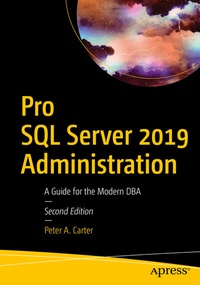
Pro SQL Server 2019 Administration
Description

Pro SQL Server 2019 Administration takes DBAs on a journey that begins with planning their SQL Server deployment and runs through installing and configuring the instance, administering and optimizing database objects, and ensuring that data is secure and highly available. Finally, readers will learn how to perform advanced maintenance and tuning techniques.
This book teaches you to make the most of new SQL Server 2019 functionality, including Data Discovery and Classification. The bookpromotes best-practice installation, shows how to configure for scalability and high workloads, and demonstrates the gamut of database-level maintenance tasks such as index maintenance, database consistency checks, and table optimizations.
What You Will Learn
-
Install and configure SQL Server on Windows through the GUI and with PowerShell
- Install and configure SQL Server on Linux and in Containers
-
Optimize tables through in-memory OLTP, table partitioning, and the creation of indexes
-
Secure and encrypt data to protect against embarrassing data breaches
-
Ensure 24x7x365 access through high-availability and disaster recovery features
-
Back up your data to ensure against loss, and recover data when needed
-
Perform routine maintenance tasks such as database consistency checks
-
Troubleshoot and solve performance problems inSQL queries and in the database engine
Who This Book Is For
SQL Server DBAs who manage on-premise installations of SQL Server. This book is also useful for DBAs who wish to learn advanced features such as Query Store, Extended Events, Distributed Replay, and Policy-Based Management, or those who need to install SQL Server in a variety of environments.
More details
Other editions
Additional editions
Person
Content
Introduction.- Part I: Installation and Configuration.- 1. Planning the Deployment.- 2. GUI Installation.- 3. Server Core Installation.- 4. Installation on Heterogeneous Operating Systems.- 5. Configuring the Instance.- Part II: Database Administration.- 6. Database Configuration.- 7. Table Optimizations.- 8. Indexes and Statistics.- 9. Database Consistency.- Part III: Security, Resilience, and Scaling Workloads.- 10. SQL Server Security Model.- 11. Encryption.- 12. Backups and Restores.- 13. High Availability and Disaster Recovery Concepts.- 14. Implementing AlwaysOn Availability Groups.- 15. Implementing Log Shipping.- 16. Scaling Workloads.- Part IV: Performance and Maintenance.- 17. SQL Server Metadata.- 18. Locking and Blocking.- 19. Extended Events.- 20. Query Store.- 21. Distributed Replay.- 22. Automating Maintenance Routines.- 23. Policy-Based Management.- 24. Resource Governor.
