

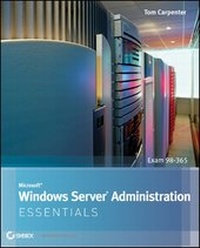
Microsoft Windows Server Administration Essentials
Published on 18. July 2011
400 pages
978-1-118-14871-6 (ISBN)
Description

The core concepts and technologies you need to administer aWindows Server OS
Administering a Windows operating system (OS) can be a difficulttopic to grasp, particularly if you are new to the field of IT.This full-color resource serves as an approachable introduction tounderstanding how to install a server, the various roles of aserver, and how server performance and maintenance impacts anetwork.
With a special focus placed on the new Microsoft TechnologyAssociate (MTA) certificate, the straightforward,easy-to-understand tone is ideal for anyone new to computeradministration looking to enter the IT field. Each chapter offers aclear and concise look at the core Windows administration conceptsyou need to know to gain an understanding of these difficulttopics.
* Offers a clear, no-nonsense approach to administering a Windowsoperating system and presents it in such a way that IT beginnerswill confidently comprehend the subject matter
* Targets the MTA 98-365 exam by covering Windows Serverinstallation, server roles, storage, and active directoryinfrastructure
* Provides you with a solid foundation of various networkingtopics so that you can gain a strong understanding of WindowsServer administration concepts
* Includes review questions and suggested labs to further enhanceyour learning process
With this book by your side, you will be armed with the coreconcepts and technologies needed to administer a Windows Serveroperating system.
More details
Other editions
Additional editions
Tom Carpenter
Microsoft Windows Server Administration Essentials
Book
08/2011
Sybex Inc.,U.S.
Unfortunately, price unknown
Article exhausted; check different version
Person
Tom Carpenter is the author of several books for the ITindustry, including Sybex's Microsoft SharePoint 2010Administration: Real-World Skills for MCITP Certification andBeyond. He is the founder and senior consultant for The SystemsEducation Company (SysEdCo), a training and consulting companyspecializing in Microsoft and network infrastructure technologies.Tom has trained the U.S. Department of Defense, the FBI, Procter& Gamble, Wells Fargo, and several other companies andorganizations on topics ranging from Windows Server administrationto wireless LAN penetration testing.
Content
- Cover
- Title Page
- Copyright
- Contents
- Chapter 1 Windows Server Overview
- Introducing Servers
- Understanding Server Concepts
- Understanding Client/Server Concepts
- Choosing Server Hardware
- Understanding Server Roles
- Deploying Applications on Your Network
- Providing Internet Access and Collaboration on Your Network
- Managing Files and Printers on Your Network
- Providing Network Access for Remote Users
- Adding More Roles as Needed
- Microsoft Windows Server Features
- Windows Server User Interfaces
- Networking Features
- Management Features
- Windows Server Editions
- The Essentials and Beyond
- Chapter 2 Installing Windows Servers
- Installation Options
- Choosing an Installation Destination
- Performing an Interactive Installation
- Automating an Installation
- Understanding Windows Deployment Services
- Upgrading Servers
- Supported Upgrade Paths
- Upgrades Versus Clean Installations
- Understanding the Upgrade Process
- Using Server Core
- Server Core Features and Limitations
- Performing a Server Core Installation
- Administering a Server Core Installation
- Working with Device Drivers
- Understanding Device Drivers
- Obtaining and Installing Drivers
- Driver Maintenance
- Understanding Hardware Resources
- The Essentials and Beyond
- Chapter 3 Managing Windows Server Storage
- Data Storage Concepts
- Selecting Hard Drives for Your Network
- Choosing a File System
- Understanding Networked Storage
- Using the Distributed File System
- Understanding RAID
- Identifying Storage Technologies
- Networked Storage Solutions
- Understanding Disk Types
- Basic and Dynamic Disks
- Virtual Hard Disks
- Optical Media
- The Essentials and Beyond
- Chapter 4 Administering Services
- Understanding Services
- Applications as Services
- Important Windows Services
- Add-On Services
- Configuring Services
- Service Startup Types
- Service Recovery Options
- Service Privileges
- Managing Services
- Starting Services
- Stopping Services
- Restarting Services
- Troubleshooting Services
- Service Dependencies
- Service Configuration
- Understanding Service Accounts
- The Essentials and Beyond
- Chapter 5 Active Directory Infrastructure
- Understanding Active Directory
- AD Domains
- AD Domain Trees
- AD Forests
- Planning for Active Directory Servers
- Domain Controllers
- Supporting Servers
- Planning a DNS Namespace
- DNS Overview
- Namespace Hierarchies
- Exploring Sites and Replication
- AD Sites
- AD Replication
- The Essentials and Beyond
- Chapter 6 Configuring Active Directory
- Planning an Active Directory Installation
- High-Level Planning
- Detailed Design
- Installing Active Directory
- Preparing to Install DNS
- Adding the DNS Server Role
- Configuring the DNS Zone
- Configuring the IP Settings and Primary DNS Suffix
- Installing the AD DS Role
- Running the DCPROMO Wizard
- The Essentials and Beyond
- Chapter 7 Managing Active Directory
- Exploring AD Management Tools
- Understanding the AD Architecture Management Tools
- Understanding the AD Object Management Tools
- Working with Users and Groups
- User Account Types
- Creating User Accounts
- Group Types and Scopes
- Working with Groups
- Group Management
- Understanding Organizational Units and Containers
- The Essentials and Beyond
- Chapter 8 Group Policy Management
- Understanding Group Policy
- Group Policy Defined
- Group Policy Requirements
- Group Policy Management Tools
- Group Policy Sections and Categories
- Supporting Different Windows Client Versions
- Defining the Group Policy Hierarchy
- Group Policy Processing
- Local Group Policy
- Touring the Group Policy Management Console
- Exploring the GPMC Interface
- Understanding the GPMC Features
- Creating a Group Policy Object
- Determining Policy Settings
- Creating the GPO
- Linking GPOs to Containers
- Modifying Permissions on the GPO
- Configuring a Local Group Policy Setting
- The Essentials and Beyond
- Chapter 9 Application Servers
- Understanding Application Servers
- Database Servers
- Microsoft SQL Server
- Database Application Types
- Mail Servers: Using Microsoft Exchange Server
- Exchange Server Design Goals
- Exchange Server Roles
- Exchange Server Storage Architecture
- Exchange Mailbox Management
- Collaboration Servers
- SharePoint 2010 Defined
- SharePoint Editions
- Monitoring Servers
- Threat Management Servers
- The Essentials and Beyond
- Chapter 10 Internet Information Services (IIS)
- Understanding Web Services
- Internet Information Services
- Understanding How IIS Works
- Adding the Web Server (IIS) Role
- Configuring IIS
- Running an FTP Server
- Configuring Sites and Ports
- Web Server Security
- Planning for Authentication
- Planning for Encryption
- The Essentials and Beyond
- Chapter 11 File and Print Servers
- Exploring File Servers
- Understanding Share Permissions
- Understanding NTFS Permissions
- Auditing Files and Folders
- Understanding DFS
- Understanding How DFS Works
- Planning for DFS Recommended Uses
- Creating a DFS Namespace
- Understanding Print Servers
- Managing Basic Print Server Functionality
- Understanding Printer Pools
- Using Web Printing
- The Essentials and Beyond
- Chapter 12 Remote Access Technologies
- Planning for Remote Administration Tools
- Understanding Remote Access Solutions
- Virtual Private Networks (VPNs)
- Understanding Remote Desktop Services
- Remote Desktop Versus Remote Desktop Services
- RDS Licensing
- Remote Desktop Role Services
- The Essentials and Beyond
- Chapter 13 Server Troubleshooting
- Introducing Troubleshooting Processes and Procedures
- REACTing
- Research
- Engage
- Adjust
- Configure
- Take Note
- Stepping Through the OSI Model
- Layer 1
- Layer 2
- Layer 3
- Upper Layers
- Troubleshooting with the Hardware/Software Model
- Hardware Problems
- Software Problems
- Symptom, Diagnosis, and Solution
- Systems Thinking
- Troubleshooting Tools
- Task Manager
- Performance Monitor
- Resource Monitor
- Event Viewer
- The Essentials and Beyond
- Chapter 14 Performance Tuning
- Performance Myths and Truths
- One System Component Is Seldom the Culprit
- Better Code Is Better, But Better Design Is Best
- It Still Has to Travel the Network
- Command Prompt Tools
- Using the TaskList Command
- Using the SC Command
- Using the TaskKill Command
- Using the Shutdown Command
- Using the SystemInfo Command
- Using the TypePerf Command
- Resource Monitor
- Performance Monitor
- Understanding Performance Counters
- Defining a Baseline
- Developing Monitoring Points
- Viewing Live Performance Data
- Capturing and Logging Performance Data
- Viewing DCS Reports
- Virtualization and Performance
- Exploring Virtualization Modes
- Understanding Microsoft Virtualization Solutions
- Migrating Between Physical and Virtual
- The Essentials and Beyond
- Chapter 15 Server Maintenance
- Maintaining the Hardware
- Planning for Server Downtime
- Executing the Planning Actions for Downtime
- Understanding the Windows Server Boot Process
- Understanding Windows Update
- Updating with Windows Update
- Using Windows Server Update Service
- Automating with Logs and Alerts
- Planning for Continuity
- Disaster Recovery
- Clustering
- The Essentials and Beyond
- Appendix A Answers to Review Questions
- Chapter 1
- Chapter 2
- Chapter 3
- Chapter 4
- Chapter 5
- Chapter 6
- Chapter 7
- Chapter 8
- Chapter 9
- Chapter 10
- Chapter 11
- Chapter 12
- Chapter 13
- Chapter 14
- Chapter 15
- Appendix B Microsoft's Certification Program
- Certification Objectives Map
- Index
- EULA
