

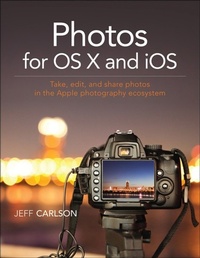
Photos for OS X and iOS
Take, edit, and share photos in the Apple photography ecosystem
1st Edition
Published on 29. July 2015
200 pages
978-0-13-417204-0 (ISBN)
Description

For anyone who's taken photos, you know the frustration of trying to find and manage your snapshots on your iPhone, camera, or Mac. With Photos for OS X, Apple has made it possible to have at your fingertips all your photos. Photos for OS X replaces Apple's iPhoto and Aperture applications and offers users the ability to organize, view, edit, and share photos from any OS X or iOS device.
In the Photos for OS X and iOS book, best-selling author Jeff Carlson shows you how to tame your photo collection with Apple Photos for OS X app. He shows how to convert your existing iPhoto and Aperture libraries to Photos and how to import new photos from your iPhone and other sources. You'll learn how to work with photos in the Apple iCloud service as well as edit images on your phone, Mac, and in the cloud. And to show off your snapshots, Jeff shows you how to share your photos through prints and photo books.
Readers will learn how to:
Import photos from your iPhone and other sources
Organize your photos through albums, keywords, tags, collections, dates, and geotags
Convert existing iPhoto and Aperture libraries to Photos for OS X
Work with your photos in the iCloud Photo library
Edit photos in the Photos application
Make prints and photo books
In the Photos for OS X and iOS book, best-selling author Jeff Carlson shows you how to tame your photo collection with Apple Photos for OS X app. He shows how to convert your existing iPhoto and Aperture libraries to Photos and how to import new photos from your iPhone and other sources. You'll learn how to work with photos in the Apple iCloud service as well as edit images on your phone, Mac, and in the cloud. And to show off your snapshots, Jeff shows you how to share your photos through prints and photo books.
Readers will learn how to:
Import photos from your iPhone and other sources
Organize your photos through albums, keywords, tags, collections, dates, and geotags
Convert existing iPhoto and Aperture libraries to Photos for OS X
Work with your photos in the iCloud Photo library
Edit photos in the Photos application
Make prints and photo books
More details
Language
English
Place of publication
Berkeley
United States
Publishing group
Pearson Education (US)
Target group
College/higher education
ISBN-13
978-0-13-417204-0 (9780134172040)
Copyright in bibliographic data and cover images is held by Nielsen Book Services Limited or by the publishers or by their respective licensors: all rights reserved.
Schweitzer Classification
Other editions
Additional editions
Book
08/2015
Peachpit Press Publications
€27.22
Article exhausted; check different version
Person
Jeff Carlson is a columnist for the Seattle Times, a senior editor at TidBITS, and a frequent contributor to Macworld and other publications. He is also the author of numerous books, including three editions of the iPad for Photographers, four editions of the iPad Pocket Guide, and several editions of the OS X Pocket Guide. He believes there's never enough coffee, and tries his best to prove that theory on a regular basis. Find more information at jeffcarlson.com and follow him on Twitter at @jeffcarlson.
