

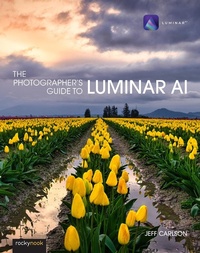
Photographer's Guide to Luminar AI
Published on 27. May 2021
224 pages
978-1-68198-788-0 (ISBN)
Description

Skylum's Luminar AI is a great solution for both professional and amateur photographers who want to quickly create stunning photos. Luminar's advanced AI-based tools and templates eliminate hours of traditional editing tasks, whether you're applying automatic tone and color adjustments, replacing dreary skies with more dynamic ones, or retouching portraits to smooth skin, remove blemishes, and accentuate flattering facial features. For those who want to dig into editing, powerful tools give you full control over your RAW and JPEG images, including advanced features such as masking, dodging and burning, and cloning and stamping areas. Luminar AI also works as a plug-in for other applications, such as Adobe Photoshop, Lightroom Classic, and Apple Photos, allowing round-trip editing and seamless integration with workflows you may already have in place.Luminar AI is deceptively deep, and in The Photographer's Guide to Luminar AI, photographer Jeff Carlson helps you discover Luminar AI's best features to take full advantage of the program for all your photography needs. From importing your images to editing, managing, and exporting your files, Jeff showcases the power, precision, and control of Luminar while teaching you to work quickly and efficiently. In this book, he walks you through real-world landscape and portrait edits, and covers every tool and feature with the goal of helping you understand how to make Luminar improve your images. In this book you'll learn all about:
More details
Other editions
Additional editions

Jeff Carlson
Photographer's Guide to Luminar AI,The
Book
08/2021
Rocky Nook
€33.00
Shipment within 3-4 weeks
Jeff Carlson
The Photographer's Guide to Luminar AI
E-Book
05/2021
Rocky Nook
€30.99
Available for download
Content
- Cover
- Table of Contents
- Introduction
- How Luminar AI Differs from Luminar 4
- How to Read This Book
- 1 The Luminar Studio
- What Exactly Is AI?
- The Luminar Workflow
- The Sidebar
- Edit Tools
- The Histogram
- Templates
- Compare and Quick Preview
- Zoom/Full Screen Preview
- History
- The Catalog
- The Info Panel
- Strategies for Speeding Up Luminar
- Handling Luminar 4 Edits
- 2 The Paths to Luminar
- Edit a Single Image
- Edit a Photo from Another Application
- Edit a Photo in the Luminar Library
- Add New Photos to the Library
- 3 Landscape Walkthrough
- Evaluate the Photo
- Try a Template
- Recompose the Scene
- Get Luminar's Opinion
- Adjust Exposure
- Punch Up the Tulips
- Add Drama to the Sky
- Draw Attention to the Reflection
- Enhance Details
- Before and After
- 4 Portrait Walkthrough
- Evaluate the First Photo
- See What Luminar Will Do
- Start with Good Overall Exposure
- Enhance the Eyes
- Smooth Skin and Apply Touch-Ups
- Correct Skin Tone
- First Photo Before and After
- Evaluate the Second Photo
- Edit Tone and Color
- Enhance the Skin
- Enhance the Face
- Apply Spot Touch-Ups
- Second Photo Before and After
- 5 Templates
- Apply a Template
- Create Your Own Templates
- Export and Import Custom Templates
- 6 Editing Tools
- Editing Tool Fundamentals
- Understand the Histogram
- Essentials Tools
- Creative Tools
- Portrait Tools
- Professional Tools
- Automating Edits with Photoshop Actions
- 7 Local Masking
- Mask Fundamentals
- Create a Mask
- Paint Mask
- Radial Mask
- Gradient Mask
- Work with Multiple Masks
- Texture Mask
- Add a Watermark Using a Texture Mask
- Create a Composite
- Dodge & Burn Better with Local Masks
- 8 Luminar Catalog
- Use Catalog Shortcuts
- Favorite Photos
- Sort Photos
- Filter Photos
- Search for Photos
- Work with Albums
- Remove Photos from the Catalog
- Locate Missing Folders and Edits
- Sync Adjustments
- Back Up and Restore the Catalog
- Work with Multiple Catalogs
- 9 Sharing Photos
- Save to Disk
- Share to Services
- Open in Other Applications (macOS)
- Index
- A
- B
- C
- D
- E
- F
- G
- H
- I
- J
- K
- L
- M
- N
- O
- P
- Q
- R
- S
- T
- U
- V
- W
- X
- Z
