

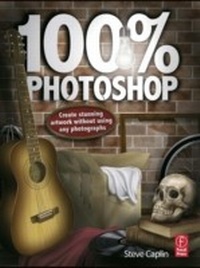
100% Photoshop
Create stunning illustrations without using any photographs
1st Edition
Published on 12. November 2012
257 pages
978-1-136-11030-6 (ISBN)
Description

Just when you think you've learned all that you could ever know about working in Photoshop, digital artist and photomontage king Steve Caplin comes along with yet another masterful method for creating incredible works of art in Photoshop. This time, he'll show you how to create complete images, from start to finish, entirely within the software program. No source material, photographs, or existing files from other software packages are needed, saving you valuable time and resources. The techniques you'll learn in this ground-breaking new book will help you combine your artistic vision and skills with an understanding of how to manipulate the built-in Photoshop filters to produce impressive, eye-catching artwork.
Each chapter opens with a complete double page illustration, created entirely in Photoshop. Then, carefully laid out step-by-step instructions show you how each element in the illustration is created, and how they are all combined in the end to make a convincing final image. Using Steve's proven methods for success, you'll be able to produce images that reflect a more finely crafted, hand drawn approach, whether you're an artist for your own enjoyment or a working professional looking for a leg up on the competition.
Each chapter opens with a complete double page illustration, created entirely in Photoshop. Then, carefully laid out step-by-step instructions show you how each element in the illustration is created, and how they are all combined in the end to make a convincing final image. Using Steve's proven methods for success, you'll be able to produce images that reflect a more finely crafted, hand drawn approach, whether you're an artist for your own enjoyment or a working professional looking for a leg up on the competition.
Reviews / Votes
"If you are a digital photographer who's stuck for inspiration, buy this book today. It will open up new horizons for you - and there's nothing more satisfying than creating a beautiful sunny landscape from your mind's eye while it's pouringdown outside."
Nigel Burton, The Northern Echo "An outstanding key to using Photoshop to create powerful graphics. Learn how to create complex images without source material, photos or files from other software packages using techniques that blend artistry with keys to manipulating the latest Photoshop filters. A top pick!"--Bookwatch
"This book is very rewarding and absolutely fascinating to work through. I enjoyed all the "lessons" and learned lots of new and welcome techniques. A big recommendation!"--eJournal for the Tucson Computer Society
"There's no other focus on this aspect in print, making this a 'must' for any graphic arts or Photoshop collection! Color examples liberally abound on every page."--Midwest Book Review's California Bookwatch
More details
Language
English
Place of publication
London
United Kingdom
Publishing group
Taylor & Francis Ltd
Target group
Professional and scholarly
File size
114,08 MB
ISBN-13
978-1-136-11030-6 (9781136110306)
Copyright in bibliographic data and cover images is held by Nielsen Book Services Limited or by the publishers or by their respective licensors: all rights reserved.
Schweitzer Classification
Other editions
Additional editions
Book
07/2017
1st Edition
Routledge
€244.50
Shipment within 10-20 days
Book
03/2010
1st Edition
Focal Press
€56.50
Shipment within 15-20 days
Person
Steve Caplin is a freelance artist and author working in London, England. His satirical photomontage work is commissioned by newspapers and magazines around the world, including The Guardian, The Independent, The Sunday Telegraph, The Sunday Times Magazine, Radio Times, Readers Digest and L'Internazionale.
Steve has worked for advertising agencies including Saatchi & Saatchi, Bartle Bogle Hegarty and Lowe Howard Spink, and his work has won two Campaign Poster Awards and a D&AD Pencil award. He has lectured widely in England, Norway, France and Holland, and has taught digital design at the University of Westminster and the University of the Arts London.
Steve is the author of ten books: How to Cheat in Photoshop (five editions), How to Cheat in Photoshop Elements (co-authored, three editions), Icon Design, Max Pixel's Adventures in Adobe Photoshop Elements, The Complete Guide to Digital Illustration (co-authored) and Art & Design in Photoshop. He has also co-authored three mainstream books: Dad Stuff, More Dad Stuff, Stuff the Turkey and Complete and Utter Zebu.
When he's not at his computer Steve plays the piano well, the accordion moderately and the guitar badly. He spends his spare time making improbable constructions out of wood and other materials. His first commissioned sculpture was for the Bethlem hospital - the original 'bedlam' - in 2010.
Steve has worked for advertising agencies including Saatchi & Saatchi, Bartle Bogle Hegarty and Lowe Howard Spink, and his work has won two Campaign Poster Awards and a D&AD Pencil award. He has lectured widely in England, Norway, France and Holland, and has taught digital design at the University of Westminster and the University of the Arts London.
Steve is the author of ten books: How to Cheat in Photoshop (five editions), How to Cheat in Photoshop Elements (co-authored, three editions), Icon Design, Max Pixel's Adventures in Adobe Photoshop Elements, The Complete Guide to Digital Illustration (co-authored) and Art & Design in Photoshop. He has also co-authored three mainstream books: Dad Stuff, More Dad Stuff, Stuff the Turkey and Complete and Utter Zebu.
When he's not at his computer Steve plays the piano well, the accordion moderately and the guitar badly. He spends his spare time making improbable constructions out of wood and other materials. His first commissioned sculpture was for the Bethlem hospital - the original 'bedlam' - in 2010.
Content
Chapter 1: Textures: Using Clouds, Noise, Blur, Fibers to create basic texture; Texture creation: paper, wood, stone, and metal; Chapter 2: Setting the Scene: Hallway - door, light, glass, gold text, shadows, metal handle, layer masks; Chapter 3: The Great Outdoors: trees, grass, leaves (custom brush design), water and reflections, clouds, sky, mountains; Chapter 4: In the Attic:LPs, cardboard boxes, guitar, cork boards, beams, brick walls, assorted items; Chapter 5: To Boldly Go: Space scene with stars, planets, aurora, spaceship, alien; Chapter 6: Treasured Possessions: Desk drawer with jewelry, letters, sealing wax, pens, magnifying glass, pencils, rubber stamp, folder with coffee stains; Chapter 7: In the Lab: Mad scientist's laboratory with Bunsen burner, lab bottles, stone wall, lightning through window; Chapter 8: The Operation:Operating theatre scene with close-up of opened body featuring internal organs, bone, skin texture, scalpels and clamps; Chapter 9: Fantasy Scene: Organic-looking synthetic scene with intertwining tentacles, texture generated background, H R Giger-style anatomical elements;Chapter 10: Photoshop Reference: Quick start guide
