

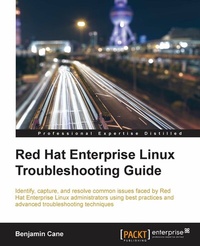
Red Hat Enterprise Linux Troubleshooting Guide
Identify, capture and resolve common issues faced by Red Hat Enterprise Linux administrators using best practices and advanced troubleshooting techniques
Published on 13. January 2025
458 pages
978-1-78528-787-9 (ISBN)
Description

Identify, capture and resolve common issues faced by Red Hat Enterprise Linux administrators using best practices and advanced troubleshooting techniques.
Key Features
Develop a strong understanding of the base tools available within Red Hat Enterprise Linux (RHEL) and how to utilize these tools to troubleshoot and resolve real-world issues
Gain hidden tips and techniques to help you quickly detect the reason for poor network/storage performance
Troubleshoot your RHEL to isolate problems using this example-oriented guide full of real-world solutions
Book DescriptionRed Hat Enterprise Linux is an operating system that allows you to modernize your infrastructure, boost efficiency through virtualization, and finally prepare your data center for an open, hybrid cloud IT architecture. It provides the stability to take on today's challenges and the flexibility to adapt to tomorrow's demands. In this book, you begin with simple troubleshooting best practices and get an overview of the Linux commands used for troubleshooting. The book will cover the troubleshooting methods for web applications and services such as Apache and MySQL. Then, you will learn to identify system performance bottlenecks and troubleshoot network issues; all while learning about vital troubleshooting steps such as understanding the problem statement, establishing a hypothesis, and understanding trial, error, and documentation. Next, the book will show you how to capture and analyze network traffic, use advanced system troubleshooting tools such as strace, tcpdump & dmesg, and discover common issues with system defaults. Finally, the book will take you through a detailed root cause analysis of an unexpected reboot where you will learn to recover a downed system.What you will learn
Identify issues that need rapid resolution against long term root cause analysis
Discover commands for testing network connectivity such as telnet, netstat, ping, ip and curl
Spot performance issues with commands such as top, ps, free, iostat, and vmstat
Use tcpdump for traffic analysis
Repair a degraded file system and rebuild a software raid
Identify and troubleshoot hardware issues using dmesg
Troubleshoot custom applications with strace and knowledge of Linux resource limitations
Who this book is forIf you have a basic knowledge of Linux from administration or consultant experience and wish to add to your Red Hat Enterprise Linux troubleshooting skills, then this book is ideal for you. The ability to navigate and use basic Linux commands is expected.
Key Features
Develop a strong understanding of the base tools available within Red Hat Enterprise Linux (RHEL) and how to utilize these tools to troubleshoot and resolve real-world issues
Gain hidden tips and techniques to help you quickly detect the reason for poor network/storage performance
Troubleshoot your RHEL to isolate problems using this example-oriented guide full of real-world solutions
Book DescriptionRed Hat Enterprise Linux is an operating system that allows you to modernize your infrastructure, boost efficiency through virtualization, and finally prepare your data center for an open, hybrid cloud IT architecture. It provides the stability to take on today's challenges and the flexibility to adapt to tomorrow's demands. In this book, you begin with simple troubleshooting best practices and get an overview of the Linux commands used for troubleshooting. The book will cover the troubleshooting methods for web applications and services such as Apache and MySQL. Then, you will learn to identify system performance bottlenecks and troubleshoot network issues; all while learning about vital troubleshooting steps such as understanding the problem statement, establishing a hypothesis, and understanding trial, error, and documentation. Next, the book will show you how to capture and analyze network traffic, use advanced system troubleshooting tools such as strace, tcpdump & dmesg, and discover common issues with system defaults. Finally, the book will take you through a detailed root cause analysis of an unexpected reboot where you will learn to recover a downed system.What you will learn
Identify issues that need rapid resolution against long term root cause analysis
Discover commands for testing network connectivity such as telnet, netstat, ping, ip and curl
Spot performance issues with commands such as top, ps, free, iostat, and vmstat
Use tcpdump for traffic analysis
Repair a degraded file system and rebuild a software raid
Identify and troubleshoot hardware issues using dmesg
Troubleshoot custom applications with strace and knowledge of Linux resource limitations
Who this book is forIf you have a basic knowledge of Linux from administration or consultant experience and wish to add to your Red Hat Enterprise Linux troubleshooting skills, then this book is ideal for you. The ability to navigate and use basic Linux commands is expected.
All prices
More details
Edition
Digital original
Language
English
Place of publication
Birmingham
United Kingdom
Target group
US School Grade: College Graduate Student
Edition type
Digital original
File size
2,56 MB
ISBN-13
978-1-78528-787-9 (9781785287879)
Copyright in bibliographic data and cover images is held by Nielsen Book Services Limited or by the publishers or by their respective licensors: all rights reserved.
Schweitzer Classification
Other editions
Additional editions
Benjamin Cane
Red Hat Enterprise Linux Troubleshooting Guide
Book
10/2015
Packt Publishing
€70.30
Shipment within 3-4 weeks
Person
Cane Benjamin :
Benjamin Cane has nearly 10 years of experience in Linux systems administration. His first systems administration role was in 2006. At that time, he worked for a web hosting company supporting thousands of FreeBSD and Linux systems. Afterwards, he joined a managed services company that specialized in managing mission-critical systems. There, he worked his way to the position of a lead systems engineer, providing 24x7 support for highly critical enterprise systems that ran Red Hat Enterprise Linux. Now, Benjamin is a systems architect. He focuses on building High and Continuous Availability environments within the financial services industry. He is also currently a Red Hat Certified Engineer and Certified Ethical Hacker. With his experience in mission-critical environments, he has learned to identify and troubleshoot very complex issues quickly, because often these environments have a low tolerance for downtime. Being able to identify the root causes of very complex systems issues quickly is a skill that requires extensive knowledge of Linux and troubleshooting best practices. In addition to this book, Benjamin writes about Linux systems administration and DevOps topics on his blog at http://bencane.com. He is also the project founder for Runbook (https://github.com/Runbook/runbook), an open source application designed to monitor and automatically resolve infrastructure and application issues.
Benjamin Cane has nearly 10 years of experience in Linux systems administration. His first systems administration role was in 2006. At that time, he worked for a web hosting company supporting thousands of FreeBSD and Linux systems. Afterwards, he joined a managed services company that specialized in managing mission-critical systems. There, he worked his way to the position of a lead systems engineer, providing 24x7 support for highly critical enterprise systems that ran Red Hat Enterprise Linux. Now, Benjamin is a systems architect. He focuses on building High and Continuous Availability environments within the financial services industry. He is also currently a Red Hat Certified Engineer and Certified Ethical Hacker. With his experience in mission-critical environments, he has learned to identify and troubleshoot very complex issues quickly, because often these environments have a low tolerance for downtime. Being able to identify the root causes of very complex systems issues quickly is a skill that requires extensive knowledge of Linux and troubleshooting best practices. In addition to this book, Benjamin writes about Linux systems administration and DevOps topics on his blog at http://bencane.com. He is also the project founder for Runbook (https://github.com/Runbook/runbook), an open source application designed to monitor and automatically resolve infrastructure and application issues.
Content
Table of Contents
Troubleshooting best practices
Troubleshooting commands and sources of useful information
Troubleshooting a web application
Troubleshooting performance issues
Network troubleshooting
Diagnosing and correcting firewall issues
File System errors and recovery
Hardware troubleshooting
Using system tools to troubleshoot applications
Understanding Red Hat user and kernel limits
Recovering from common failures
Root Cause Analysis of a unexpected reboot
Troubleshooting best practices
Troubleshooting commands and sources of useful information
Troubleshooting a web application
Troubleshooting performance issues
Network troubleshooting
Diagnosing and correcting firewall issues
File System errors and recovery
Hardware troubleshooting
Using system tools to troubleshoot applications
Understanding Red Hat user and kernel limits
Recovering from common failures
Root Cause Analysis of a unexpected reboot

