

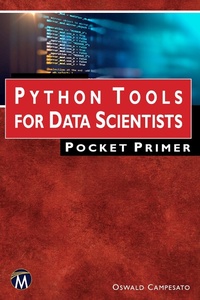
Python Tools for Data Scientists Pocket Primer
1st Edition
Published on 4. November 2022
300 pages
978-1-68392-822-5 (ISBN)
Description

As part of the best-selling Pocket Primer series, this book is designed to provide a thorough introduction to numerous Python tools for data scientists. The book covers features of NumPy and Pandas, how to write regular expressions, and how to perform data cleaning tasks. It includes separate chapters on data visualization and working with Sklearn and SciPy. Companion files with source code are available.
FEATURES:
- Introduces Python, NumPy, Sklearn, SciPy, and awk
- Covers data cleaning tasks and data visualization
- Features numerous code samples throughout
- Includes companion files with source code
More details
Series
Language
English
Place of publication
Berlin
United States
Target group
Professional and scholarly
US School Grade: College Graduate Student
File size
9,79 MB
ISBN-13
978-1-68392-822-5 (9781683928225)
Copyright in bibliographic data and cover images is held by Nielsen Book Services Limited or by the publishers or by their respective licensors: all rights reserved.
Schweitzer Classification
Other editions
Additional editions
Oswald Campesato
Python Tools for Data Scientists Pocket Primer
Book
12/2022
1st Edition
Mercury Learning & Information
€44.95
Article not available at the moment
Oswald Campesato
Python Tools for Data Scientists Pocket Primer
E-Book
11/2022
1st Edition
Mercury Learning and Information
from
€44.95
Available for download
Content
- Cover
- Half-Title
- Title
- Copyright
- Dedication
- Contents
- Preface
- Chapter 1: Introduction to Python
- Tools for Python
- easy_install and pip
- virtualenv
- Python Installation
- Setting the PATH Environment Variable (Windows Only)
- Launching Python on Your Machine
- The Python Interactive Interpreter
- Python Identifiers
- Lines, Indentations, and Multi-Lines
- Quotation and Comments in Python
- Saving Your Code in a Module
- Some Standard Modules in Python
- The help() and dir() Functions
- Compile Time and Runtime Code Checking
- Simple Data Types in Python
- Working with Numbers
- Working with Other Bases
- The chr() Function
- The round() Function in Python
- Formatting Numbers in Python
- Unicode and UTF-8
- Working with Unicode
- Listing 1.1: Unicode1.py
- Working with Strings
- Comparing Strings
- Listing 1.2: Compare.py
- Formatting Strings in Python
- Uninitialized Variables and the Value None in Python
- Slicing and Splicing Strings
- Testing for Digits and Alphabetic Characters
- Listing 1.3: CharTypes.py
- Search and Replace a String in Other Strings
- Listing 1.4: FindPos1.py
- Listing 1.5: Replace1.py
- Remove Leading and Trailing Characters
- Listing 1.6: Remove1.py
- Printing Text without NewLine Characters
- Text Alignment
- Working with Dates
- Listing 1.7: Datetime2.py
- Listing 1.8: datetime2.out
- Converting Strings to Dates
- Listing 1.9: String2Date.py
- Exception Handling in Python
- Listing 1.10: Exception1.py
- Handling User Input
- Listing 1.11: UserInput1.py
- Listing 1.12: UserInput2.py
- Listing 1.13: UserInput3.py
- Command-Line Arguments
- Listing 1.14: Hello.py
- Summary
- Chapter 2: Introduction to NumPy
- What is NumPy?
- Useful NumPy Features
- What are NumPy Arrays?
- Listing 2.1: nparray1.py
- Working with Loops
- Listing 2.2: loop1.py
- Appending Elements to Arrays (1)
- Listing 2.3: append1.py
- Appending Elements to Arrays (2)
- Listing 2.4: append2.py
- Multiplying Lists and Arrays
- Listing 2.5: multiply1.py
- Doubling the Elements in a List
- Listing 2.6: double_list1.py
- Lists and Exponents
- Listing 2.7: exponent_list1.py
- Arrays and Exponents
- Listing 2.8: exponent_array1.py
- Math Operations and Arrays
- Listing 2.9: mathops_array1.py
- Working with "-1" Sub-ranges With Vectors
- Listing 2.10: npsubarray2.py
- Working with "-1" Sub-ranges with Arrays
- Listing 2.11: np2darray2.py
- Other Useful NumPy Methods
- Arrays and Vector Operations
- Listing 2.12: array_vector.py
- NumPy and Dot Products (1)
- Listing 2.13: dotproduct1.py
- NumPy and Dot Products (2)
- Listing 2.14: dotproduct2.py
- NumPy and the Length of Vectors
- Listing 2.15: array_norm.py
- NumPy and Other Operations
- Listing 2.16: otherops.py
- NumPy and the reshape() Method
- Listing 2.17: numpy_reshape.py
- Calculating the Mean and Standard Deviation
- Listing 2.18: sample_mean_std.py
- Code Sample with Mean and Standard Deviation
- Listing 2.19: stat_values.py
- Trimmed Mean and Weighted Mean
- Working with Lines in the Plane (Optional)
- Plotting Randomized Points with NumPy and Matplotlib
- Listing 2.20: np_plot.py
- Plotting a Quadratic with NumPy and Matplotlib
- Listing 2.21: np_plot_quadratic.py
- What is Linear Regression?
- What is Multivariate Analysis?
- What about Non-Linear Datasets?
- The MSE (Mean Squared Error) Formula
- Other Error Types
- Non-Linear Least Squares
- Calculating the MSE Manually
- Find the Best-Fitting Line in NumPy
- Listing 2.22: find_best_fit.py
- Calculating MSE by Successive Approximation (1)
- Listing 2.23: plain_linreg1.py
- Calculating MSE by Successive Approximation (2)
- Listing 2.24: plain_linreg2.py
- Google Colaboratory
- Uploading CSV Files in Google Colaboratory
- Listing 2.25: upload_csv_file.ipynb
- Summary
- Chapter 3: Introduction to Pandas
- What is Pandas?
- Pandas Options and Settings
- Pandas Data Frames
- Data Frames and Data Cleaning Tasks
- Alternatives to Pandas
- A Pandas Data Frame with a NumPy Example
- Listing 3.1: pandas_df.py
- Describing a Pandas Data Frame
- Listing 3.2: pandas_df_describe.py
- Pandas Boolean Data Frames
- Listing 3.3: pandas_boolean_df.py
- Transposing a Pandas Data Frame
- Pandas Data Frames and Random Numbers
- Listing 3.4: pandas_random_df.py
- Listing 3.5: pandas_combine_df.py
- Reading CSV Files in Pandas
- Listing 3.6: sometext.txt
- Listing 3.7: read_csv_file.py
- The loc() and iloc() Methods in Pandas
- Converting Categorical Data to Numeric Data
- Listing 3.8: cat2numeric.py
- Listing 3.9: shirts.csv
- Listing 3.10: shirts.py
- Matching and Splitting Strings in Pandas
- Listing 3.11: shirts_str.py
- Converting Strings to Dates in Pandas
- Listing 3.12: string2date.py
- Merging and Splitting Columns in Pandas
- Listing 3.13: employees.csv
- Listing 3.14: emp_merge_split.py
- Combining Pandas Data Frames
- Listing 3.15: concat_frames.py
- Data Manipulation with Pandas Data Frames (1)
- Listing 3.16: pandas_quarterly_df1.py
- Data Manipulation with Pandas Data Frames (2)
- Listing 3.17: pandas_quarterly_df2.py
- Data Manipulation with Pandas Data Frames (3)
- Listing 3.18: pandas_quarterly_df3.py
- Pandas Data Frames and CSV Files
- Listing 3.19: weather_data.py
- Listing 3.20: people.csv
- Listing 3.21: people_pandas.py
- Managing Columns in Data Frames
- Switching Columns
- Appending Columns
- Deleting Columns
- Inserting Columns
- Scaling Numeric Columns
- Listing 3.22: numbers.csv
- Listing 3.23: scale_columns.py
- Managing Rows in Pandas
- Selecting a Range of Rows in Pandas
- Listing 3.24: duplicates.csv
- Listing 3.25: row_range.py
- Finding Duplicate Rows in Pandas
- Listing 3.26: duplicates.py
- Listing 3.27: drop_duplicates.py
- Inserting New Rows in Pandas
- Listing 3.28: emp_ages.csv
- Listing 3.29: insert_row.py
- Handling Missing Data in Pandas
- Listing 3.30: employees2.csv
- Listing 3.31: missing_values.py
- Multiple Types of Missing Values
- Listing 3.32: employees3.csv
- Listing 3.33: missing_multiple_types.py
- Test for Numeric Values in a Column
- Listing 3.34: test_for_numeric.py
- Replacing NaN Values in Pandas
- Listing 3.35: missing_fill_drop.py
- Sorting Data Frames in Pandas
- Listing 3.36: sort_df.py
- Working with groupby() in Pandas
- Listing 3.37: groupby1.py
- Working with apply() and mapapply() in Pandas
- Listing 3.38: apply1.py
- Listing 3.39: apply2.py
- Listing 3.40: mapapply1.py
- Listing 3.41: mapapply2.py
- Handling Outliers in Pandas
- Listing 3.42: outliers_zscores.py
- Pandas Data Frames and Scatterplots
- Listing 3.43: pandas_scatter_df.py
- Pandas Data Frames and Simple Statistics
- Listing 3.44: housing.csv
- Listing 3.45: housing_stats.py
- Aggregate Operations in Pandas Data Frames
- Listing 3.46: aggregate1.py
- Aggregate Operations with the titanic.csv Dataset
- Listing 3.47: aggregate2.py
- Save Data Frames as CSV Files and Zip Files
- Listing 3.48: save2csv.py
- Pandas Data Frames and Excel Spreadsheets
- Listing 3.49: write_people_xlsx.py
- Listing 3.50: read_people_xslx.py
- Working with JSON-based Data
- Python Dictionary and JSON
- Listing 3.51: dict2json.py
- Python, Pandas, and JSON
- Listing 3.52: pd_python_json.py
- Useful One-line Commands in Pandas
- What is Method Chaining?
- Pandas and Method Chaining
- Pandas Profiling
- Listing 3.53: titanic.csv
- Listing 3.54: profile_titanic.py
- Summary
- Chapter 4: Working with Sklearn and Scipy
- What is Sklearn?
- Sklearn Features
- The Digits Dataset in Sklearn
- Listing 4.1: load_digits1.py
- Listing 4.2: load_digits2.py
- Listing 4.3: sklearn_digits.py
- The train_test_split() Class in Sklearn
- Selecting Columns for X and y
- What is Feature Engineering?
- The Iris Dataset in Sklearn (1)
- Listing 4.4: sklearn_iris1.py
- Sklearn, Pandas, and the Iris Dataset
- Listing 4.5: pandas_iris.py
- The Iris Dataset in Sklearn (2)
- Listing 4.6: sklearn_iris2.py
- The Faces Dataset in Sklearn (Optional)
- Listing 4.7: sklearn_faces.py
- What is SciPy?
- Installing SciPy
- Permutations and Combinations in SciPy
- Listing 4.8: scipy_perms.py
- Listing 4.9: scipy_combinatorics.py
- Calculating Log Sums
- Listing 4.10: scipy_matrix_inv.py
- Calculating Polynomial Values
- Listing 4.11: scipy_poly.py
- Calculating the Determinant of a Square Matrix
- Listing 4.12: scipy_determinant.py
- Calculating the Inverse of a Matrix
- Listing 4.13: scipy_matrix_inv.py
- Calculating Eigenvalues and Eigenvectors
- Listing 4.14: scipy_eigen.py
- Calculating Integrals (Calculus)
- Listing 4.15: scipy_integrate.py
- Calculating Fourier Transforms
- Listing 4.16: scipy_fourier.py
- Flipping Images in SciPy
- Listing 4.17: scipy_flip_image.py
- Rotating Images in SciPy
- Listing 4.18: scipy_rotate_image.py
- Google Colaboratory
- Uploading CSV Files in Google Colaboratory
- Listing 4.19: upload_csv_file.ipynb
- Summary
- Chapter 5: Data Cleaning Tasks
- What is Data Cleaning?
- Data Cleaning for Personal Titles
- Data Cleaning in SQL
- Replace NULL with 0
- Replace NULL Values with the Average Value
- Listing 5.1: replace_null_values.sql
- Replace Multiple Values with a Single Value
- Listing 5.2: reduce_values.sql
- Handle Mismatched Attribute Values
- Listing 5.3: type_mismatch.sql
- Convert Strings to Date Values
- Listing 5.4: str_to_date.sql
- Data Cleaning from the Command Line (optional)
- Working with the sed Utility
- Listing 5.5: delimiter1.txt
- Listing 5.6: delimiter1.sh
- Working with Variable Column Counts
- Listing 5.7: variable_columns.csv
- Listing 5.8: variable_columns.sh
- Listing 5.9: variable_columns2.sh
- Truncating Rows in CSV Files
- Listing 5.10: variable_columns3.sh
- Generating Rows with Fixed Columns with the awk Utility
- Listing 5.11: FixedFieldCount1.sh
- Listing 5.12: employees.txt
- Listing 5.13: FixedFieldCount2.sh
- Converting Phone Numbers
- Listing 5.14: phone_numbers.txt
- Listing 5.15: phone_numbers.sh
- Converting Numeric Date Formats
- Listing 5.16: dates.txt
- Listing 5.17: dates.sh
- Listing 5.18: dates2.sh
- Converting Alphabetic Date Formats
- Listing 5.19: dates2.txt
- Listing 5.20: dates3.sh
- Working with Date and Time Date Formats
- Listing 5.21: date-times.txt
- Listing 5.22: date-times-padded.sh
- Working with Codes, Countries, and Cities
- Listing 5.23: country_codes.csv
- Listing 5.24: add_country_codes.sh
- Listing 5.25: countries_cities.csv
- Listing 5.26: split_countries_codes.sh
- Listing 5.27: countries_cities2.csv
- Listing 5.28: split_countries_codes2.sh
- Data Cleaning on a Kaggle Dataset
- Listing 5.29: convert_marketing.sh
- Summary
- Chapter 6: Data Visualization
- What is Data Visualization?
- Types of Data Visualization
- What is Matplotlib?
- Diagonal Lines in Matplotlib
- Listing 6.1: diagonallines.py
- A Colored Grid in Matplotlib
- Listing 6.2: plotgrid2.py
- Randomized Data Points in Matplotlib
- Listing 6.3: lin_plot_reg.py
- A Histogram in Matplotlib
- Listing 6.4: histogram1.py
- A Set of Line Segments in Matplotlib
- Listing 6.5: line_segments.py
- Plotting Multiple Lines in Matplotlib
- Listing 6.6: plt_array2.py
- Trigonometric Functions in Matplotlib
- Listing 6.7: sincos.py
- Display IQ Scores in Matplotlib
- Listing 6.8: iq_scores.py
- Plot a Best-Fitting Line in Matplotlib
- Listing 6.9: plot_best_fit.py
- The Iris Dataset in SkLearn
- Listing 6.10: sklearn_iris1.py
- SkLearn, Pandas, and the Iris Dataset
- Listing 6.11: pandas_iris.py
- Working with Seaborn
- Features of Seaborn
- Seaborn Built-in Datasets
- Listing 6.12: seaborn_tips.py
- The Iris Dataset in Seaborn
- Listing 6.13: seaborn_iris.py
- The Titanic Dataset in Seaborn
- Listing 6.14: seaborn_titanic_plot.py
- Extracting Data from the Titanic Dataset in Seaborn (1)
- Listing 6.15: seaborn_titanic.py
- Extracting Data from the Titanic Dataset in Seaborn (2)
- Listing 6.16: seaborn_titanic2.py
- Visualizing a Pandas Dataset in Seaborn
- Listing 6.17: pandas_seaborn.py
- Data Visualization in Pandas
- Listing 6.18: pandas_viz1.py
- What is Bokeh?
- Listing 6.19: bokeh_trig.py
- Summary
- Appendix A: Working with Data
- What are Datasets?
- Data Preprocessing
- Data Types
- Preparing Datasets
- Discrete Data vs. Continuous Data
- "Binning" Continuous Data
- Scaling Numeric Data via Normalization
- Scaling Numeric Data via Standardization
- What to Look for in Categorical Data
- Mapping Categorical Data to Numeric Values
- Working with Dates
- Working with Currency
- Missing Data, Anomalies, and Outliers
- Missing Data
- Anomalies and Outliers
- Outlier Detection
- What is Data Drift?
- What is Imbalanced Classification?
- What is SMOTE?
- SMOTE Extensions
- Analyzing Classifiers (Optional)
- What is LIME?
- What is ANOVA?
- The Bias-Variance Trade-Off
- Types of Bias in Data
- Summary
- Appendix B: Working with awk
- The awk Command
- Built-in Variables that Control awk
- How Does the awk Command Work?
- Aligning Text with the printf Statement
- Listing B.1: columns2.txt
- Listing B.2: AlignColumns1.sh
- Conditional Logic and Control Statements
- The while Statement
- A for loop in awk
- Listing B.3: Loop.sh
- A for loop with a break Statement
- The next and continue Statements
- Deleting Alternate Lines in Datasets
- Listing B.4: linepairs.csv
- Listing B.5: deletelines.sh
- Merging Lines in Datasets
- Listing B.6: columns.txt
- Listing B.7: ColumnCount1.sh
- Printing File Contents as a Single Line
- Joining Groups of Lines in a Text File
- Listing B.8: digits.txt
- Listing B.9: digits.sh
- Joining Alternate Lines in a Text File
- Listing B.10: columns2.txt
- Listing B.11: JoinLines.sh
- Listing B.12: JoinLines2.sh
- Listing B.13: JoinLines2.sh
- Matching with Meta Characters and Character Sets
- Listing B.14: Patterns1.sh
- Listing B.15: columns3.txt
- Listing B.16: MatchAlpha1.sh
- Printing Lines Using Conditional Logic
- Listing B.17: products.txt
- Splitting Filenames with awk
- Listing B.18: SplitFilename2.sh
- Working with Postfix Arithmetic Operators
- Listing B.19: mixednumbers.txt
- Listing B.20: AddSubtract1.sh
- Numeric Functions in awk
- One Line awk Commands
- Useful Short awk Scripts
- Listing B.21: data.txt
- Printing the Words in a Text String in awk
- Listing B.22: Fields2.sh
- Count Occurrences of a String in Specific Rows
- Listing B.23: data1.csv
- Listing B.24: data2.csv
- Listing B.25: checkrows.sh
- Printing a String in a Fixed Number of Columns
- Listing B.26: FixedFieldCount1.sh
- Printing a Dataset in a Fixed Number of Columns
- Listing B.27: VariableColumns.txt
- Listing B.28: Fields3.sh
- Aligning Columns in Datasets
- Listing B.29: mixed-data.csv
- Listing B.30: mixed-data.sh
- Aligning Columns and Multiple Rows in Datasets
- Listing B.31: mixed-data2.csv
- Listing B.32: aligned-data2.csv
- Listing B.33: mixed-data2.sh
- Removing a Column from a Text File
- Listing B.34: VariableColumns.txt
- Listing B.35: RemoveColumn.sh
- Subsets of Column-aligned Rows in Datasets
- Listing B.36: sub-rows-cols.txt
- Listing B.37: sub-rows-cols.sh
- Counting Word Frequency in Datasets
- Listing B.38: WordCounts1.sh
- Listing B.39: WordCounts2.sh
- Listing B.40: columns4.txt
- Displaying Only "Pure" Words in a Dataset
- Listing B.41: onlywords.sh
- Working with Multi-line Records in awk
- Listing B.42: employees.txt
- Listing B.43: employees.sh
- A Simple Use Case
- Listing B.44: quotes3.csv
- Listing B.45 delim1.sh
- Another Use Case
- Listing B.46: dates2.csv
- Listing B.47: string2date2.sh
- Summary
- Index
