

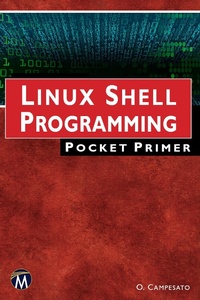
Linux Shell Programming Pocket Primer
1st Edition
Published on 26. June 2023
200 pages
978-1-68392-620-7 (ISBN)
Description

The goal of this book is to introduce readers to an assortment of powerful command line utilities that can be combined to create simple, yet powerful shell scripts. While all examples and scripts use the "e;bash"e; command set, many of the concepts translate into other forms of shell scripting (ksh, sh, csh), including the concept of piping data between commands, regular expression substitution and the sed and awk commands. Aimed at a reader relatively new to working in a bash environment, the book is comprehensive enough to be a good reference and teach a few new tricks to those who already have some experience with creating shell scripts.FEATURES:Covers extensive topics, code samples, and scripting utilitiesIncludes material on piping data between commands, regular expression substitution, cleaning datasets, and the sed and awk commandsFeatures companion files with code samples from the book (available for downloading from the publisher)
More details
Series
Language
English
Place of publication
Berlin
United States
Target group
Professional and scholarly
US School Grade: College Graduate Student
File size
2,34 MB
ISBN-13
978-1-68392-620-7 (9781683926207)
Copyright in bibliographic data and cover images is held by Nielsen Book Services Limited or by the publishers or by their respective licensors: all rights reserved.
Schweitzer Classification
Other editions
Additional editions
Oswald Campesato
Linux Shell Programming Pocket Primer
Book
07/2023
1st Edition
Mercury Learning & Information
€34.95
Article not available at the moment
Oswald Campesato
Linux Shell Programming Pocket Primer
E-Book
06/2023
1st Edition
Mercury Learning and Information
€65.99
Available for download
Content
- Cover
- Title Page
- Copyright
- Dedication
- Contents
- Preface
- Chapter 1: Introduction
- Unix Versus Linux
- Available Shell Types
- What is bash?
- Getting Help for bash Commands
- Navigating Around Directories
- The history Command
- Listing Filenames with the ls Command
- Displaying the Contents of Files
- The cat Command
- The head and tail Commands
- The Pipe Symbol
- The fold Command
- File Ownership: Owner, Group, and World
- Hidden Files
- Handling Problematic Filenames
- Working with Environment Variables
- The env Command
- Useful Environment Variables
- Setting the PATH Environment Variable
- Specifying Aliases and Environment Variables
- Finding Executable Files
- The printf Command and the echo Command
- The cut Command
- The echo Command and Whitespaces
- Command Substitution (Backtick)
- The Pipe Symbol and Multiple Commands
- Using a Semicolon to Separate Commands
- The paste Command
- Inserting Blank Lines with the paste Command
- A Simple Use Case with the paste Command
- A Simple Use Case with cut and paste Commands
- Working with Metacharacters
- Working with Character Classes
- Working with "^" and "\" and "!"
- What about zsh?
- Switching between bash and zsh
- Configuring zsh
- Summary
- Chapter 2: Files and Directories
- Create, Copy, Remove, and Move Files
- Creating Text Files
- Copying Files
- Copy Files with Command Substitution
- Deleting Files
- Moving Files
- The ln Command
- The basename, dirname, and file Commands
- The wc Command
- The cat Command
- The more Command and the less Command
- The head Command
- The tail Command
- Comparing File Contents
- The Parts of a Filename
- Working with File Permissions
- The chmod Command
- Changing Owner, Permissions, and Groups
- The umask and ulimit Commands
- Working with Directories
- Absolute and Relative Directories
- Absolute/Relative Pathnames
- Creating Directories
- Removing Directories
- Navigating to Directories
- Moving Directories
- Using Quote Characters
- Streams and Redirection Commands
- Metacharacters and Character Classes
- Digits and Characters
- Filenames and Metacharacters
- Summary
- Chapter 3: Useful Commands
- The join Command
- The fold Command
- The split Command
- The sort Command
- The uniq Command
- How to Compare Files
- The od Command
- The tr Command
- A Simple Use Case
- The find Command
- The tee Command
- File Compression Commands
- The tar command
- The cpio Command
- The gzip and gunzip Commands
- The bunzip2 Command
- The zip Command
- Commands for zip Files and bz Files
- Internal Field Separator (IFS)
- Data from a Range of Columns in a Dataset
- Working with Uneven Rows in Datasets
- Summary
- Chapter 4: Conditional Logic and Loops
- Quick Overview of Operators in bash
- Arithmetic Operations and Operators
- The expr Command
- Arithmetic Operators
- Boolean and Numeric Operators
- Compound Operators and Numeric Operators
- Working with Variables
- Assigning Values to Variables
- The read Command for User Input
- Boolean Operators and String Operators
- Compound Operators and String Operators
- File Test Operators
- Compound Operators and File Operators
- Conditional Logic with if/else/fi Statements
- The case/esac Statement
- Working with Strings in Shell Scripts
- Working with Loops
- Using a for Loop
- Checking Files in a Directory
- Working with Nested Loops
- Using a while Loop
- The while, case, and if/elif/else/fi Statements
- Using an until Loop
- User-defined Functions
- Creating a Simple Menu from Shell Commands
- Arrays in bash
- Working with Arrays
- Summary
- Chapter 5: Filtering Data with grep
- What is the grep Command?
- Metacharacters and the grep Command
- Escaping Metacharacters with the grep Command
- Useful Options for the grep Command
- Character Classes and the grep Command
- Working with the -c Option in grep
- Matching a Range of Lines
- Using Back References in the grep Command
- Finding Empty Lines in Datasets
- Using Keys to Search Datasets
- The Backslash Character and the grep Command
- Multiple Matches in the grep Command
- The grep Command and the xargs Command
- Searching zip Files for a String
- Checking for a Unique Key Value
- Redirecting Error Messages
- The egrep Command and fgrep Command
- Displaying "Pure" Words in a Dataset with egrep
- The fgrep Command
- A Simple Use Case
- Summary
- Chapter 6: Transforming Data with sed
- What Is the sed Command?
- The sed Execution Cycle
- Matching String Patterns Using sed
- Substituting String Patterns Using sed
- Replacing Vowels from a String or a File
- Deleting Multiple Digits and Letters from a String
- Search and Replace with sed
- Datasets with Multiple Delimiters
- Useful Switches in sed
- Working with Datasets
- Printing Lines
- Character Classes and sed
- Removing Control Characters
- Counting Words in a Dataset
- Back References in sed
- Displaying Only "Pure" Words in a Dataset
- One-Line sed Commands
- Summary
- Chapter 7: Doing Everything Else with awk
- The awk Command
- Built-in Variables that Control awk
- How Does the awk Command Work?
- Aligning Text with the printf() Command
- Conditional Logic and Control Statements
- The while Statement
- A for Loop in awk
- A for Loop with a break Statement
- The next and continue Statements
- Deleting Alternate Lines in Datasets
- Merging Lines in Datasets
- Printing File Contents as a Single Line
- Joining Groups of Lines in a Text File
- Joining Alternate Lines in a Text File
- Matching with Metacharacters and Character Sets
- Printing Lines Using Conditional Logic
- Splitting Filenames with awk
- Working with Postfix Arithmetic Operators
- Numeric Functions in awk
- One-line awk Commands
- Useful Short awk Scripts
- Printing the Words in a Text String in awk
- Count Occurrences of a String in Specific Rows
- Printing a String in a Fixed Number of Columns
- Printing a Dataset in a Fixed Number of Columns
- Aligning Columns in Datasets
- Aligning Columns and Multiple Rows in Datasets
- Removing a Column from a Text File
- Subsets of Column-aligned Rows in Datasets
- Counting Word Frequency in Datasets
- Displaying Only "Pure" Words in a Dataset
- Working with Multi-line Records in awk
- A Simple Use Case
- Another Use Case
- Summary
- Chapter 8: Introduction to Shell Scripts and Functions
- What are Shell Scripts?
- A Simple Shell Script
- Setting Environment Variables via Shell Scripts
- Sourcing or "Dotting" a Shell Script
- Working with Functions in Shell Scripts
- Passing Values to Functions in a Shell Script (1)
- Passing Values to Functions in a Shell Script (2)
- Iterate Through Values Passed to a Function
- Positional Parameters in User-defined Functions
- Shell Scripts, Functions, and User Input
- Recursion and Shell Scripts
- Iterative Solutions for Factorial Values
- Calculating Fibonacci Numbers
- Calculating the GCD of Two Positive Integers
- Calculating the LCM of Two Positive Integers
- Calculating Prime Divisors
- Summary
- Chapter 9: Shell Scripts with the grep and awk Commands
- The grep Command
- Simulating Relational Data with the grep Command
- Checking Updates in a Logfile
- Processing Multi-line Records
- Adding the Contents of Records
- Using the split Function in awk
- Scanning Diagonal Elements in Datasets
- Adding Values From Multiple Datasets (1)
- Adding Values from Multiple Datasets (2)
- Adding Values from Multiple Datasets (3)
- Calculating Combinations of Field Values
- Summary
- Chapter 10: Miscellaneous Shell Scripts
- Using rm and mv with Directories
- Using the find Command with Directories
- Creating a Directory of Directories
- Cloning a Set of Subdirectories
- Executing Files in Multiple Directories
- The case/esac Command
- Compressing and Uncompressing Files
- The dd Command
- The crontab Command
- Uncompressing Files as a cron Job
- Scheduled Commands and Background Processes
- How to Schedule Tasks
- The nohup Command
- Executing Commands Remotely
- How to Schedule Tasks in the Background
- How to Terminate Processes
- Terminating Multiple Processes
- Process-Related Commands
- How to Monitor Processes
- Checking Execution Results
- System Messages and Log Files
- Disk Usage Commands
- Trapping and Ignoring Signals
- Arithmetic with the bc and dc Commands
- Working with the date Command
- Print-related Commands
- Creating a Report with the printf() Command
- Checking Updates in a Logfile
- Listing Active Users on a Machine
- Miscellaneous Commands
- Summary
- Index
