

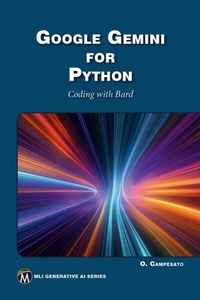
Google Gemini for Python
Coding with Bard
1st Edition
Published on 21. March 2024
192 pages
978-1-5015-1974-1 (ISBN)
Description

This book provides a bridge between the worlds of Python 3 programming and Generative AI, aiming to equip readers with the skills to navigate both domains with confidence. It begins with an introduction to fundamental aspects of Python programming, which include various data types, number formatting, Unicode and UTF-8 handling, and text manipulation techniques. In addition, you will learn about loops, functions,data structures, NumPy, Pandas, conditional logic, and reserved words in Python. Further chapters show how to handle user input, manage exceptions, and work with command-line arguments. The text then transitions to the realm of Generative AI, discussing its distinction from Conversational AI. Popular platforms and models, including Bard (now called "Gemini") and its competitors, are presented to give readers an understanding of the current AI landscape. The book discusses the capabilities of Bard, its strengths, weaknesses, and potential applications. Finally, you will learn how to generate a variety of Python 3 code samples via Bard.
FEATURES:
- Includes a chapter on how to generate a variety of Python 3 code samples via Gemini
- Covers basic concepts of Python 3 such as loops, conditional logic, reserved words, user input, manage exceptions, work with command-line arguments, and more
- Includes companion files for downloading with source code and figures
All prices
More details
Series
Language
English
Place of publication
New York
United States
Target group
Professional and scholarly
US School Grade: College Graduate Student
File size
1,56 MB
ISBN-13
978-1-5015-1974-1 (9781501519741)
Copyright in bibliographic data and cover images is held by Nielsen Book Services Limited or by the publishers or by their respective licensors: all rights reserved.
Schweitzer Classification
Other editions
Additional editions
Book
04/2024
1st Edition
De Gruyter
€49.95
Article not available at the moment
E-Book
03/2024
1st Edition
Mercury Learning and Information
from
€49.95
Available for download
Content
- Cover
- Title Page
- Copyright Page
- Dedication
- Contents
- Preface
- Chapter 1: Introduction to Python 3
- Tools for Python
- easy_install and pip
- virtualenv
- IPython
- Python Installation
- Setting the PATH Environment Variable (Windows Only)
- Launching Python on Your Machine
- The Python Interactive Interpreter
- Python Identifiers
- Lines, Indentation, and Multilines
- Quotation and Comments in Python
- Saving Your Code in a Module
- Some Standard Modules in Python
- The help() and dir() Functions
- Compile Time and Runtime Code Checking
- Simple Data Types in Python
- Working With Numbers
- Working With Other Bases
- The chr() Function
- The round() Function in Python
- Formatting Numbers in Python
- Working With Fractions
- Unicode and UTF-8
- Working With Unicode
- Working With Strings
- Comparing Strings
- Formatting Strings in Python
- Slicing and Splicing Strings
- Testing for Digits and Alphabetic Characters
- Search and Replace a String in Other Strings
- Remove Leading and Trailing Characters
- Printing Text without NewLine Characters
- Text Alignment
- Working With Dates
- Converting Strings to Dates
- Exception Handling in Python
- Handling User Input
- Command-Line Arguments
- Summary
- Chapter 2: Conditional Logic, Loops, and Functions
- Precedence of Operators in Python
- Python Reserved Words
- Working with Loops in Python
- Python for Loops
- A for Loop with try/except in Python
- Numeric Exponents in Python
- Nested Loops
- The split() Function With for Loops
- Using the split() Function to Compare Words
- Using the split() Function to Print Justified Text
- Using the split() Function to Print Fixed-Width Text
- Using the split() Function to Compare Text Strings
- Using the split() Function to Display Characters in a String
- The join() Function
- Python while Loops
- Conditional Logic in Python
- The break/continue/pass Statements
- Comparison and Boolean Operators
- The in/not in/is/is not Comparison Operators
- The and, or, and not Boolean Operators
- Local and Global Variables
- Uninitialized Variables and the Value None
- Scope of Variables
- Pass by Reference Versus Value
- Arguments and Parameters
- Using a while loop to Find the Divisors of a Number
- Using a while loop to Find Prime Numbers
- User-Defined Functions in Python
- Specifying Default Values in a Function
- Returning Multiple Values From a Function
- Functions With a Variable Number of Arguments
- Lambda Expressions
- Recursion
- Calculating Factorial Values
- Calculating Fibonacci Numbers
- Calculating the GCD of Two Numbers
- Calculating the LCM of Two Numbers
- Summary
- Chapter 3: Python Data Structures
- Working with Lists
- Lists and Basic Operations
- Reversing and Sorting a List
- Lists and Arithmetic Operations
- Lists and Filter-Related Operations
- Sorting Lists of Numbers and Strings
- Expressions in Lists
- Concatenating a List of Words
- The Bubble Sort in Python
- The Python range() Function
- Counting Digits and Uppercase and Lowercase Letters
- Arrays and the append() Function
- Working with Lists and the split() Function
- Counting Words in a List
- Iterating Through Pairs of Lists
- Other List-Related Functions
- Using a List as a Stack and a Queue
- Working with Vectors
- Working with Matrices
- The NumPy Library for Matrices
- Queues
- Tuples (Immutable Lists)
- Sets
- Dictionaries
- Creating a Dictionary
- Displaying the Contents of a Dictionary
- Checking for Keys in a Dictionary
- Deleting Keys from a Dictionary
- Iterating Through a Dictionary
- Interpolating Data from a Dictionary
- Dictionary Functions and Methods
- Dictionary Formatting
- Ordered Dictionaries
- Sorting Dictionaries
- Python Multi Dictionaries
- Other Sequence Types in Python
- Mutable and Immutable Types in Python
- The type() Function
- Working with Bard
- Counting Digits and Uppercase and Lowercase Letters
- Bard Python Code for a Queue
- Bard Python Code for a Stack
- Summary
- Chapter 4: Introduction to NumPy and Pandas
- What is NumPy?
- Useful NumPy Features
- What are NumPy arrays?
- Working with Loops
- Appending Elements to Arrays (1)
- Appending Elements to Arrays (2)
- Multiply Lists and Arrays
- Doubling the Elements in a List
- Lists and Exponents
- Arrays and Exponents
- Math Operations and Arrays
- Working with "-1" Subranges with Vectors
- Working with "-1" Subranges with Arrays
- Other Useful NumPy Methods
- Arrays and Vector Operations
- NumPy and Dot Products (1)
- NumPy and Dot Products (2)
- NumPy and the "Norm" of Vectors
- NumPy and Other Operations
- NumPy and the reshape() Method
- Calculating the Mean and Standard Deviation
- Calculating Quartiles With Numpy
- What is Pandas?
- Pandas Data Frames
- DataFrames and Data Cleaning Tasks
- A Labeled Pandas DataFrame
- Pandas Numeric DataFrames
- Pandas Boolean DataFrames
- Transposing a Pandas DataFrame
- Pandas DataFrames and Random Numbers
- Combining Pandas DataFrames (1)
- Combining Pandas DataFrames (2)
- Data Manipulation with Pandas DataFrames (1)
- Data Manipulation with Pandas DataFrames (2)
- Data Manipulation with Pandas DataFrames (3)
- Pandas DataFrames and CSV Files
- Pandas DataFrames and Excel Spreadsheets
- Select, Add, and Delete Columns in DataFrames
- Pandas DataFrames and Scatterplots
- Pandas DataFrames and Simple Statistics
- Useful One-Line Commands in Pandas
- Working with Bard
- A Pandas DataFrame with Random Values
- Pandas DataFrame and a Bar Chart
- Pandas DataFrames and Statistics
- Summary
- Chapter 5: Generative AI, Bard, and Gemini
- What is Generative AI?
- Key Features of Generative AI
- Popular Techniques in Generative AI
- What Makes Generative AI Unique
- Conversational AI Versus Generative AI
- Primary Objective
- Applications
- Technologies Used
- Training and Interaction
- Evaluation
- Data Requirements
- Is Gemini Part of Generative AI?
- DeepMind
- DeepMind and Games
- Player of Games (PoG)
- OpenAI
- Cohere
- Hugging Face
- Hugging Face Libraries
- Hugging Face Model Hub
- AI21
- InflectionAI
- Anthropic
- What is Prompt Engineering?
- Prompts and Completions
- Types of Prompts
- Instruction Prompts
- Reverse Prompts
- System Prompts Versus Agent Prompts
- Prompt Templates
- Poorly-Worded Prompts
- What is Gemini?
- Gemini Ultra Versus GPT-4
- Gemini Strengths
- Gemini's Weaknesses
- Gemini Nano on Mobile Devices
- What is Bard?
- Sample Queries and Responses from Bard
- Alternatives to Bard
- YouChat
- Pi from Inflection
- CoPilot (OpenAI/Microsoft)
- Codex (OpenAI)
- Apple GPT
- Claude 2
- Summary
- Chapter 6: Bard and Python Code
- CSV Files for Bard
- Simple Web Scraping
- Basic Chatbot
- Basic Data Visualization
- Basic Pandas
- Generating Random Data
- Recursion: Fibonacci Numbers
- Generating a Python Class
- Asynchronous Programming
- Working with Requests in Python
- Image Processing with PIL
- Exception Handling
- Generators in Python
- Roll 7 or 11 with Two Dice
- Roll 7 or 11 with Three Dice
- Roll 7 or 11 with Four Dice
- Mean and Standard Deviation
- Summary
- Index
