

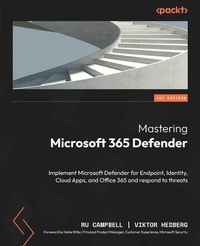
Mastering Microsoft 365 Defender
Implement Microsoft Defender for Endpoint, Identity, Cloud Apps, and Office 365 and respond to threats
1st Edition
Published on 21. May 2024
572 pages
978-1-80324-074-9 (ISBN)
Description

No detailed description available for "Mastering Microsoft 365 Defender".
All prices
More details
Other editions
Additional editions
Ru Campbell | Viktor Hedberg
Mastering Microsoft 365 Defender
Implement Microsoft Defender for Endpoint, Identity, Cloud Apps, and Office 365 and respond to threats
Book
07/2023
Packt Publishing
€59.10
Shipment within 3-4 weeks
Persons
Campbell Ru :
Ruairidh (Ru) Campbell is a Microsoft Security MVP and leads Microsoft consultancy at Threatscape. At Threatscape, Ru develops, delivers, and manages offerings and professional services for cybersecurity, compliance, identity, and management. In the cybersecurity community, Ru runs the Microsoft 365 Security & Compliance user group and his blog (campbell.scot), regularly speaks at other user groups and conferences, and contributes to well-known industry publications such as Practical 365. Ru holds 14 Microsoft certifications and a B.Sc. (Distinction) in computer networking from the University of the West of Scotland. Away from cybersecurity, he is a petrolhead who enjoys heavy metal and hiking around Scotland with his wife.Hedberg Viktor :
Viktor Hedberg is a Microsoft Security MVP and senior consultant at Truesec. At Truesec, Viktor works with proactive security measures within the Microsoft sphere of technologies, by delivering workshops on best practices and by his deep technical expertise in these areas. In the cybersecurity community, Viktor runs his blogs at Truesec (Experts - viktor-hedberg). Alongside this, he is one of the hosts of the Swedish Windows Security user group, as well as a co-host of the Swedish podcast The Nerd Herd. He is a frequent speaker at both conferences and user groups around the world, focusing on matters of Microsoft Security. Viktor holds numerous Microsoft certifications, as well as being a Microsoft Certified Trainer. Away from cybersecurity, Viktor is a family man, spending most of his time with his wife and three kids, as well as enjoying football, both as a practitioner and as a fan. Heavy metal has been part of his life since his early teens.
Ruairidh (Ru) Campbell is a Microsoft Security MVP and leads Microsoft consultancy at Threatscape. At Threatscape, Ru develops, delivers, and manages offerings and professional services for cybersecurity, compliance, identity, and management. In the cybersecurity community, Ru runs the Microsoft 365 Security & Compliance user group and his blog (campbell.scot), regularly speaks at other user groups and conferences, and contributes to well-known industry publications such as Practical 365. Ru holds 14 Microsoft certifications and a B.Sc. (Distinction) in computer networking from the University of the West of Scotland. Away from cybersecurity, he is a petrolhead who enjoys heavy metal and hiking around Scotland with his wife.Hedberg Viktor :
Viktor Hedberg is a Microsoft Security MVP and senior consultant at Truesec. At Truesec, Viktor works with proactive security measures within the Microsoft sphere of technologies, by delivering workshops on best practices and by his deep technical expertise in these areas. In the cybersecurity community, Viktor runs his blogs at Truesec (Experts - viktor-hedberg). Alongside this, he is one of the hosts of the Swedish Windows Security user group, as well as a co-host of the Swedish podcast The Nerd Herd. He is a frequent speaker at both conferences and user groups around the world, focusing on matters of Microsoft Security. Viktor holds numerous Microsoft certifications, as well as being a Microsoft Certified Trainer. Away from cybersecurity, Viktor is a family man, spending most of his time with his wife and three kids, as well as enjoying football, both as a practitioner and as a fan. Heavy metal has been part of his life since his early teens.
Content
Table of Contents - Microsoft and Modern Cybersecurity Threats
- Microsoft 365 Defender: The Big Picture
- The Fundamentals of Microsoft Defender for Endpoint
- Onboarding Windows Clients and Servers
- Getting Started with Microsoft Defender Antivirus for Windows
- Advanced Microsoft Defender Antivirus for Windows
- Managing Attack Surface Reduction for Windows
- Managing Additional Capabilities for Windows
- Onboarding and Managing macOS
- Onboarding and Managing Linux Servers
- Onboarding and Managing iOS and Android
- Deploying Microsoft Defender for Identity
- Managing Defender for Identity
- Deploying Exchange Online Protection
- Deploying Defender for Office 365
- Implementing and Managing Microsoft Defender for Cloud Apps
- Maintaining Security Hygiene and Threat Awareness
- Extended Detection and Response with Microsoft 365 Defender
- Advanced Hunting with KQL
- Microsoft Sentinel Integration
- Understanding Microsoft 365 Defender APIs
- Glossary
- Answers
- Microsoft 365 Defender: The Big Picture
- The Fundamentals of Microsoft Defender for Endpoint
- Onboarding Windows Clients and Servers
- Getting Started with Microsoft Defender Antivirus for Windows
- Advanced Microsoft Defender Antivirus for Windows
- Managing Attack Surface Reduction for Windows
- Managing Additional Capabilities for Windows
- Onboarding and Managing macOS
- Onboarding and Managing Linux Servers
- Onboarding and Managing iOS and Android
- Deploying Microsoft Defender for Identity
- Managing Defender for Identity
- Deploying Exchange Online Protection
- Deploying Defender for Office 365
- Implementing and Managing Microsoft Defender for Cloud Apps
- Maintaining Security Hygiene and Threat Awareness
- Extended Detection and Response with Microsoft 365 Defender
- Advanced Hunting with KQL
- Microsoft Sentinel Integration
- Understanding Microsoft 365 Defender APIs
- Glossary
- Answers
