

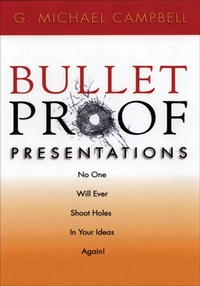
Bulletproof Presentations
Published on 23. June 2023
246 pages
978-1-60163-693-5 (ISBN)
Description

A step-by-step program that reveals how to speak with confidence in any situation-and advance your career.
The ability to make a good presentation, whether it be to peers, bosses, customers, the general public, or the media, plays a major role in your career advancement. This book will give you what you need to speak effectively, with confidence, and in virtually any situation.
This step-by-step program can turn even the shakiest speaker into a cool, confident presenter. It gives practical, easy-to-follow guidelines, coupled with the blueprints that will allow anyone apply the techniques immediately. It gives the key to controlling fears, details on how to outline and organize an effective presentation, ways to improve style and delivery, and perfect strategies to captivate any audience. Bulletproof Presentations can help you walk to that podium with confidence and make a presentation that will impress and inform-with the ability to handle even the most difficult questions that may come up.
The ability to make a good presentation, whether it be to peers, bosses, customers, the general public, or the media, plays a major role in your career advancement. This book will give you what you need to speak effectively, with confidence, and in virtually any situation.
This step-by-step program can turn even the shakiest speaker into a cool, confident presenter. It gives practical, easy-to-follow guidelines, coupled with the blueprints that will allow anyone apply the techniques immediately. It gives the key to controlling fears, details on how to outline and organize an effective presentation, ways to improve style and delivery, and perfect strategies to captivate any audience. Bulletproof Presentations can help you walk to that podium with confidence and make a presentation that will impress and inform-with the ability to handle even the most difficult questions that may come up.
More details
Other editions
Additional editions
Book
03/2005
Career Press
€41.07
Shipment within 3-4 weeks
Person
G. Michael Campbell, PMP, has more than 30 years of experience as a project manager. He has a Bachelor's degree from Ohio University and a Master's degree from John Carroll University. He earned the professional designation as a Project Management Professional (PMP) from the Project Management Institute. Mike has worked on a variety of projects, including global digital oilfield, information technology, human resource, and construction projects affecting thousands of people. He is President of MCA International in Houston, Texas (www.mcaintl.com). MCA specializes in helping clients successfully meet their business needs by applying practical project management methodologies. The company's application of Practical Project Management has been used successfully in Project Execution, New Product Development, Product Commercialization, Technology and Software Adoption, Managing Growth, Organizational Alignment. MCA also utilizes an Operational Health Check to uncover areas for improvement. He is the author of Communication Skills for Project Managers published by AMACOM, Complete Idiot's Guide to Project Management published by Penguin, which is in its 6th edition, and Bullet Proof Presentations published by Career Press and reprinted by Executive Summaries. As a recognized expert on project management and change management, Mike has had speaking engagements on four continents and is currently an adjunct professor at St. Edward's University in Austin, Texas, USA.
Content
- Intro
- Title Page
- Copyright
- Dedication
- CONTENTS
- INTRODUCTION
- Part I: Planning the Presentation
- CHAPTER 1: ESTABLISHING YOUR PURPOSE
- Take the positive approach
- Preparing your presentation
- CHAPTER 2: DECIDING ON YOUR OVERRIDING THEME
- Defining the Overriding Theme
- CHAPTER 3: ANALYZING YOUR AUDIENCE
- The key individuals
- Their relationship to each other
- Their level of knowledge on this topic
- Objections or concerns the audience might have
- Information and techniques most likely to be accepted by the audience
- Environmental factors
- CHAPTER 4: ANALYZING THE SITUATION
- How to prepare the room
- Why are they here?
- Large vs. small groups
- Environmental factors
- Environmental conditions
- Managing multiple audiences simultaneously
- CHAPTER 5: HOW PEOPLE LISTEN
- Recognize the listening style: How do people listen?
- Part II: Preparing the Presentation
- CHAPTER 6: ESTABLISHING RAPPORT IN THE INTRODUCTION
- Rapport
- The grabber
- Benefits
- The roadmap
- CHAPTER 7: USING HUMOR IN A BUSINESS PRESENTATION
- Avoiding the biggest mistake
- CHAPTER 8: BUILDING THE BODY AND CHOOSING A STRATEGY
- You are the presentation!
- Involving the audience
- Using examples
- CHAPTER 9: DEVELOPING STORIES FOR YOUR PRESENTATION
- CHAPTER 10: STORYBOARDING YOUR PRESENTATION
- Harmon Killebrew
- Storytelling at work
- CHAPTER 11: MOTIVATING DURING THE CONCLUSION
- Closing steps
- Evaluating the presentation
- Part III: Presenting
- CHAPTER 12: HANDLING STAGE FRIGHT
- What exactly is stage fright?
- The need for perfection
- Fear of embarrassment
- Dealing with "dry mouth"
- Watch the food you eat
- Control your breathing
- What about pauses?
- Questions and impromptu presentations
- Troublemakers
- REP
- Think "3"
- Use the Worksheets
- CHAPTER 13: WHAT IF I HAVE TO READ THE PRESENTATION?
- Don't read until you can see their eyes
- Prepared text basics
- CHAPTER 14: DELIVERY: USING YOUR VOICE AND BODY LANGUAGE
- Common grammatical errors to avoid
- Beginning the presentation
- Writing out your presentation
- Extemporaneous speaking
- What to do with your hands
- Notes versus no notes
- Podium vs. no podium
- Nonverbal skills
- Distractions
- Part IV: Using Visual Aids
- CHAPTER 15: CHOOSING THE RIGHT VISUAL AIDS
- Handouts
- Models or replicas
- Posters and flipcharts
- Notetakers/copyboards
- Overhead transparencies
- 35-millimeter slides
- Computer-based media
- CHAPTER 16: DESIGNING VISUAL AIDS FOR YOUR PRESENTATION
- Guidelines for use
- Graphic enhancements
- Art as design elements
- General design principles
- Designing your visual aids
- Use of color
- Screen position
- Handouts
- Flipcharts
- Slides
- Props
- High-complexity audio-visual aids
- Practice
- CHAPTER 17: CREATING "COOL" VISUALS USING SOFTWARE PACKAGES
- Preparing the content
- Embellishing your presentation
- Collaborating with others
- Preparing and rehearsing
- Presenting
- Follow-up
- Part V: Handling Special Situations
- CHAPTER 18: ORGANIZING TEAM PRESENTATIONS
- Organization
- CHAPTER 19: COMING ACROSS ON TELEVISION OR VIDEO
- TV and video require special techniques
- Techniques to survive and thrive on video
- Special strategies for videotaped presentations
- APPENDIX: WORKSHEETS FOR PRESENTATION PREPARATION
- Presentation Planning
- Presentation preparation
- Body of the presentation
- GLOSSARY
- INDEX
- ABOUT THE AUTHOR
