

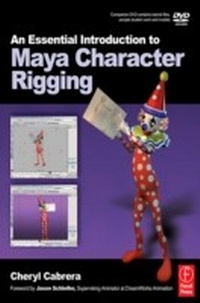
An Essential Introduction to Maya Character Rigging with DVD
1st Edition
Published on 7. March 2008
408 pages
978-1-136-14005-1 (ISBN)
Description

Discover the concepts and techniques required to rig engaging CG character models with Maya in this unique book and DVD package. The stunning color images show just what you can achieve, and the detailed step-by-step tutorials show exactly how to achieve them. Every technique and tip is backed up with practical tutorials, using the models, student
Reviews / Votes
"A recommended resource for newcomes to character and rigging workflow. 8/10" ... 3D WorldMore details
Language
English
Place of publication
London
United Kingdom
Publishing group
Taylor & Francis Ltd
Target group
Professional and scholarly
Product notice
Reflowable
File size
17,17 MB
ISBN-13
978-1-136-14005-1 (9781136140051)
Copyright in bibliographic data and cover images is held by Nielsen Book Services Limited or by the publishers or by their respective licensors: all rights reserved.
Schweitzer Classification
Other editions
Additional editions
Cheryl Cabrera
An Essential Introduction to Maya Character Rigging with DVD
Book
03/2008
1st Edition
Focal Press
€38.37
Article exhausted; check for reprint
Person
Cheryl Cabrera (Autodesk Certified Instructor in Maya; Professor at the University of Central Florida) (Author)
Content
Contents: Introduction
An overview of the interface
Setting User Preferences
Setting Up your projects and scene files
Chapter 1 Designing your first Biped Character
Former Student Spotlight
Points to Consider
Workflow Discussion
Creating a Character Sheet
Bringing your Character Sheet into Maya for reference
Chapter 2 Creating your first Biped Character Modeling Basics
Former Student Spotlight
Points to Consider
Workflow Discussion
Modeling Tools in Maya
Layers
Selection Masking
Snapping
Freezing Transformations
Using Construction History
Hypergraph and Outliner
Simple Nurbs Modeling in Maya
Simple Polygon Modeling
Modeling Simple Eyes
Chapter 3 Creating your first Biped Character Facial Expressions
Former Student Spotlight
Points to Consider
Workflow Discussion
Blend Shapes in Maya
Helpful Hints for Common Problems with Blendshapes
Chapter 4 Creating your first Biped Character Texturing Basics
Former Student Spotlight
Points to Consider
Workflow Discussion
The Hypershade
Maya's 3D paint tool
Chapter 5 Skeleton setup for a Biped Character Joint Placement
Former Student Spotlight
Points to Consider
Setting up your Work Area
Workflow Discussion
Place Joints
Helpful Hints for Common Problems (Troubleshooting)
Leg skeleton
Backbone, neck, and head
Arms and shoulders
Hands
Chapter 6 Control Rig setup for a Biped Character - IK and FK
Former Student Spotlight
Points to Consider
Workflow Discussion
Helpful Hints for Common Problems with Inverse Kinematics and Forward Kinematics
Section 1 Legs and Feet
IK in your Character's Legs and Feet
Building a Hierarchy for greater control
Set Driven Keys and the Connection Editor
Section 2 Arms and Hands
FK in your Character's Arms and Hands
IK in your Character's Arms and Hands
Constraints
IK/FK blend system in Maya
Traditional IK/FK multi skeleton setup
Section 3 Spine
Section 4 Tails, ears, and other things that move
Chapter 7 Wrapping up the setup
Former Student Spotlight
Controlling the eyes
Controlling the neck
Controlling the jaw
Controlling the blendshapes
Creating the main character control
Creating the RIG controller for positioning and scalability
Cleaning up the Character Controls
Adding expressions for automated motion.
Adding a switch to turn off the expressions.
Using Character Sets
Chapter 8 Skinning your Character
Former Student Spotlight
Points to Consider
Workflow Discussion
Helpful Hints for Common Problems with Binding Skin
Smooth Bind
Editing Weights
Influence Objects
Chapter 9 Quadruped Characters
Former Student Spotlight
Points to Consider
Workflow Discussion
Helpful Hints for Common Problems
Appendix
Workflow Checklist
Rigging Checklist
Trouble Shooting Common Problems
DVD
Sample student work
Models
Tutorial assets
Intstructor's manual:
Chapter tests and answer banks.
Sample files for instructional use
An overview of the interface
Setting User Preferences
Setting Up your projects and scene files
Chapter 1 Designing your first Biped Character
Former Student Spotlight
Points to Consider
Workflow Discussion
Creating a Character Sheet
Bringing your Character Sheet into Maya for reference
Chapter 2 Creating your first Biped Character Modeling Basics
Former Student Spotlight
Points to Consider
Workflow Discussion
Modeling Tools in Maya
Layers
Selection Masking
Snapping
Freezing Transformations
Using Construction History
Hypergraph and Outliner
Simple Nurbs Modeling in Maya
Simple Polygon Modeling
Modeling Simple Eyes
Chapter 3 Creating your first Biped Character Facial Expressions
Former Student Spotlight
Points to Consider
Workflow Discussion
Blend Shapes in Maya
Helpful Hints for Common Problems with Blendshapes
Chapter 4 Creating your first Biped Character Texturing Basics
Former Student Spotlight
Points to Consider
Workflow Discussion
The Hypershade
Maya's 3D paint tool
Chapter 5 Skeleton setup for a Biped Character Joint Placement
Former Student Spotlight
Points to Consider
Setting up your Work Area
Workflow Discussion
Place Joints
Helpful Hints for Common Problems (Troubleshooting)
Leg skeleton
Backbone, neck, and head
Arms and shoulders
Hands
Chapter 6 Control Rig setup for a Biped Character - IK and FK
Former Student Spotlight
Points to Consider
Workflow Discussion
Helpful Hints for Common Problems with Inverse Kinematics and Forward Kinematics
Section 1 Legs and Feet
IK in your Character's Legs and Feet
Building a Hierarchy for greater control
Set Driven Keys and the Connection Editor
Section 2 Arms and Hands
FK in your Character's Arms and Hands
IK in your Character's Arms and Hands
Constraints
IK/FK blend system in Maya
Traditional IK/FK multi skeleton setup
Section 3 Spine
Section 4 Tails, ears, and other things that move
Chapter 7 Wrapping up the setup
Former Student Spotlight
Controlling the eyes
Controlling the neck
Controlling the jaw
Controlling the blendshapes
Creating the main character control
Creating the RIG controller for positioning and scalability
Cleaning up the Character Controls
Adding expressions for automated motion.
Adding a switch to turn off the expressions.
Using Character Sets
Chapter 8 Skinning your Character
Former Student Spotlight
Points to Consider
Workflow Discussion
Helpful Hints for Common Problems with Binding Skin
Smooth Bind
Editing Weights
Influence Objects
Chapter 9 Quadruped Characters
Former Student Spotlight
Points to Consider
Workflow Discussion
Helpful Hints for Common Problems
Appendix
Workflow Checklist
Rigging Checklist
Trouble Shooting Common Problems
DVD
Sample student work
Models
Tutorial assets
Intstructor's manual:
Chapter tests and answer banks.
Sample files for instructional use
