

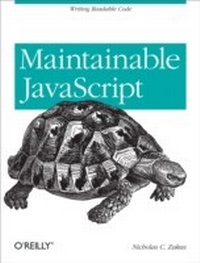
Maintainable JavaScript
Writing Readable Code
1st Edition
Published on 10. May 2012
242 pages
978-1-4493-2813-9 (ISBN)
Description

You may have definite ideas about writing code when working alone, but team development requires that everyone use the same approach. With the JavaScript practices in this bookincluding code style, programming tips, and automationyou will learn how to write maintainable code that other team members can easily understand, adapt, and extend.Author Nicholas Zakas assembled this collection of best practices as a front-end tech leader at Yahoo!, after completing his own journey from solo hacker to team player. He also includes rules recommended by other industry authorities. Use these tips and techniques to help your team set aside individual preferences and function at a higher level.Establish specific code conventions for your teamUse tools such as JSLint and JSHint to keep your team on trackAdopt style guidelines, such as basic formatting, to help your team produce uniform codeApply several programming practices to solve problems and improve code qualityCreate an automated JavaScript build system using a variety of utilitiesIntegrate browser-based JavaScript testing with tools such as the YUI Test Selenium Driver
More details
Other editions
Additional editions
Book
07/2012
1st Edition
O'Reilly
€37.50
Shipment within 10-20 days
Content
- Intro
- Table of Contents
- Introduction
- Preface
- Conventions Used in This Book
- Using Code Examples
- Safari® Books Online
- How to Contact Us
- Part I. Style Guidelines
- Chapter 1. Basic Formatting
- Indentation Levels
- Statement Termination
- Line Length
- Line Breaking
- Blank Lines
- Naming
- Variables and Functions
- Constants
- Constructors
- Literal Values
- Strings
- Numbers
- Null
- Undefined
- Object Literals
- Array Literals
- Chapter 2. Comments
- Single-Line Comments
- Multiline Comments
- Using Comments
- Difficult-to-Understand Code
- Potential Author Errors
- Browser-Specific Hacks
- Documentation Comments
- Chapter 3. Statements and Expressions
- Brace Alignment
- Block Statement Spacing
- The switch Statement
- Indentation
- Falling Through
- default
- The with Statement
- The for Loop
- The for-in Loop
- Chapter 4. Variables, Functions, and Operators
- Variable Declarations
- Function Declarations
- Function Call Spacing
- Immediate Function Invocation
- Strict Mode
- Equality
- eval()
- Primitive Wrapper Types
- Part II. Programming Practices
- Chapter 5. Loose Coupling of UI Layers
- What Is Loose Coupling?
- Keep JavaScript Out of CSS
- Keep CSS Out of JavaScript
- Keep JavaScript Out of HTML
- Keep HTML Out of JavaScript
- Alternative #1: Load from the Server
- Alternative #2: Simple Client-Side Templates
- Alternative #3: Complex Client-Side Templates
- Chapter 6. Avoid Globals
- The Problems with Globals
- Naming Collisions
- Code Fragility
- Difficulty Testing
- Accidental Globals
- Avoiding Accidental Globals
- The One-Global Approach
- Namespaces
- Modules
- YUI modules
- Asynchronous Module Definition (AMD) Modules
- The Zero-Global Approach
- Chapter 7. Event Handling
- Classic Usage
- Rule #1: Separate Application Logic
- Rule #2: Don't Pass the Event Object Around
- Chapter 8. Avoid Null Comparisons
- Detecting Primitive Values
- Detecting Reference Values
- Detecting Functions
- Detecting Arrays
- Detecting Properties
- Chapter 9. Separate Configuration Data from Code
- What Is Configuration Data?
- Externalizing Configuration Data
- Storing Configuration Data
- Chapter 10. Throw Your Own Errors
- The Nature of Errors
- Throwing Errors in JavaScript
- Advantages of Throwing Errors
- When to Throw Errors
- The try-catch Statement
- Throw or try-catch?
- Error Types
- Chapter 11. Don't Modify Objects You Don't Own
- What Do You Own?
- The Rules
- Don't Override Methods
- Don't Add New Methods
- Don't Remove Methods
- Better Approaches
- Object-Based Inheritance
- Type-Based Inheritance
- The Facade Pattern
- A Note on Polyfills
- Preventing Modification
- Chapter 12. Browser Detection
- User-Agent Detection
- Feature Detection
- Avoid Feature Inference
- Avoid Browser Inference
- What Should You Use?
- Part III. Automation
- Chapter 13. File and Directory Structure
- Best Practices
- Basic Layout
- Chapter 14. Ant
- Installation
- The Build File
- Running the Build
- Target Dependencies
- Properties
- Buildr
- Chapter 15. Validation
- Finding Files
- The Task
- Improving the Target
- Other Improvements
- Buildr Task
- Chapter 16. Concatenation and Baking
- The Task
- Line Endings
- Headers and Footers
- Baking Files
- Chapter 17. Minification and Compression
- Minification
- Minifying with YUI Compressor
- Minifying with Closure Compiler
- Minifying with UglifyJS
- Compression
- Runtime Compression
- Build-Time Compression
- Chapter 18. Documentation
- JSDoc Toolkit
- YUI Doc
- Chapter 19. Automated Testing
- YUI Test Selenium Driver
- Setting Up a Selenium Server
- Setting Up YUI Test Selenium Driver
- Using the YUI Test Selenium Driver
- The Ant Target
- Yeti
- PhantomJS
- Installation and Usage
- The Ant Target
- JsTestDriver
- Installation and Usage
- The Ant Target
- Chapter 20. Putting It Together
- Missing Pieces
- Planning the Build
- The Development Build
- The Integration Build
- The Release Build
- Using a CI System
- Jenkins
- Other CI Systems
- Appendix A. JavaScript Style Guide
- Indentation
- Line Length
- Primitive Literals
- Operator Spacing
- Parentheses Spacing
- Object Literals
- Comments
- Single-Line Comments
- Multiline Comments
- Comment Annotations
- Variable Declarations
- Function Declarations
- Naming
- Strict Mode
- Assignments
- Equality Operators
- Ternary Operator
- Statements
- Simple Statements
- return Statement
- Compound Statements
- if Statement
- for Statement
- while Statement
- do Statement
- switch Statement
- try Statement
- White Space
- Things to Avoid
- Appendix B. JavaScript Tools
- Build Tools
- Documentation Generators
- Linting Tools
- Minification Tools
- Testing Tools
- Index
