

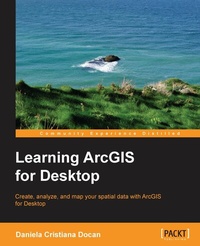
Learning ArcGIS for Desktop
Create, analyze, and map your spatial data with ArcGIS for Desktop
Published on 8. July 2025
344 pages
978-1-78217-539-1 (ISBN)
Description

Create, analyze, and map your spatial data with ArcGIS for Desktop
Key Features
[*]Learn how to use ArcGIS for Desktop to create and manage geographic data, perform vector and raster analysis, design maps, and share your results
[*]Solve real-world problems and share your valuable results using the powerful instruments of ArcGIS for Desktop
[*]Step-by-step tutorials cover the main editing, analyzing, and mapping tools in ArcGIS for Desktop
Book DescriptionArcGIS for Desktop is one of the main components of the ESRI ArcGIS platform used to support decision making and solve real-world mapping problems. Learning ArcGIS for Desktop is a tutorial-based guide that provides a practical experience for those who are interested in start working with ArcGIS. The first five chapters cover the basic concepts of working with the File Geodatabase, as well as editing and symbolizing geospatial data. Then, the book focuses on planning and performing spatial analysis on vector and raster data using the geoprocessing and modeling tools. Finally, the basic principles of cartography design will be used to create a quality map that presents the information that resulted from the spatial analysis previously performed. To keep you learning throughout the chapters, all exercises have partial and final results stored in the dataset that accompanies the book. Finally, the book offers more than it promises by using the ArcGIS Online component in the tutorials as source of background data and for results sharing What you will learn
? Understand the functionality of ArcGIS for Desktop applications
? Explore coordinate reference system concepts and work with different map
projections
? Create, populate, and document a file geodatabase
? Manage, create, and edit feature shapes and attributes
? Built automate analysis workfl ows with ModelBuilder
? Apply basic principles of map design to create good-looking maps
? Analyze raster and three-dimensional data with the Spatial Analyst and
3D Analyst extensions
Who this book is forThis book is ideal for those who want to learn how to use the most important component of Esri's ArcGIS platform, ArcGIS for Desktop. It would be helpful to have a bit of familiarity with the basic concepts of GIS. Even if you have no prior GIS experience, this book will get you up and running quickly.
Key Features
[*]Learn how to use ArcGIS for Desktop to create and manage geographic data, perform vector and raster analysis, design maps, and share your results
[*]Solve real-world problems and share your valuable results using the powerful instruments of ArcGIS for Desktop
[*]Step-by-step tutorials cover the main editing, analyzing, and mapping tools in ArcGIS for Desktop
Book DescriptionArcGIS for Desktop is one of the main components of the ESRI ArcGIS platform used to support decision making and solve real-world mapping problems. Learning ArcGIS for Desktop is a tutorial-based guide that provides a practical experience for those who are interested in start working with ArcGIS. The first five chapters cover the basic concepts of working with the File Geodatabase, as well as editing and symbolizing geospatial data. Then, the book focuses on planning and performing spatial analysis on vector and raster data using the geoprocessing and modeling tools. Finally, the basic principles of cartography design will be used to create a quality map that presents the information that resulted from the spatial analysis previously performed. To keep you learning throughout the chapters, all exercises have partial and final results stored in the dataset that accompanies the book. Finally, the book offers more than it promises by using the ArcGIS Online component in the tutorials as source of background data and for results sharing What you will learn
? Understand the functionality of ArcGIS for Desktop applications
? Explore coordinate reference system concepts and work with different map
projections
? Create, populate, and document a file geodatabase
? Manage, create, and edit feature shapes and attributes
? Built automate analysis workfl ows with ModelBuilder
? Apply basic principles of map design to create good-looking maps
? Analyze raster and three-dimensional data with the Spatial Analyst and
3D Analyst extensions
Who this book is forThis book is ideal for those who want to learn how to use the most important component of Esri's ArcGIS platform, ArcGIS for Desktop. It would be helpful to have a bit of familiarity with the basic concepts of GIS. Even if you have no prior GIS experience, this book will get you up and running quickly.
All prices
More details
Edition
Digital original
Language
English
Place of publication
Birmingham
United Kingdom
Target group
Professional and scholarly
US School Grade: College Graduate Student
Edition type
Digital original
File size
35,15 MB
ISBN-13
978-1-78217-539-1 (9781782175391)
Copyright in bibliographic data and cover images is held by Nielsen Book Services Limited or by the publishers or by their respective licensors: all rights reserved.
Schweitzer Classification
Other editions
Additional editions
Daniela Cristiana Docan
Learning ArcGIS for Desktop
Book
03/2016
Packt Publishing
€63.40
Shipment within 3-4 weeks
Person
C Docan Daniela :
Daniela Cristiana Docan is currently a lecturer at the Department of Topography and Cadastre at the Faculty of Geodesy in Bucharest, Romania. She obtained her PhD in 2009 from the Technical University of Civil Engineering, Bucharest, with her thesis Contributions to quality improvement of spatial data in GIS. Formerly, she worked at Esri Romania and National Agency for Cadastre and Land Registration (ANCPI). While working for Esri Romania, she trained teams (as an authorized instructor in ArcGIS for Desktop by Esri) from state- and privately-owned companies, such as the Romanian Aeronautical Authority, the Agency of Payments and Intervention for Agriculture (APIA), and the Institute of Hydroelectric Studies and Design. She also trained and assisted the team in charge of quality data control in the Land Parcel Identification System (LPIS) project, in Romania. For the ANCPI, she created the logical and physical data model for the Romanian National Topographic Dataset at a scale of 1:5,000 (TOPRO5) in 2009. She was a member of the workgroup that elaborated TOPRO5 and its metadata technical specifications and the Report on the implementation of the INSPIRE Directive in Romania in 2010. Prior to this book, Daniela worked on ArcGIS for Desktop Cookbook, Packt Publishing, which covers the following topics: designing a file geodatabase schema, constraining the geometry and attribute values of the data, geocoding addresses, working with routes and events, and using spatial ETL tools.
Daniela Cristiana Docan is currently a lecturer at the Department of Topography and Cadastre at the Faculty of Geodesy in Bucharest, Romania. She obtained her PhD in 2009 from the Technical University of Civil Engineering, Bucharest, with her thesis Contributions to quality improvement of spatial data in GIS. Formerly, she worked at Esri Romania and National Agency for Cadastre and Land Registration (ANCPI). While working for Esri Romania, she trained teams (as an authorized instructor in ArcGIS for Desktop by Esri) from state- and privately-owned companies, such as the Romanian Aeronautical Authority, the Agency of Payments and Intervention for Agriculture (APIA), and the Institute of Hydroelectric Studies and Design. She also trained and assisted the team in charge of quality data control in the Land Parcel Identification System (LPIS) project, in Romania. For the ANCPI, she created the logical and physical data model for the Romanian National Topographic Dataset at a scale of 1:5,000 (TOPRO5) in 2009. She was a member of the workgroup that elaborated TOPRO5 and its metadata technical specifications and the Report on the implementation of the INSPIRE Directive in Romania in 2010. Prior to this book, Daniela worked on ArcGIS for Desktop Cookbook, Packt Publishing, which covers the following topics: designing a file geodatabase schema, constraining the geometry and attribute values of the data, geocoding addresses, working with routes and events, and using spatial ETL tools.
Content
Table of Contents
Getting Started with ArcGIS
Using Geographic Principles
Creating Geodatabase and Interpreting Metadata
Creating Map Symbology
Creating and editing spatial data
Analyzing Geographic Data and Presenting the Results
Working with Geoprocessing tools and ModelBuilder
Using Spatial Analyst and 3D Analyst
Working with Aerial Photograph and Satellite Imagery
Designing Maps
Getting Started with ArcGIS
Using Geographic Principles
Creating Geodatabase and Interpreting Metadata
Creating Map Symbology
Creating and editing spatial data
Analyzing Geographic Data and Presenting the Results
Working with Geoprocessing tools and ModelBuilder
Using Spatial Analyst and 3D Analyst
Working with Aerial Photograph and Satellite Imagery
Designing Maps

