

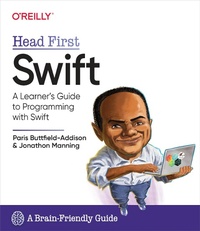
Head First Swift
Description

What will you learn from this book?
Swift is best known as Apple''s programming language of choice for developing apps on iOS, iPadOS, macOS, watchOS, and tvOS. But it''s far more versatile than that. Open source Swift is also gaining ground as a language for systems programming and server-side code, and it runs on Linux and Windows. So where do you start? With Head First Swift, you''ll explore from the ground up: from collecting and controlling data to reusing code, producing custom data types, and structuring programs and user interfaces with SwiftUI by building safe, protocol-driven code. With Swift under your belt, you''ll be ready to build everything from mobile and web apps to games, frameworks, command-line tools, and beyond.
What''s so special about this book?
If you''ve read a Head First book, you know what to expect--a visually rich format designed for the way your brain works. If you haven''t, you''re in for a treat. With this book, you''ll learn Swift through a multisensory experience that engages your mind rather than a text-heavy approach that puts you to sleep.
More details
Other editions
Additional editions
Content
- Cover
- Head First Swift
- Copyright
- Authors of Head First Swift
- Table of contents
- How to use this book
- Who is this book for?
- We know what you're thinking
- We know what your brain is thinking
- Metacognition: thinking about thinking
- Here's what WE did
- Here's what YOU can do to bend your brain into submission
- Read me
- The technical review team
- Acknowledgments
- 1. Introducing swift
- Swift is a language for everything
- The swift evolution of Swift
- Swift into the future
- How you're going to write Swift
- The path you'll be taking
- Getting Playgrounds
- Creating a Playground
- Using a Playground to code Swift
- Basic building blocks
- A Swift example
- Congrats on your first steps with Swift!
- 2. Swift by name
- Building from the blocks
- Basic operators
- Operating swiftly with mathematics
- Expressing yourself
- Names and types: peas in a pod
- Not all data is numbers
- Stringing things along with types
- String interpolation
- 3. Collecting and controlling
- Sorting pizzas
- Swift collection types
- Collecting values in an array
- How big is that array, exactly? Is it empty?
- Collecting values in a set
- Collecting values in a dictionary
- Tuples
- Everyone needs a good alias
- Control flow statements
- if statements
- switch statements
- Building a switch statement
- Range operators
- More complex switch statements
- Getting repetitive with loops
- Building a for loop
- Building a while loop
- Building a repeat-while loop
- Solving the pizza-sorting problem
- Phew, that's a lot of Swift!
- 4. Functions and enums
- Functions in Swift let you reuse code
- Built-in functions
- What can we learn from built-in functions?
- Improving the situation with a function
- Writing the body of the function
- Using functions
- Functions deal in values
- Many happy returns (from your functions)
- A variable number of parameters
- What can you pass to a function?
- Every function has a type
- Function types as parameter types
- Multiple return types
- Functions don't have to stand alone
- Switching with enums
- 5. Closures
- Meet the humble closure
- Closures are better with parameters
- Boiling it all down to something useful
- Reducing with closures
- Capturing values from the enclosing scope
- Escaping closures: the contrived example
- Autoclosures provide flexibility
- Shorthand argument names
- 6. Structures, properties, and methods
- Let's make a pizza, in all its glory...
- The initializer behaves just like a function
- Static properties make structures more flexible
- Methods inside structures
- Changing properties using methods
- Computed properties
- Getters and setters for computed properties
- Implementing a setter
- Swift Strings are actually structs
- The case for lazy properties
- Using lazy properties
- 7. Classes, actors, and inheritance
- A struct by any other name (that name: a class)
- Inheritance and classes
- Overriding methods
- Final classes
- Automatic reference counting
- Mutability
- 8. Protocols and extensions
- The Robot Factory
- Protocol inheritance
- Mutating methods
- Protocol types and collections
- Computed properties in extensions
- Extending a protocol
- Useful protocols and you
- Conforming to Swift's protocols
- 9. Optionals, unwrapping, generics, and more
- Dealing with something that's missing
- Why you might need an optional
- Optionals and handling missing data
- Unwrapping optionals
- Unwrapping optionals with guard
- Force unwrapping
- Generics
- A queue with generics
- Here's our new Queue type
- 10. Getting started with SwiftUI
- What's a UI framework, anyway?
- Your first SwiftUI UI
- UI building blocks
- Making a list, checking it.quite a few times, to get it perfect
- User interfaces with state
- Buttons are for pressing
- Let's see how far you've come
- Create a new SwiftUI Xcode project, for iOS
- Your Xcode will look something like this
- Create a new type to store a todo item in
- Make sure each todo item can be uniquely identified
- Create a user interface for the app
- Implement a way to save the list of todos
- So, that's a UI framework?
- 11. Putting swiftUI into practice
- What fancy things can be done with a UI framework?
- Create a new SwiftUI Xcode project, for iOS
- The Executive Timer UI and features
- Creating the basic elements of the app
- Pieces of the UI
- Setting up the UI of the Executive Timer
- Coding the pieces of the UI
- Combining the three elements
- The finishing touches
- Tabbed views for a clean UI
- Build a TabView containing your views
- Creating a new tabbed ContentView
- Creating the tabs and the TabView
- Running your new tabbed Executive Timer
- 12. Apps, web, and beyond
- A journey must end...
- A recipe for a welcome screen
- Step by step assembly of the welcome screen
- Share the state
- It's time for our old friend...
- Building an app with multiple views that share state
- Building a two-view score tracker
- The ObservableObject
- The first view
- The second view
- The first view, again
- A fancy AsyncImage
- Meet Vapor, the Swift web framework
- Sending data over the web with Vapor
- Index
