

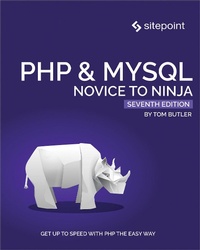
PHP & MySQL: Novice to Ninja
7th Edition
Published on 10. February 2022
680 pages
978-1-0981-2953-8 (ISBN)
Description

PHP & MySQL: Novice to Ninja, 7th Edition is a hands-on guide to learning all the tools, principles, and techniques needed to build a professional web application using PHP & MySQL. Comprehensively updated to cover PHP 8 and modern best practice, this highly practical and fun book covers everything from installation through to creating a complete online content management system.
- Gain a thorough understanding of PHP syntax
- Master database design principles and SQL
- Write robust, maintainable, best practice code
- Build a working content management system (CMS)
- And much more!
More details
Other editions
Additional editions
Book
10/2021
7th Edition
SitePoint Pty Ltd
€40.50
Shipment within 3-4 weeks
Person
Tom Butler is a web developer and university lecturer. He has a PhD in the area of software engineering best practices and enjoys evaluating different approaches to programming problems.
Content
- PHP & MySQL: Novice to Ninja, 7th Edition
- Notice of Rights
- Notice of Liability
- Trademark Notice
- About Tom Butler
- About SitePoint
- Table of Contents
- Preface
- Who Should Read This Book
- Programming Has Changed
- It Takes 10,000 Hours to Become an Expert
- Resist the Temptation to Skip Ahead
- The Concorde Fallacy
- You're Not Learning PHP
- Getting Braces and Semicolons in the Right Place Is the Easy Part
- You Won't Get Anything Done by Planning
- Okay, Design Isn't All Bad
- Where to Find Help
- The SitePoint Forums
- The Code Archive
- Your Feedback
- Let's Go
- Code Samples
- Tips, Notes, and Warnings
- Hey, You!
- Ahem, Excuse Me ...
- Make Sure You Always ...
- Watch Out!
- Installation
- Your Own Web Server
- Server Setup 1: Manually Installing All the Software Components
- Server Setup 2: Pre-packaged Installations
- Server Setup 3: Virtual Servers
- Server Setup 4: Docker
- Getting Started
- Installation on Windows
- Windows 11 Caveat
- Installation on macOS
- Installation on Linux
- Getting Started with Docker
- GitHub and Repositories
- Using Git
- Apache and NGINX
- Compose Yourself
- Ups and Downs
- Connecting to the Server and Creating Your First File
- Folder Levels
- Text Editors
- We're All Set Up
- Introducing PHP
- JavaScript on the Server
- Basic Syntax and Statements
- Code Editors and Syntax Highlighting
- Variables, Operators, and Comments
- Variables
- Operators
- Comments
- Control Structures
- If Statements
- Assignment and Equality
- A Lucky Escape
- and and or
- Loops
- For Loops
- For Loop Challenges
- While Loops
- Coding Style
- Arrays
- The array Keyword versus Square Brackets
- Escaping the Apostrophe
- User Interaction and Forms
- JavaScript and Interactivity
- Passing Variables in Links
- Converting Code to Escape Sequences
- Character Encoding
- PHP Constants
- Passing Variables in Forms
- Styling with CSS
- GET or POST?
- Hiding the Seams
- PHP Templates
- Parentheses with Includes
- Security Concerns
- Many Templates, One Controller
- Directory Index
- Sessions
- Bring On the Database
- Introducing MySQL
- An Introduction to Databases
- Combining Columns as a Unique Identifier
- MySQL
- MySQL and MariaDB
- Using MySQL Workbench to Run SQL Queries
- Up versus Start
- Case Sensitivity
- Creating a Database
- Structured Query Language
- Dive Deeper into SQL
- Case Sensitivity and Convention
- Creating a Table
- Adding Data
- Displaying the Bottom Panel on Low-res Screens
- A Word of Warning
- Where's the Darned Backtick Key?
- Viewing Stored Data
- Using * Instead
- Modifying Stored Data
- WHERE is Optional
- Deleting Stored Data
- Again, WHERE is Optional
- Let PHP Do the Typing
- Publishing MySQL Data on the Web
- MySQL and MariaDB
- The Big Picture
- Creating a MySQL User Account
- Connecting to MySQL with PHP
- Turning Off Exception Throwing
- Uncaught Exceptions
- The $e Variable
- Schemas
- A Crash Course in Object-oriented Programming
- Configuring the Connection
- Other Ways to Set the Charset
- What Happens after the Script Has Finished?
- Sending SQL Queries with PHP
- Handling SELECT Result Sets
- Using foreach
- Using the Shorthand
- Thinking Ahead
- Only Connect to the Database Where Necessary
- Inserting Data into the Database
- Magic Quotes
- Prepared Statements
- Deleting Data from the Database
- Using a foreach Loop Instead
- Why Aren't the Form and Input Tags Outside the Blockquote?
- Prepared Statements Necessary?
- Don't Use Hyperlinks to Perform Actions
- Mission Accomplished
- Relational Database Design
- Giving Credit Where Credit Is Due
- Recreating a Database from Scratch
- If You've Logged Out or Rebooted
- Rule of Thumb: Keep Entities Separate
- Both Kinds of INSERT
- SELECT with Multiple Tables
- Simple Relationships
- Many-to-many Relationships
- INNER and OUTER Joins
- One for Many, and Many for One
- Structured PHP Programming
- Include Files
- Including HTML Content
- The .html.php Extension
- Including PHP Code
- Naming Files
- Types of Includes
- include vs require
- Custom Functions and Function Libraries
- Variable Scope
- Be Careful Where You Place Your Files
- Why Global Variables Are Bad
- Breaking Up Your Code into Reusable Functions
- Using Functions to Replace Queries
- Updating Jokes
- Editing Jokes on the Website
- Delete Function
- Select Function
- The Best Way
- Improving the Insert and Update Functions
- Improving the Update Function
- The .= Operator
- Writing Functions
- Improving the Insert Function
- Handling Dates
- Avoid Copy/pasting
- Displaying the Joke Date
- Making Your Own Tools
- Generic Functions
- Using These Functions
- The N+1 Problem
- Repeated Code Is the Enemy
- Creating a Page for Adding and Editing
- Performance Overheads
- Further Polishing
- Moving Forward
- Objects and Classes
- Time for Class
- Naming Your Class Files
- Methods vs Functions
- Public vs Private
- Protected
- Creating Subclasses through Inheritance
- Objects
- Class Variables
- Constructors
- Magic Methods
- Placing Your Constructor Methods
- Type Hinting
- Private Variables
- Constructor Property Promotion
- Using the DatabaseTable Class
- Omitting the Closing PHP Tag from Your Files
- Updating the Controller to Use the Class
- DRY
- Creating a Controller Class
- Single Entry Point
- Keeping it DRY
- Template Variables
- Only Use extract on Data You Control
- Be Careful with extract
- Summary
- Creating an Extensible Framework
- Search Engine Optimization
- Configuration: PHP vs Server
- HTTP Response Codes
- Thinking Ahead: User Registration
- 1. Include the Relevant Controller
- 2. Create an Instance of the Controller
- Dependencies
- What Not to Do
- 3. Call the Action on the Correct Controller
- Done
- URL Rewriting
- Configuring NGINX and Apache
- Tidying Up
- Make it OOP
- Reusing Code on Different Websites
- Generic or Project-specific?
- Making EntryPoint Generic
- Autoloading
- Case Sensitivity
- Implement an Autoloader
- Redecorating
- Namespaces
- Autoloading with PSR-4
- Composer
- And the REST
- REST Methods
- Non-web Applications
- Enforcing Dependency Structure with Interfaces
- Error Handling
- Your Own Framework
- Allowing Users to Register Accounts
- Using empty()
- Validating Email Addresses
- Preventing the Same Person from Registering Twice
- Securely Storing Passwords
- The Importance of Unique Passwords
- Registration Complete
- Chapter Summary
- Cookies, Sessions, and Access Control
- Cookies
- Square Brackets
- UNIX Timestamps
- Using Correct Names
- PHP Sessions
- Sessions with GET Variables Instead of Cookies
- Creating the $_SESSION Variable
- Counting Visits with Sessions
- Access Control
- Logging In
- Hashing
- Protected Pages
- Creating a Login Form
- Use POST for Logging In
- Failed Login Messages
- Logging Out
- Assigning Added Jokes to the Logged-in User
- User Permissions
- Mission Accomplished?
- The Sky's the Limit
- Relationships
- Object Relational Mappers
- Arrays Containing Functions
- Public Properties
- Methods in Entity Classes
- Using Entity Classes from the DatabaseTable Class
- Joke Objects
- Using the Joke Class
- References
- Simplifying the List Controller Action
- Tidying Up
- Caching
- Joke Categories
- Processing Power vs Memory
- List Page
- Assigning Jokes to Categories
- Aesthetic Choices
- Converting Arrays to Objects
- Assigning Categories to Jokes
- Displaying Jokes by Category
- Editing Jokes
- User Roles
- Constant Conventions
- Creating a Form to Assign Permissions
- Author List
- Edit Author Permissions
- Reflection
- A Challenge
- Setting Permissions
- Storing Permissions in the Database
- A Crash Course in Binary
- Be Bit-wise
- Bitwise Permissions
- Back to PHP
- Storing Bitwise Permissions in the Database
- Join Table and Bitwise Approaches: Pros and Cons
- Cleaning Up
- Editing Other People's Jokes
- Phew!
- Content Formatting and Pagination
- Regular Expressions
- Escaping Delimiters
- Use of Single Quotes
- String Replacement with Regular Expressions
- Emphasized Text
- Not Quite Markdown
- &em& and &strong& vs &i& and &b&
- Double Quotes and Dollar Signs in Regular Expressions
- The s Pattern Modifier
- Paragraphs
- Line Breaks and Software
- Avoid Using Double-quoted Strings with Regular Expressions
- Hyperlinks
- Linking in Markdown
- Putting It All Together
- Why Using Markdown is Cool
- Sorting, Limiting and Offsets
- Sorting
- Pagination with LIMIT and OFFSET
- What If I Don't Know any Jokes?
- Pagination in Categories
- Achievement Unlocked: Ninja
- What Next?
