

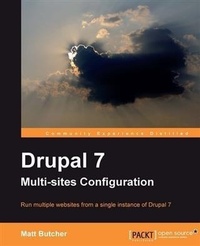
Drupal 7 Multi Sites Configuration
Run multiple websites from a single instance of Drupal 7 with this book and ebook
1st Edition
Published on 13. January 2025
104 pages
978-1-84951-801-7 (ISBN)
Description

Run multiple websites from a single instance of Drupal 7 with this book and ebookKey Features - Prepare your server for hosting multiple sites
- Configure and install several sites on one instance of Drupal
- Manage and share themes and modules across the multi-site configuration
Book DescriptionDrupal is one of the most powerful PHP Content Management Systems there is. However, why would you install a CMS for every site you build? With just one copy of Drupal you can host several sites. Drupal has long had multi-site support, and Drupal 7's support is even better than previous versions. Drupal 7 Multi-Sites Configuration will teach you how to host several websites on a single copy of Drupal. You will learn how to create different sites, each with its own domain, content, and theme. This valuable information will help you to save time by managing modules and sharing them across several sites as well as administering your sites all in one place.This book will show you how to configure a system for multi-site, and then install several sites on one copy of Drupal, all with their own domain name and database. Learn how to install and share modules and themes, configure Apache, PHP, and MySQL for multi-site, and then manage the site. Once your site system is successfully set up, discover some of the advanced configurations possible with Drupal multi-site, as well as how to upgrade and maintain your sites.What you will learn - Configure MySQL and Apache for hosting multiple sites
- Prepare Drupal 7 to host more than one site
- Install several sites on one instance of Drupal
- Manage, share, or isolate modules and themes in a multi-site configuration
- Care for your multi-site server, safely managing and upgrading it
- Rapidly build a multi-site testing environment with VirtualBox and Vagrant
- Extend the core multi-site configuration with add-on modules
Who this book is forThis book is for Drupal site builders. It is assumed that readers are familiar with Drupal already, with a basic grasp of its concepts and components. System administration concepts, such as configuring Apache, MySQL, and Vagrant are covered but no previous knowledge of these tools is required.
- Configure and install several sites on one instance of Drupal
- Manage and share themes and modules across the multi-site configuration
Book DescriptionDrupal is one of the most powerful PHP Content Management Systems there is. However, why would you install a CMS for every site you build? With just one copy of Drupal you can host several sites. Drupal has long had multi-site support, and Drupal 7's support is even better than previous versions. Drupal 7 Multi-Sites Configuration will teach you how to host several websites on a single copy of Drupal. You will learn how to create different sites, each with its own domain, content, and theme. This valuable information will help you to save time by managing modules and sharing them across several sites as well as administering your sites all in one place.This book will show you how to configure a system for multi-site, and then install several sites on one copy of Drupal, all with their own domain name and database. Learn how to install and share modules and themes, configure Apache, PHP, and MySQL for multi-site, and then manage the site. Once your site system is successfully set up, discover some of the advanced configurations possible with Drupal multi-site, as well as how to upgrade and maintain your sites.What you will learn - Configure MySQL and Apache for hosting multiple sites
- Prepare Drupal 7 to host more than one site
- Install several sites on one instance of Drupal
- Manage, share, or isolate modules and themes in a multi-site configuration
- Care for your multi-site server, safely managing and upgrading it
- Rapidly build a multi-site testing environment with VirtualBox and Vagrant
- Extend the core multi-site configuration with add-on modules
Who this book is forThis book is for Drupal site builders. It is assumed that readers are familiar with Drupal already, with a basic grasp of its concepts and components. System administration concepts, such as configuring Apache, MySQL, and Vagrant are covered but no previous knowledge of these tools is required.
More details
Other editions
Additional editions
Matt Butcher
Drupal 7 Multi Sites Configuration
Book
03/2012
Packt Publishing
€31.60
Shipment within 3-4 weeks
Content
- Intro
- Drupal 7 Multi-sites Configuration
- Table of Contents
- Drupal 7 Multi-sites Configuration
- Credits
- About the Author
- About the Reviewers
- www.PacktPub.com
- Support files, eBooks, discount offers and more
- Why Subscribe?
- Free Access for Packt account holders
- Preface
- What this book covers
- What you need for this book
- Who this book is for
- Conventions
- Reader feedback
- Customer support
- Errata
- Piracy
- Questions
- 1. Multi-site Drupal
- Drupal is a multi-site Content Management System
- From one site to many
- Why multi-site?
- Running different software on the same site
- Making the most of shared hosting
- Easing server administration
- Staging or testing before deploying to a live site
- Sharing a single code base
- Running secure and standard (unsecured) tools on the same server
- Efficient development
- Drupal and multi-site
- A quick guide to choosing the right multi-site configuration
- Setting up a server
- Installing a Drupal Virtual Machine with Vagrant
- Installing our tailored Vagrant project
- Basic configuration for this book
- Connecting to the new Virtual Machine
- Configuring a server (without VirtualBox and Vagrant)
- Domain names and IP addresses
- Using a hosts file
- Web servers
- Apache
- Configuring Apache for a Drupal Multi-site
- A note on using virtual hosting for each domain
- Configuring MySQL
- Summary
- 2. Installing Drupal for Multi-site
- Manual setup
- Downloading Drupal
- Installing the first host
- Telling Drupal about our sites
- Creating a site folder
- Domain name directories
- Domains with subdirectories
- The sites.php special configuration file
- Settings
- The files/ folder
- The web installer
- Creating the other sites
- Getting installation help
- Summary
- 3. Settings, Modules, and Themes
- Configuring sites
- Creating a shared configuration file
- A word of warning about sharing settings
- Configuring modules
- Sharing modules
- Unshared modules
- A note on using different versions of the same module
- Modules and sharing (in summary)
- Themes
- Subthemes and sharing
- Summary
- 4. Updating Multi-site Drupal
- Updating Drupal
- Making backups
- Filesystem backups
- Database backups
- Putting Drupal in maintenance mode
- Downloading and installing Drupal
- Fetching a new version
- Overwriting the existing files
- Checking the default.settings.php file
- Running update.php
- Taking the sites out of maintenance mode
- Updating themes and modules
- A minor complication
- Summary
- 5. Advanced Multi-sites
- Favicons and robots
- Shared authentication
- OpenID and other authentication services
- LDAP and Directory services
- Using the Services module
- Using Bakery for SSO
- Sharing a user database
- Shared content
- Sharing content with Services and Deploy
- Domain Access as a multi-site alternative
- The Virtual Site module
- Shared structure
- Searching across sites
- Summary
- Index
