

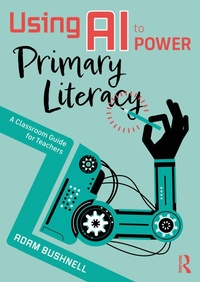
Using AI to Power Primary Literacy
A Classroom Guide for Teachers
Published on 30. September 2025
278 pages
978-1-040-42814-6 (ISBN)
Description

Artificial intelligence (AI) is transforming the world around us and education is no exception. But how can AI help in the primary classroom, particularly with teaching reading, writing and comprehension? This practical guide demystifies AI for teachers, offering clear, accessible and practical strategies to enhance literacy teaching in a way that is both effective and engaging.
Written specifically for primary school teachers, this book explores how AI-powered tools can support children's literacy development. It provides step-by-step guidance on using AI to enrich reading activities, improve comprehension skills, inspire creative writing, make poetry analysis and writing easier, and make non-fiction research more engaging. The book is packed with real-world, tried and tested examples with easy-to-follow lesson ideas, and thoughtful discussion points to help teachers integrate AI into their teaching while maintaining the human connection that is central to learning.
This practical resource is for anyone looking for innovative ways to engage young learners with their reading and writing. It is particularly relevant for teachers and school leaders and offers hands-on support on how to use AI ethically and effectively in the classroom, whilst also suggesting ways to enhance learning and pupil engagement within an ever-evolving educational landscape.
Written specifically for primary school teachers, this book explores how AI-powered tools can support children's literacy development. It provides step-by-step guidance on using AI to enrich reading activities, improve comprehension skills, inspire creative writing, make poetry analysis and writing easier, and make non-fiction research more engaging. The book is packed with real-world, tried and tested examples with easy-to-follow lesson ideas, and thoughtful discussion points to help teachers integrate AI into their teaching while maintaining the human connection that is central to learning.
This practical resource is for anyone looking for innovative ways to engage young learners with their reading and writing. It is particularly relevant for teachers and school leaders and offers hands-on support on how to use AI ethically and effectively in the classroom, whilst also suggesting ways to enhance learning and pupil engagement within an ever-evolving educational landscape.
Reviews / Votes
"As with any new innovation or teaching and learning tool, it is the fear of the unknown or the lack of an infrastructure to navigate the resource that inhibits its effective adoption. This new and groundbreaking publication is a timely and comprehensive guide on how to harness the power of AI to enhance the teaching and learning of literacy in primary classrooms."Alison Wilcox, creator of Descriptosaurus.
"Wow...I never realised how much I could do with AI to enhance my teaching and save huge amounts of time. Reading and writing is about to be supercharged! Adam has carefully crafted a book of AI gold-dust to help enhance your teaching and revolutionise the way you plan, resource and deliver your lessons. This book is filled with a variety of simple, yet mind blowing ideas that AI can do that will save endless hours, while enhancing every lesson!"
Andrew Jennings, Vocabulary Ninja.
More details
Language
English
Place of publication
London
United Kingdom
Publishing group
Taylor & Francis Ltd
Target group
Professional and scholarly
File size
0,58 MB
ISBN-13
978-1-040-42814-6 (9781040428146)
Copyright in bibliographic data and cover images is held by Nielsen Book Services Limited or by the publishers or by their respective licensors: all rights reserved.
Schweitzer Classification
Other editions
Additional editions
Book
09/2025
1st Edition
Routledge
€207.90
Shipment within 15-20 days
Book
09/2025
1st Edition
Routledge
€30.20
Shipment within 15-20 days
Person
Adam Bushnell is an award-winning author of fictional and academic books. He has had over fifty books published including Descriptosaurus: Story Writing and Modelling Exciting Writing. He works in the UK and internationally in both state and private education delivering creative writing workshops to all ages. Previously a teacher, Adam also delivers Continuous Professional Development to teachers on how to inspire reading and writing in the classroom.
Content
PART 1 - Reading
Chapter 1 - Personalised Texts and Reading Lists
Chapter 2 - Speech-to-Text
Chapter 3 - Phonics
Chapter 4 - Interactive Storytelling
Chapter 5 - Reading Fluency
Chapter 6 - Virtual Reading Buddies
Chapter 7 - Reading Games
Chapter 8 - Audiobooks
Chapter 9 - Simplifying and Extending Texts
Chapter 10 - Summarising Texts
PART 2 - Comprehension Skills
Chapter 11 - Quizzes
Chapter 12 - Key Moments
Chapter 13 - Vocabulary Expansion and Building
Chapter 14 - Emotion Analysis
Chapter 15 - Book Discussions
Chapter 16 - Reading Aloud to Avatars
Chapter 17 - Reading Challenges
Chapter 18 - Flashcards
Chapter 19 - Guess the Ending
Chapter 20 - Clarify the Confusion
PART 3 - Character Descriptions
Chapter 21 - Checking Book Character Descriptions
Chapter 22 - Character Analysis
Chapter 23 - Context of Characters
Chapter 24 - Appearance and Personality
Chapter 25 - Revealing Character Through Actions
Chapter 26 - Character Development
Chapter 27 - Sentence Starters
Chapter 28 - Opposites and Comparisons
Chapter 29 - Emotive Language
Chapter 30 - Dialogue
PART 4 - Setting Descriptions
Chapter 31 - Example Texts
Chapter 32 - Change the Timeline
Chapter 33 - Adding Sensory Detail
Chapter 34 - Developmental Prompts
Chapter 35 - Weather and Other Influences
Chapter 36 - Colour and Tone
Chapter 37 - Feedback on Descriptions
Chapter 38 - Movement
Chapter 39 - Other Worlds
Chapter 40 - Contrasting Places
PART 4 - Poetry
Chapter 41 - Explaining Literary Devices
Chapter 42 - More Figurative Language
Chapter 43 - Writing Ballads
Chapter 44 - Structured Poetry
Chapter 45 - Free Verse
Chapter 46 - Poetry Prompts
Chapter 47 - Rhyme
Chapter 48 - Thematic Ideas
Chapter 49 - Collaborative Ideas
Chapter 50 - Poetry Analysis
PART 5 - Non-Fiction
Chapter 51 - Structure
Chapter 52 - Research
Chapter 53 - Captions and Headings
Chapter 54 - Lesson Planning
Chapter 55 - Topic Related Vocabulary
Chapter 56 - Fact vs Opinion
Chapter 57 - Summarising
Chapter 58 - Explaining Features
Chapter 59 - Creating Narrative Non-Fiction
Chapter 60 - Writing Conclusions
Chapter 1 - Personalised Texts and Reading Lists
Chapter 2 - Speech-to-Text
Chapter 3 - Phonics
Chapter 4 - Interactive Storytelling
Chapter 5 - Reading Fluency
Chapter 6 - Virtual Reading Buddies
Chapter 7 - Reading Games
Chapter 8 - Audiobooks
Chapter 9 - Simplifying and Extending Texts
Chapter 10 - Summarising Texts
PART 2 - Comprehension Skills
Chapter 11 - Quizzes
Chapter 12 - Key Moments
Chapter 13 - Vocabulary Expansion and Building
Chapter 14 - Emotion Analysis
Chapter 15 - Book Discussions
Chapter 16 - Reading Aloud to Avatars
Chapter 17 - Reading Challenges
Chapter 18 - Flashcards
Chapter 19 - Guess the Ending
Chapter 20 - Clarify the Confusion
PART 3 - Character Descriptions
Chapter 21 - Checking Book Character Descriptions
Chapter 22 - Character Analysis
Chapter 23 - Context of Characters
Chapter 24 - Appearance and Personality
Chapter 25 - Revealing Character Through Actions
Chapter 26 - Character Development
Chapter 27 - Sentence Starters
Chapter 28 - Opposites and Comparisons
Chapter 29 - Emotive Language
Chapter 30 - Dialogue
PART 4 - Setting Descriptions
Chapter 31 - Example Texts
Chapter 32 - Change the Timeline
Chapter 33 - Adding Sensory Detail
Chapter 34 - Developmental Prompts
Chapter 35 - Weather and Other Influences
Chapter 36 - Colour and Tone
Chapter 37 - Feedback on Descriptions
Chapter 38 - Movement
Chapter 39 - Other Worlds
Chapter 40 - Contrasting Places
PART 4 - Poetry
Chapter 41 - Explaining Literary Devices
Chapter 42 - More Figurative Language
Chapter 43 - Writing Ballads
Chapter 44 - Structured Poetry
Chapter 45 - Free Verse
Chapter 46 - Poetry Prompts
Chapter 47 - Rhyme
Chapter 48 - Thematic Ideas
Chapter 49 - Collaborative Ideas
Chapter 50 - Poetry Analysis
PART 5 - Non-Fiction
Chapter 51 - Structure
Chapter 52 - Research
Chapter 53 - Captions and Headings
Chapter 54 - Lesson Planning
Chapter 55 - Topic Related Vocabulary
Chapter 56 - Fact vs Opinion
Chapter 57 - Summarising
Chapter 58 - Explaining Features
Chapter 59 - Creating Narrative Non-Fiction
Chapter 60 - Writing Conclusions
