

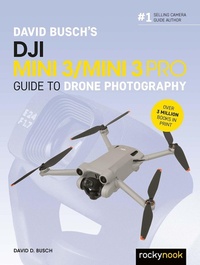
David Busch's DJI Mini 3/Mini 3 Pro Guide to Drone Photography
Description

The complete guide to mastering your drone!
David Busch''s DJI Mini 3/Mini 3 Pro Guide to Drone Photography is your comprehensive resource and reference guide to capturing high quality photographic still images and high-definition video with the ultra-compact DJI Mini 3 and Mini 3 Pro aircraft. These highly affordable, easy-to-fly Unmanned Aircraft Systems (UAS) are taking off all over the United States and worldwide. Photo and video enthusiasts as young as 16 can capture compelling images and video for personal use, social media, and YouTube channels. The first model-specific guide for the Mini 3 and Mini 3 Pro from David Busch, the world's #1 selling camera guide author, this book will lead you through registration, pre-flight prep, and mastery of every feature in a concise, fun, and straightforward way.
Filled with detailed how-to steps and full-color illustrations, David Busch''s DJI Mini 3/Mini 3 Pro Guide to Drone Photography covers the drones' capabilities in depth, from understanding the FAA rules and regulations, to taking your first photos and videos. You'll learn how to perform basic aerial moves and use the two Mini aircrafts' built-in flight tools. With best-selling photographer and mentor David Busch as your guide, you''ll quickly have full creative mastery of your drone's capabilities, whether you''re shooting on the job, as an advanced enthusiast, or are just out for fun. Start building your knowledge and confidence with the DJI Mini 3 and Mini 3 Pro today.
More details
Other editions
Additional editions
Content
- Cover
- Title Page
- Copyright
- Dedication
- Acknowledgments
- About the Author
- Contents
- Preface
- Introduction
- Chapter 1. Your Mini 3/Mini 3 Pro Flight Plan
- Crafting Your Flight Plan
- Your Drone Mastery Syllabus
- Next Up
- Chapter 2. Meet Your Mini 3/Mini 3 Pro
- Your Out-of-Box Experience
- Mini 3/Mini 3 Pro Roadmap
- Key Features and Differences
- Still Image Quality
- Shooting Modes
- Flight Performance
- Video Features
- Next Up
- Chapter 3. Flying Safely and Legally
- Obstacle Avoidance
- BOLO (Be On the Lookout
- APAS 4.0
- Flight Time/Distance
- Range
- Flight Modes
- Getting Legal
- A Visit to Acronymland
- Airspaces Simplified
- The Recreational UAS Safety Test (TRUST)
- How to Register Your Aircraft
- Remote ID Requirements
- Next Up
- Chapter 4. Getting Your Drone Flight-Ready
- Charge the Batteries
- Checking Battery Status
- In-Drone Charging
- Using the Charging Hub
- Battery Protection
- Download the Apps
- Pre-Flight Checklist Software
- Drone Controller Application
- DJI Assistant 2 (Consumer Drone Series)
- Install the Propellers
- Become Familiar with Your Remote Controller
- How a Remote Controller Works
- Your Remote Controller Options
- DJI RC-N1 Remote Controller
- DJI RC Remote Controller
- DJI RC Pro Remote Controller
- DJI RC-N2 and RC 2 Remote Controllers
- Next Up
- Chapter 5. Your First Flight
- Activate Your Drone
- Preflight Checklist
- Finding Suitable Locations for Take-off/Landing
- Your Backyard
- Near the Water
- National Parks and Federal Lands (No-No! and Maybe)
- State Parks
- Other Parks and Public Areas
- Special Events
- Mastering the Controls
- Choosing a Flight Mode
- Normal Mode
- Sport Mode
- Cine/Tripod Mode
- ATTI Mode
- Checking Airspace
- LAANC and Geofencing
- Geofencing
- Launching
- Controlling Your Drone
- Using the Control Sticks
- Using the DJI Fly Control Screen
- Capturing Still Photos and Movies
- Changing Viewing Angle with the Gimbal
- Aerial Navigation
- Wind Resistance
- Manual Maneuvers
- Box: Simple and Nose Forward
- Circle: Simple and Nose Forward
- Figure 8: Simple and Nose Forward
- Orbit
- Bringing It All Back Home
- No Place Like Home
- Smart RTH
- Low-Battery RTH
- Failsafe RTH
- Managing Return to Home
- Obstacle Avoidance during RTH
- Transferring Photos and Movies
- Next Up
- Chapter 6. Mastering Still Photography
- Your Basic Controls
- Auto Mode Options
- Pro Mode Options
- White Balance
- JPEG or JPEG+RAW?
- Getting a Handle on Exposure
- Basics of Exposure
- Dynamic Range
- Choosing an Exposure Mode
- Adjusting EV
- Is Visual Noise a Problem?
- Autoexposure Bracketing
- Working with HDR
- Fixing Exposures with Histograms
- Histograms and Contrast
- Histograms and Exposure
- Focus Pocus
- Autofocus and Manual Focus
- Working with Filters
- Neutral Density
- Polarization
- Filters for Protection
- Do It Yourself
- Next Up
- Chapter 7. Keys to Great Photos
- Orientation
- Change Your Perspective
- Center of Interest
- The Rule of Thirds and Composition
- Incorporating Movement and Passage of Time
- Using Straight Lines and Curves
- Working with Shapes
- Framing an Image
- Creative Cropping
- Twilight, Night, and Winter Shooting
- Golden Hours and More
- Winter Shooting
- Next Up
- Chapter 8. Shooting Video
- Preparing to Shoot Video
- Resolution and Frames Per Second
- Resolution
- Frame Rates
- Video Settings (Mini 3 Pro Only)
- Format (Mini 3 Pro Only)
- Color (Profiles)
- Coding Format
- Exposure Considerations
- Consistent Exposure
- Appropriate Shutter Speed
- Working with ND Filters
- Using Digital Zoom
- Zoom Effects
- Other Useful Maneuvers
- FocusTrack (Mini 3 Pro Only)
- QuickShots
- QuickShot Quick Start
- Dronie
- Rocket
- Circle
- Helix
- Boomerang
- Asteroid (Mini 3 Pro Only)
- Hyperlapse
- More On Cruise Control (Mini 3 Pro Only)
- MasterShots (Mini 3 Pro Only)
- Using MasterShots
- Editing QuickShots and Other Videos
- Stills from Video
- Tips for Movie Making
- Shooting Script
- Storyboards
- Composition
- Next Up
- Chapter 9. Menu Reference
- Safety Menu
- Obstacle Avoidance Action (Mini 3 Pro Only)
- Disable Sideways Flight (Mini 3 Pro Only)
- Display Radar Map (Mini 3 Pro Only)
- Max Altitude/Max Distance
- Auto RTH Altitude
- Update Home Point
- Compass Calibration
- IMU Normal
- Battery Info
- Unlock GEO Zone
- Find My Drone
- Advanced Safety Settings
- Control Menu
- Units
- Subject Scanning (Mini 3 Pro Only)
- Gain & Expo Tuning
- Gimbal Mode
- Gimbal Calibration
- Recenter Gimbal
- Stick Mode
- Button Customization
- RC Calibration
- Flight Tutorial
- Re-pair to Aircraft (Link)
- Camera Menu
- Format (Mini 3 Pro Only)
- Aspect Ratio (Mini 3 Pro Only)
- Anti-Flicker (Mini 3 Pro Only)
- Histogram/Peaking Level/Overexposure Warning
- Gridlines
- White Balance
- Style (Mini 3 Pro Only)
- Format
- USB Mode (Mini 3 Pro Only)
- Auto Sync HD Photos (Mini 3 Only)
- Cache When Recording
- Max Video Cache Capacity
- Reset Camera Parameters
- Transmission Menu
- Live-Streaming Platforms
- HDMI Output (Mini 3 Pro Only)
- Frequency/Channel Mode
- About Menu
- DJI Fly Main Screen
- Next Up
- Index
