

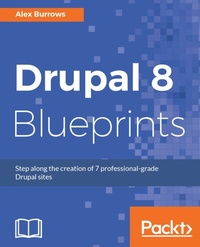
Drupal 8 Blueprints
Step along the creation of 7 professional-grade Drupal sites
Published on 8. July 2025
262 pages
978-1-78588-790-1 (ISBN)
Description

No detailed description available for "Drupal 8 Blueprints".
More details
Edition
Digital original
Language
English
Place of publication
Birmingham
United Kingdom
Target group
Professional and scholarly
US School Grade: College Graduate Student
Edition type
Digital original
File size
18,30 MB
ISBN-13
978-1-78588-790-1 (9781785887901)
Copyright in bibliographic data and cover images is held by Nielsen Book Services Limited or by the publishers or by their respective licensors: all rights reserved.
Schweitzer Classification
Other editions
Additional editions
Person
Burrows Alex :
Alex Burrows is a web developer who specializes in Drupal and is based in Surrey, UK. He is the technical director of a UK-based agency called Digidrop, also based in Surrey, UK. He set up Digidrop with his best friend, Matthias, in 2017, and the company is growing fast. He has worked with Drupal since 2008 and has worked on some well-known brands and large-scale projects; he is also very active within the Drupal community and attends every European and North American Drupalcon, where he is a mentor as well. He is also one of the directors of Drupalcamp London CIC, which has been running since 2013, and he has been involved in the organization and its running since the beginning. Each year, it is becoming a bigger, better, and more popular event, and it has been marked as the second biggest Drupalcamp in the world.
Alex Burrows is a web developer who specializes in Drupal and is based in Surrey, UK. He is the technical director of a UK-based agency called Digidrop, also based in Surrey, UK. He set up Digidrop with his best friend, Matthias, in 2017, and the company is growing fast. He has worked with Drupal since 2008 and has worked on some well-known brands and large-scale projects; he is also very active within the Drupal community and attends every European and North American Drupalcon, where he is a mentor as well. He is also one of the directors of Drupalcamp London CIC, which has been running since 2013, and he has been involved in the organization and its running since the beginning. Each year, it is becoming a bigger, better, and more popular event, and it has been marked as the second biggest Drupalcamp in the world.
Content
- Cover
- Copyright
- Credits
- About the Author
- About the Reviewer
- www.Packtpub.com
- Customer Feedback
- Table of Contents
- Preface
- Chapter 1: Introduction and Getting Set Up
- Setting up for local development
- Setting up on Windows
- Setting up on macOS
- What is SSH?
- Our great development tools for macOS
- Homebrew
- iTerm
- Oh My Zsh
- Setting up our local development environment
- Native
- Acquia DevDesktop
- Vagrant
- Docker
- Terminology
- Drush and Drupal Console
- Installing Drupal
- Getting our basic site
- Drupal core structure
- Downloading modules and themes
- Using themes
- blueprint.info.yml
- Getting involved with Drupal
- Let's get Drupal started!
- Chapter 2: Telling Your Own Story with Drupal
- Creating the Post content type
- Creating our fields
- Adding our fields
- Adding taxonomy vocabulary
- Adding fields to our vocabulary
- Adding more fields
- Creating content
- Creating our view modes
- What we will need to do
- How's it done
- Customizing our Post
- Displaying content with views
- Understanding views
- Using blocks a brief overview
- Block admin UI
- How it's done
- Adding our block
- Adding a block
- Relating content
- What we will do
- Adding our entity reference field
- How it works
- Creating a related news block
- Using Contextual filters
- Previewing content
- Using relationships to show content
- Adding our new block to our Post content type
- Making our display look better
- Adding comments
- How do comments work
- Comment types
- What this means for us
- Attaching comments
- Moderation
- Permissions
- Listing and filtering content
- Exposed filters
- Restricting content by role
- How to do it
- Adding restricted content to views
- Editing content
- Moving to the frontend
- Adding CSS and JavaScript
- Summary
- Get Fundraising with Chapter 3: Drupal
- What will we learn?
- Getting started
- Creating our fundraising pages
- Donation content type
- Fundraising content type
- Registering users
- Account settings
- Creating our users
- Authenticated users
- Building the fundraising page
- Creating a dashboard
- Understanding view field settings
- Showing user's their content
- Allowing users to donate
- What we will do
- How modules work
- Structure of a module
- Creating our module
- donate.info.yml
- What we need
- How we do it
- Creating a block
- Annotations
- Creating a node programmatically
- $form state object
- Sending emails
- donate.module
- Donation progress bar
- donation_progressinfo.yml
- DonateRangeBlock.php
- DonateRangeBlock.php
- Theming our plugin
- DonateRangeBlock.php
- donate-range.html.twig
- Finishing off
- DonateRangeBlock.php
- donate-range.html.twig
- DonateForm.php
- Chapter 4: Recruit Using Drupal
- Getting started
- What is Composer?
- Using Composer with Drupal
- What we need
- Creating user registration pages
- Candidate role
- Using Webform
- Creating our job
- Jobs module
- jobs.info.yml
- jobs.module
- What we have done
- Almost there
- Dashboards for Recruiter
- Job search
- Summary
- Chapter 5: List Properties with Drupal
- Getting prepared
- Cleaning up
- Adding our Property
- Enhancing our content
- Display Suite
- Adding custom fields to our display
- Property search
- Generate dummy content
- Property search
- Exposed filters as a block
- Administer our properties
- SEO-friendly paths
- Summary
- Chapter 6: Express Your Event with Drupal
- Getting started
- Creating our user roles
- Creating our session
- Time and date
- Room
- Skill level
- Tracks
- Entity reference fields
- Restricting fields
- Managing permissions
- User dashboard
- User creation
- User fields
- Session submissions
- event_speaker.info.yml
- event_speaker.module
- Session management
- Session display
- Session sharing
- Attendees
- Summary
- Chapter 7: Get Teaching with Drupal
- Getting started
- Categorizing our Lessons
- Video embed
- Using Panels
- Using variants
- Harnessing the power of variants
- Organizing our Lessons
- Creating a listing of Lessons
- Summary
- Chapter 8: Go Static with Drupal
- Getting started
- What is REST?
- How does it work in Drupal?
- Exposing Drupal using REST API
- Filter endpoint dynamically
- Let's go React
- Getting ready for React
- Creating our frontend
- Summary
- There's more in core
- One last thing
- Index
