
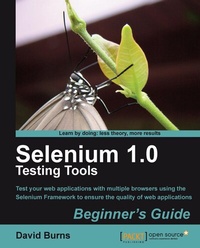
Selenium 1.0 Testing Tools Beginner's Guide
Description
Alles über E-Books | Antworten auf Fragen rund um E-Books, Kopierschutz und Dateiformate finden Sie in unserem Info- & Hilfebereich.
Selenium is a suite of tools to automate web application testing across many platforms. A strong understanding of using Selenium will get you developing tests to ensure the quality of your applications.
This book helps you understand and use Selenium to create tests and make sure that what your user expects to do can be done. It will guide you to successfully implement Selenium tests to ensure the quality of your applications.
The Selenium Testing Tools Beginner's guide shows developers and testers how to create automated tests using a browser. You'll be able to create tests using Selenium IDE, Selenium Remote Control and Selenium 2 as well. A chapter is completely dedicated to Selenium 2. We will then see how our tests use element locators such as css, xpath, DOM to find elements on the page. Once all the tests have been created we will have a look at how we can speed up the execution of our tests using Selenium Grid.
A beginner's guide to writing Selenium tests using different aspects of the Framework to give you confidence in your web application
ApproachWritten with a fast-paced but friendly and engaging approach, this Packt Beginner's Guide is designed to be placed alongside the computer as your guide and mentor. Step-by-step tutorials are bolstered by explanations of the reasoning behind what you are doing. You will quickly pick up the necessary skills, tips, and tricks for creating successful tests for your web applications with practical examples that help you to learn by experiment and play.
Who this book is forIf you are a Software quality assurance professional, software project manager, or software developer interested in developing automated testing in web based applications, then this book is definitely for you.

All prices
More details
System requirements
File format: ePUB
Copy protection: Adobe-DRM (Digital Rights Management)
System requirements:
- Computer (Windows; MacOS X; Linux): Install the free reader Adobe Digital Editions prior to download (see eBook Help).
- Tablet/smartphone (Android; iOS): Install the free app Adobe Digital Editions or the app PocketBook before downloading (see eBook Help).
- E-reader: Bookeen, Kobo, Pocketbook, Sony, Tolino and many more (not Kindle).
The file format ePub works well for novels and non-fiction books – i.e., „flowing” text without complex layout. On an e-reader or smartphone, line and page breaks automatically adjust to fit the small displays.
This eBook uses Adobe-DRM, a „hard” copy protection. If the necessary requirements are not met, unfortunately you will not be able to open the eBook. You will therefore need to prepare your reading hardware before downloading.
Please note: We strongly recommend that you authorise using your personal Adobe ID after installation of any reading software.
For more information, see our ebook Help page.
File format: PDF
Copy-Protection: Adobe-DRM (Digital Rights Management)
System requirements:
- Computer (Windows; MacOS X; Linux): Install the free reader Adobe Digital Editions prior to download (see eBook Help).
- Tablet/smartphone (Android; iOS): Install the free app Adobe Digital Editions or the app PocketBook before downloading (see eBook Help).
- E-reader: Bookeen, Kobo, Pocketbook, Sony, Tolino and many more (only limited: Kindle).
The file format PDF always displays a book page identically on any hardware. This makes PDF suitable for complex layouts such as those used in textbooks and reference books (images, tables, columns, footnotes). Unfortunately, on the small screens of e-readers or smartphones, PDFs are rather annoying, requiring too much scrolling.
This eBook uses Adobe-DRM, a „hard” copy protection. If the necessary requirements are not met, unfortunately you will not be able to open the eBook. You will therefore need to prepare your reading hardware before downloading.
Please note: We strongly recommend that you authorise using your personal Adobe ID after installation of any reading software.
For more information, see our eBook Help page.
