

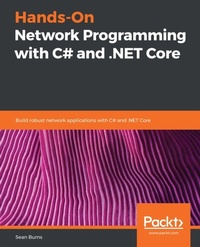
Hands-On Network Programming with C# and .NET Core
Build robust network applications with C# and .NET Core
Published on 23. September 2024
488 pages
978-1-78934-583-4 (ISBN)
Description

No detailed description available for "Hands-On Network Programming with C# and .NET Core".
All prices
More details
Edition
Digital original
Language
English
Place of publication
Birmingham
United Kingdom
Target group
Professional and scholarly
US School Grade: College Graduate Student
Edition type
Digital original
File size
3,60 MB
ISBN-13
978-1-78934-583-4 (9781789345834)
Copyright in bibliographic data and cover images is held by Nielsen Book Services Limited or by the publishers or by their respective licensors: all rights reserved.
Schweitzer Classification
Other editions
Additional editions
Sean Burns
Hands-On Network Programming with C# and .NET Core
Build robust network applications with C# and .NET Core
Book
03/2019
Packt Publishing
€48.50
Shipment within 3-4 weeks
Person
Burns Sean :
Sean Burns is a software engineer and author dedicated to craftsmanship and quality in his work. His professional career began while attending Virginia Commonwealth University in 2012. Leaving school to pursue his career full-time, he has accumulated 7 years of experience as a professional software engineer, working in a wide range of industries. Over the course of his career, he has developed and released software for every layer of the application stack. His projects include feature-rich and high performance front-end user interfaces exposed to millions of consumers, as well as high performance web services and APIs. Since it began, his career has been driven by an innate curiosity and a continued passion for software and technology.
Sean Burns is a software engineer and author dedicated to craftsmanship and quality in his work. His professional career began while attending Virginia Commonwealth University in 2012. Leaving school to pursue his career full-time, he has accumulated 7 years of experience as a professional software engineer, working in a wide range of industries. Over the course of his career, he has developed and released software for every layer of the application stack. His projects include feature-rich and high performance front-end user interfaces exposed to millions of consumers, as well as high performance web services and APIs. Since it began, his career has been driven by an innate curiosity and a continued passion for software and technology.
Content
Table of Contents
Networks in a Nutshell
DNS and Resource Location
Communication Protocols
Packets and Streams
Generating Network Requests in C#
Streams, Threads, and Asynchronous Data Transfer
Error Handling Over the Wire
Sockets and Ports
HTTP in .NET
FTP and SMTP
The Transport Layer: TCP, UDP, and Multi-Casting
The Internet Protocol
Transport Layer Security (TLS)
Authentication and Authorization for Networked Requests
Caching Strategies for Distributed Systems
Performance Analysis and Monitoring
Pluggable Protocols in .NET Core
Network Analysis and Packet Inspection
Remote Logins and SSH
Networks in a Nutshell
DNS and Resource Location
Communication Protocols
Packets and Streams
Generating Network Requests in C#
Streams, Threads, and Asynchronous Data Transfer
Error Handling Over the Wire
Sockets and Ports
HTTP in .NET
FTP and SMTP
The Transport Layer: TCP, UDP, and Multi-Casting
The Internet Protocol
Transport Layer Security (TLS)
Authentication and Authorization for Networked Requests
Caching Strategies for Distributed Systems
Performance Analysis and Monitoring
Pluggable Protocols in .NET Core
Network Analysis and Packet Inspection
Remote Logins and SSH

