

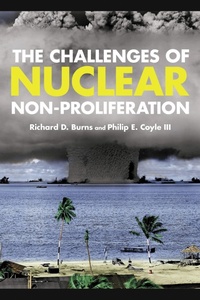
The Challenges of Nuclear Non-Proliferation
1st Edition
Published on 12. March 2015
250 pages
978-1-4422-2376-9 (ISBN)
Description

The Challenges of Nuclear Non-Proliferation is an exhaustive survey of the many aspects of non-proliferation efforts. It explains why some nations pursued nuclear programs while others abandoned them, as well as the challenges, strengths, and weaknesses of non-proliferation efforts. It addresses key issues such as concerns over rogue states and stateless rogues, delivery systems made possible by technology, and the connection between nuclear weapons and ballistic missiles, examining whether non-proliferation regimes can deal with these threats or whether economic or military sanctions need to be developed. It also examines the feasibility of eliminating or greatly reducing the number of nuclear weapons. A broad survey of one of today's great threats to international security, this text provides undergraduates students with the tools needed to evaluate current events and global threats.
More details
Series
Edition
1. Auflage
Language
English
Place of publication
New York
United States
Publishing group
Bloomsbury Publishing Plc
Illustrations
14 b/w photos; 7 tables; 1 textbox
ISBN-13
978-1-4422-2376-9 (9781442223769)
Copyright in bibliographic data and cover images is held by Nielsen Book Services Limited or by the publishers or by their respective licensors: all rights reserved.
Schweitzer Classification
Other editions
Additional editions
Richard Dean Burns | Philip E. Coyle
The Challenges of Nuclear Non-Proliferation
Book
03/2015
Rowman & Littlefield Publishers
€55.20
Shipment within 10-20 days
Richard Dean Burns | Philip E. Coyle
The Challenges of Nuclear Non-Proliferation
Book
03/2015
Rowman & Littlefield Publishers
€127.70
Shipment within 10-20 days
Persons
Richard D. Burns is professor emeritus and former chair of the History Department at California State University, where is also was the director of the Center for the Study of Armament and Disarmament.
Philip E. Coyle III was associate director for national security and international affairs in the White House Office of Science and Technology Policy. He is a senior science fellow at the Center for Arms Control and Nonproliferation, a security study center based in Washington, DC.
Philip E. Coyle III was associate director for national security and international affairs in the White House Office of Science and Technology Policy. He is a senior science fellow at the Center for Arms Control and Nonproliferation, a security study center based in Washington, DC.
Content
Introduction
Glossary of Acronyms
Chapter 1: The Nuclear Weapon States
Chapter 2: Seeking to Prevent Nuclear Proliferation: Baruch Plan, Atoms for Peace, IAEA
Chapter 3: The Nuclear Non-Proliferation Treaty: Origins and Evolution
Chapter 4: Nuclear Test Bans to the Comprehensive Test Ban Treaty
Chapter 5: Seeking Control of Nuclear Weapons Materials
Chapter 6: Geographical Denuclearization: Nuclear Weapon-Free Zones
Chapter 7: "Proliferation in Reverse": Cooperative/Restraining Measures
Chapter 8: Foregoing Nuclear Weapons: Then and Now
Chapter 9: Assessing the Nonproliferation Regime
Selected References
Glossary of Acronyms
Chapter 1: The Nuclear Weapon States
Chapter 2: Seeking to Prevent Nuclear Proliferation: Baruch Plan, Atoms for Peace, IAEA
Chapter 3: The Nuclear Non-Proliferation Treaty: Origins and Evolution
Chapter 4: Nuclear Test Bans to the Comprehensive Test Ban Treaty
Chapter 5: Seeking Control of Nuclear Weapons Materials
Chapter 6: Geographical Denuclearization: Nuclear Weapon-Free Zones
Chapter 7: "Proliferation in Reverse": Cooperative/Restraining Measures
Chapter 8: Foregoing Nuclear Weapons: Then and Now
Chapter 9: Assessing the Nonproliferation Regime
Selected References
