

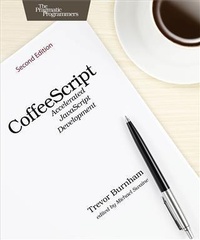
CoffeeScript
Accelerated JavaScript Development
Published on 6. February 2015
124 pages
978-1-68050-325-8 (ISBN)
Description

Over the last five years, CoffeeScript has taken the web development world by storm. With the humble motto "e;It's just JavaScript,"e; CoffeeScript provides all the power of the JavaScript language in a friendly and elegant package. This extensively revised and updated new edition includes an all-new project to demonstrate CoffeeScript in action, both in the browser and on a Node.js server. There's no faster way to learn to write a modern web application.This new edition has been extensively revised and updated to reflect the current state and features of CoffeeScript. Every chapter has been revised and refactored, and new sections and a new chapter on testing have been added. If you already know JavaScript, this book will make your transition to CoffeeScript easy. If you're new to JavaScript, it's a great place to start.New in this edition: Automating setup with the Grunt task runner Using CoffeeScript classes with the Backbone framework Using CoffeeScript's simple callback syntax to interact with the Express framework A new chapter on client-side and server-side testing with Intern* A new project that gives you hands-on experience with browser-side and server-side CoffeeScriptCoffeeScript is every bit as portable and effective as JavaScript. It aids development by adding a bevy of features, such as classes, splats, list comprehensions, and destructuring. These features make it easier to write clear, readable code, and by learning how these features work, you'll deepen your understand of JavaScript as well. This book is your complete guide to writing better JavaScript code, faster.
More details
Other editions
Additional editions
Book
04/2015
2nd Edition
The Pragmatic Programmers
€27.50
Shipment within 3-4 weeks
Content
- Cover
- Table of Contents
- Foreword
- Acknowledgments
- Introduction
- The New Kid in Town
- Who This Book Is For
- How This Book Is Organized
- What's Changed Since CoffeeScript 1.0.0?
- The CoffeeScript Community
- 1. Getting Started
- Installing CoffeeScript
- Running and Compiling CoffeeScript
- Using Source Maps
- Editing CoffeeScript
- 2. Functions, Scope, and Context
- Functions 101
- Variable Scope
- Execution Context
- Mini-Project: Checkbook Balancer
- 3. Collections, Iteration, and Destructuring
- Objects as Hash Maps
- Arrays
- Iterating over Collections
- Mini-Project: Refactored Checkbook Balancer
- 4. Classes, Prototypes, and Inheritance
- The Power of Prototypes
- Classes: Giving Prototypes Structure
- Inheritance: Classy Prototype Chains
- Mini-Project: All-Purpose Checkbook Balancer
- 5. Web Applications with jQuery and Backbone.js
- Building the Project with Grunt
- Managing Front-End Dependencies with Bower
- Building the Page with Templates
- Structuring Data for Persistence
- Representing Data in Backbone Models and Collections
- Presenting Data with Views
- 6. Web Servers with Node and Express
- What Is Node?
- Writing Node Modules
- Compiling a Node Project with Grunt
- Creating a Web Server with Express and NeDB
- Using a RESTful API in Backbone
- 7. Testing with Intern
- Getting Started with Intern
- Mock-Testing Backbone with Sinon
- Mock-Testing a Node Server with Supertest
- Bibliography
- Index
- - SYMBOLS -
- - A -
- - B -
- - C -
- - D -
- - E -
- - F -
- - G -
- - H -
- - I -
- - J -
- - L -
- - M -
- - N -
- - O -
- - P -
- - Q -
- - R -
- - S -
- - T -
- - U -
- - V -
- - W -
