

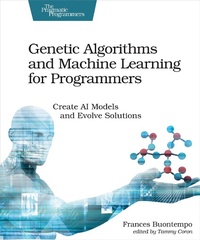
Genetic Algorithms and Machine Learning for Programmers
Description

Self-driving cars, natural language recognition, and online recommendation engines are all possible thanks to Machine Learning. Now you can create your own genetic algorithms, nature-inspired swarms, Monte Carlo simulations, cellular automata, and clusters. Learn how to test your ML code and dive into even more advanced topics. If you are a beginner-to-intermediate programmer keen to understand machine learning, this book is for you.
Discover machine learning algorithms using a handful of self-contained recipes. Build a repertoire of algorithms, discovering terms and approaches that apply generally. Bake intelligence into your algorithms, guiding them to discover good solutions to problems.
In this book, you will:
- Use heuristics and design fitness functions.
- Build genetic algorithms.
- Make nature-inspired swarms with ants, bees and particles.
- Create Monte Carlo simulations.
- Investigate cellular automata.
- Find minima and maxima, using hill climbing and simulated annealing.
- Try selection methods, including tournament and roulette wheels.
- Learn about heuristics, fitness functions, metrics, and clusters.
Test your code and get inspired to try new problems. Work through scenarios to code your way out of a paper bag; an important skill for any competent programmer. See how the algorithms explore and learn by creating visualizations of each problem. Get inspired to design your own machine learning projects and become familiar with the jargon.
What You Need:
>= C++11), Python (2.x or 3.x) and JavaScript (using the HTML5 canvas). Also uses matplotlib and some open source libraries, including SFML, Catch and Cosmic-Ray. These plotting and testing libraries are not required but their use will give you a fuller experience. Armed with just a text editor and compiler/interpreter for your language of choice you can still code along from the general algorithm descriptions.
More details
Other editions
Additional editions
Person
Frances Buontempo is the editor of ACCU's Overload magazine (). She has published articles and given talks centered on technology and machine learning. With a PhD in data mining, she has been programming professionally since the 1990s. During her career as a programmer, she has championed unit testing, mentored newer developers, deleted quite a bit of code and fixed a variety of bugs.
Content
- Cover
- Table of Contents
- Preface
- Who Is This Book For?
- What's in This Book?
- Online Resources
- Acknowledgments
- 1. Escape! Code Your Way Out of a Paper Bag
- Let's Begin
- Your Mission: Find a Way Out
- How to Help the Turtle Escape
- Let's Save the Turtle
- Did It Work?
- Over to You
- 2. Decide! Find the Paper Bag
- Your Mission: Learn from Data
- How to Grow a Decision Tree
- Let's Find That Paper Bag
- Did It Work?
- Over to You
- 3. Boom! Create a Genetic Algorithm
- Your Mission: Fire Cannonballs
- How to Breed Solutions
- Let's Fire Some Cannons
- Did It Work?
- Over to You
- 4. Swarm! Build a Nature-Inspired Swarm
- Your Mission: Crowd Control
- How to Form a Swarm
- Let's Make a Swarm
- Did It Work?
- Over to You
- 5. Colonize! Discover Pathways
- Your Mission: Lay Pheromones
- How to Create Pathways
- Let's March Some Ants
- Did It Work?
- Over to You
- 6. Diffuse! Employ a Stochastic Model
- Your Mission: Make Small Random Steps
- How to Cause Diffusion
- Let's Diffuse Some Particles
- Did It Work?
- Over to You
- 7. Buzz! Converge on One Solution
- Your Mission: Beekeeping
- How to Feed the Bees
- Let's Make Some Bees Swarm
- Did It Work?
- Over to You
- 8. Alive! Create Artificial Life
- Your Mission: Make Cells Come Alive
- How to Create Artificial Life
- Let's Make Cellular Automata
- Did It Work?
- Over to You
- 9. Dream! Explore CA with GA
- Your Mission: Find the Best
- How to Explore a CA
- Let's Find the Best Starting Row
- Did It Work?
- Over to You
- 10. Optimize! Find the Best
- Your Mission: Move Turtles
- How to Get a Turtle into a Paper Bag
- Let's Find the Bottom of the Bag
- Did It Work?
- Extension to More Dimensions
- Over to You
- Bibliography
- Index
- - SYMBOLS -
- - A -
- - B -
- - C -
- - D -
- - E -
- - F -
- - G -
- - H -
- - I -
- - J -
- - K -
- - L -
- - M -
- - N -
- - O -
- - P -
- - Q -
- - R -
- - S -
- - T -
- - U -
- - V -
- - W -
- - Y -
- - Z -
