

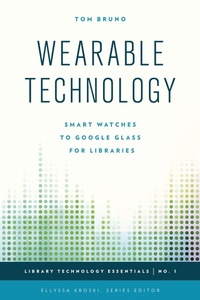
Wearable Technology
Smart Watches to Google Glass for Libraries
1st Edition
Published on 1. August 2015
132 pages
978-1-4422-5292-9 (ISBN)
Description

Emerging devices are placing powerful computing abilities into the wardrobes of consumers through wearable technology which combines fashion and function in new and exciting ways. The most recognizable of these emerging gadgets is Google Glass. Wearable Technology: Smart Watches to Google Glass for Libraries provides a comprehensive overview of the current wearable technology landscape, the types of devices and functionality available, the benefits and limitations of this type of technology, and how you can make use of it in your library. Learn the ins and outs of Google Glass and other devices along with the privacy and other concerns that your organization needs to know about. With this informative handbook, Discover how you can utilize use these new tools for language translations, creating videos, providing mobile reference, and much more.
In this "how-to" guide for incorporating wearable technology into your library's services, programming, and activities, you will learn:
How to circulate wearable technology in your libraryHow to Use Google Glass as an Alternative to Traditional Info/ReferenceHow to Initiate a Wearable Technology Training Program for Library StaffHow to create first-person videos using GoPro CamerasHow to add real-time translation services using Google GlassHow to use wearable technology as a promotional tool for your libraryMake Your Own Immersive Virtual Reality Headset using Google Cardboard
In this "how-to" guide for incorporating wearable technology into your library's services, programming, and activities, you will learn:
How to circulate wearable technology in your libraryHow to Use Google Glass as an Alternative to Traditional Info/ReferenceHow to Initiate a Wearable Technology Training Program for Library StaffHow to create first-person videos using GoPro CamerasHow to add real-time translation services using Google GlassHow to use wearable technology as a promotional tool for your libraryMake Your Own Immersive Virtual Reality Headset using Google Cardboard
More details
Series
Edition
1. Auflage
Language
English
Place of publication
New York
United States
Publishing group
Bloomsbury Publishing Plc
Illustrations
16 BW Photos
ISBN-13
978-1-4422-5292-9 (9781442252929)
Copyright in bibliographic data and cover images is held by Nielsen Book Services Limited or by the publishers or by their respective licensors: all rights reserved.
Schweitzer Classification
Other editions
Additional editions
Book
08/2015
Rowman & Littlefield Publishers
€124.60
Shipment within 10-20 days
Person
Tom Bruno is the associate director for Resource Sharing and Reserves at the Sterling Memorial and Bass Libraries at Yale University. Previously he was the Head of Resource Sharing at the Widener Library at the Harvard College Library. He received his Master's in Library and Information Science from Simmons College and has a BA in Ancient Greek and Latin from Boston University.
Content
Foreword by Ellyssa Kroski
Preface
Acknowledgments
Chapter One: An Introduction to Wearable Technology
Chapter Two: Getting Started With Wearable Technology
Chapter Three: Tools and Applications
Chapter Four: Library Examples and Case Studies
Chapter Five: Step-by-Step Library Projects for Wearable Technology
Chapter Six: Tips and Tricks
Chapter Seven: Future Trends
Chapter Eight: Recommended Reading
Index
About the Author
Preface
Acknowledgments
Chapter One: An Introduction to Wearable Technology
Chapter Two: Getting Started With Wearable Technology
Chapter Three: Tools and Applications
Chapter Four: Library Examples and Case Studies
Chapter Five: Step-by-Step Library Projects for Wearable Technology
Chapter Six: Tips and Tricks
Chapter Seven: Future Trends
Chapter Eight: Recommended Reading
Index
About the Author
