

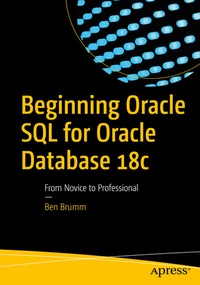
Beginning Oracle SQL for Oracle Database 18c
Description

A marquee feature of Beginning Oracle SQL for Oracle Database 18c is the small chapter size. Content is divided into easily digestible chunks that can be read and practiced in very short intervals of time, making this the ideal book for a busy professional to learn from. Even just a 15-20 minute block of free time can be put to good use.
AuthorBen Brumm begins by helping you understand what a database is, and getting you set up with a sandbox in which to practice the SQL that you are learning. From there, easily digestible chapters cover, point-by-point, the different aspects of writing queries to get data out of a database. You'll also learn about creating tables and getting data into the database. Crucial topics such as working with nulls and writing analytic queries are given the attention they deserve, helping you to avoid pitfalls when writing queries for production use.
What You'll Learn
-
Create, update, and delete tables in an Oracle database
-
Add, update, delete data from those database tables
-
Query and view data stored in your database
-
Manipulate and transform data using in-built database functions and features
-
Correctly choose when to use Oracle-specific syntax and features
Who This Book Is For
Those new to Oracle who are planning to develop software using Oracle as the back-end data store. The book is also for those who are getting started in software development and realize they need to learn some kind of database language. Those who are learning software development on the side of their normal job, or learning it as a college student, who are ready to learn what a database is and how to use it also will find this book useful.
More details
Other editions
Additional editions
Person
Content
Introduction.- Part I. Setting Up.- 1. What Is A Database?.- 2. Setting Up.- .- Part II. Viewing Data.- 3. Retrieving Data.- 4. Selecting Specific Columns.- 5. Restricting the Results.- 6. Comparing Data.- 7. Applying Multiple Filters.- 8. Working with NULLs.- 9. Removing Duplicate Results.- 10. Applying Filters on Lists and Ranges of Values.- 11. Ordering Your Data.- 12. Applying Table and Column Aliases.- Part III. Adding, Updating, Deleting Data.- 13. Understanding the Data Types.- 14. Creating A Table.- 15. Adding Data to A Table.- 16. Updating and Removing Data.- 17. Updating or Deleting a Table.- Part IV. Joining Tables.- 18. Inner Join.- 19. Outer Join.- 20. Other Join Types.- 21. Joining Many Tables.- Part V. Functions.- 22. Using Functions in SQL.- 23. Writing Conditional Logic.- 24. Understanding Aggregate Functions.- 25. Grouping Your Results.- 26. What Are Indexes?.- Part VI. Command Line.- 27. Using the Command Line.- Part VII. Appendixes.- 28. Appendix. How to Find and Navigate the Oracle SQL Reference.
