

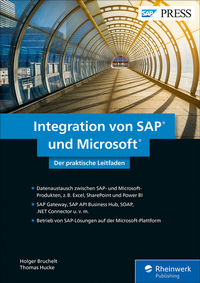
Integration von SAP und Microsoft
Description

Sie nutzen SAP zusammen mit Microsoft-Produkten? Dann ist dies Ihr praktischer Leitfaden für Integration, Datenaustausch und Betrieb. Die Autoren erklären, welche Technologien für die Kommunikation zum Einsatz kommen können, und bewerten deren Vor- und Nachteile abhängig von Ihren spezifischen Anforderungen. Ob SAP Gateway, RFC und .NET Connector, SOAP oder von SAP bereitgestellte Standardschnittstellen - zu allen Technologien finden Sie praxisnahe Beispiele und Empfehlungen .
Aus dem Inhalt:
- Integrationsszenarien und -technologien
- SAP Gateway und OData
- RFC und .NET Connector
- SOAP-Webservices
- SAP API Business Hub
- Add-ons von Drittanbietern
- Integrierte Business Intelligence
- Windows Server
- Microsoft Azure
- Technologievergleich und Entscheidungshilfe
More details
Other editions
Additional editions
Persons
ISNI:
ISNI:
Content
Einleitung ... 13
1. Integrationsszenarien und -technologien ... 19
1.1 ... Gründe für die Integration von Microsoft-Office- und SAP-Lösungen ... 19
1.2 ... Historische Entwicklung der Integrationstechnologie ... 23
1.3 ... SAP-Daten in Microsoft-Anwendungen integrieren ... 38
1.4 ... Microsoft-Daten in SAP-Anwendungen integrieren ... 45
1.5 ... Zusammenfassung ... 67
2. Integration über SAP Gateway ... 69
2.1 ... SAP Gateway im Überblick ... 69
2.2 ... Einführung in OData ... 71
2.3 ... OData-Services mit SAP Gateway erstellen ... 87
2.4 ... OData-Services auf Basis von Core Data Services erstellen ... 94
2.5 ... Integration von SAP-Kundendaten in Excel über SAP Gateway ... 103
2.6 ... Zusammenfassung ... 112
3. Integration über Remote Function Call und SAP .NET Connector ... 113
3.1 ... Remote Function Call im Überblick ... 114
3.2 ... Remote Function Call mit C# über den SAP .NET Connector ... 115
3.3 ... Remote Function Call mit Java über den SAP Java Connector ... 124
3.4 ... Zusammenfassung ... 133
4. Integration über SOAP-Webservices ... 135
4.1 ... Aufbau eines SOAP-Webservices ... 135
4.2 ... SOAP-Webservices für ABAP ... 142
4.3 ... Webservices mit C# und Excel konsumieren ... 155
4.4 ... Zusammenfassung ... 163
5. SAP API Business Hub ... 165
5.1 ... Die Vorgänger: BAPI Explorer und SAP Enterprise Service Workplace ... 166
5.2 ... Einsatz des SAP API Business Hubs ... 168
5.3 ... Zusammenfassung ... 189
6. Verwendung von Drittanbieter-Add-ons ... 191
6.1 ... Theobald ERPConnect ... 192
6.2 ... Weitere Drittanbieterlösungen ... 214
6.3 ... Lizenzierung von Drittanbieterlösungen ... 226
6.4 ... Zusammenfassung ... 228
7. Integration im Umfeld von Business Intelligence ... 229
7.1 ... Integration über SAP Analysis for Microsoft Office ... 232
7.2 ... Integration von Excel und SAP HANA ... 242
7.3 ... Integration von SharePoint und SAP BusinessObjects ... 253
7.4 ... Anbindung der SAP Analytics Cloud an das Azure Active Directory ... 259
7.5 ... Integration von Azure Data Factory und SAP HANA bzw. SAP BW ... 264
7.6 ... Integration von SAP-Daten in Power BI ... 266
7.7 ... Zusammenfassung ... 272
8. Infrastrukturkomponenten ... 275
8.1 ... Betriebsmodelle für die Cloud ... 277
8.2 ... SAP GUI for Windows ... 279
8.3 ... Windows Server ... 281
8.4 ... Microsoft Azure ... 298
8.5 ... SAP Cloud Platform ... 337
8.6 ... Zusammenfassung ... 353
9. Zusammenfassung ... 355
9.1 ... Integration ... 355
9.2 ... Analytics ... 359
9.3 ... Infrastruktur ... 360
Die Autoren ... 365
Index ... 367
