

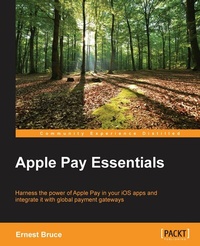
Apple Pay Essentials
Harness the power of Apple Pay in your iOS apps and integrate it with global payment gateways
Published on 8. July 2025
118 pages
978-1-78588-115-2 (ISBN)
Description

Harness the power of Apple Pay in your iOS apps and integrate it with global payment gateways
Key Features
[*] Be it adding an Apple Pay button to your app or calculating sales tax with Apple Pay- this book gives you all the information you need to build a fully-functional Apply Pay application
[*] Paying within iOS Apps made easier and secure with this no nonsense and powerful guide
[*] Escape tedious payment options by creating compelling product card screens that present the ?Pay button, which your customers can tap to quickly order your products
Book DescriptionApple Pay, one of the most talked about offerings of the latest iOS 9 release, is a digital wallet and electronic payment system developed by Apple Inc. Paying in stores or within apps has never been easier or safer. Gone are the days of searching for your wallet, and the wasted moments finding the right card! Now you can use your credit cards and rewards cards with just a touch. It allows payment to merchants, using Near field Communication (NFC), and within iOS apps. Implementing Apple Pay within apps for payment is a bit tricky, but our book solves this problem for you. Whether you are a brand new iOS app developer or a seasoned expert, this book arms you with necessary skills to successfully implement Apple Pay in your online-payment workflow. Whether you are a brand new iOS app developer or a seasoned expert, this book arms you with the necessary skills to successfully implement Apple Pay. We start off by teaching you how to obtain the certificates necessary to encrypt customers' payment information. We will use Xcode and Objective C for the interface and Node.js for server side code. You will then learn how to determine whether the customer can use Apple Pay, and how to create payment requests. You will come to grips with designing a payment-processor program to interact with the payment gateway. Finally, we take a look at a business-focused view of Apple Pay protocols and classes. By the end of this book, you will be able to build a fully functional Apple Pay-integrated iOS app What you will learn
[*] Design a product card that includes the Apple Pay button
[*] Implement the Apple Pay workflow in an efficient way
[*] Use NSDecimalNumber objects to perform financial calculations accurately
[*] Manage custom order information in the Apple Pay workflow and your custom order management system
[*] Extract payment information from a payment token
[*] Implement a secure, server-side payment-processor program
[*] Find out everything you wanted to know about Apple Pay in iOS 9
Who this book is forThis book is for anyone who wants to integrate Apple Pay in their applications. Basic familiarity with programming and the Xcode developer tools is expected.
Key Features
[*] Be it adding an Apple Pay button to your app or calculating sales tax with Apple Pay- this book gives you all the information you need to build a fully-functional Apply Pay application
[*] Paying within iOS Apps made easier and secure with this no nonsense and powerful guide
[*] Escape tedious payment options by creating compelling product card screens that present the ?Pay button, which your customers can tap to quickly order your products
Book DescriptionApple Pay, one of the most talked about offerings of the latest iOS 9 release, is a digital wallet and electronic payment system developed by Apple Inc. Paying in stores or within apps has never been easier or safer. Gone are the days of searching for your wallet, and the wasted moments finding the right card! Now you can use your credit cards and rewards cards with just a touch. It allows payment to merchants, using Near field Communication (NFC), and within iOS apps. Implementing Apple Pay within apps for payment is a bit tricky, but our book solves this problem for you. Whether you are a brand new iOS app developer or a seasoned expert, this book arms you with necessary skills to successfully implement Apple Pay in your online-payment workflow. Whether you are a brand new iOS app developer or a seasoned expert, this book arms you with the necessary skills to successfully implement Apple Pay. We start off by teaching you how to obtain the certificates necessary to encrypt customers' payment information. We will use Xcode and Objective C for the interface and Node.js for server side code. You will then learn how to determine whether the customer can use Apple Pay, and how to create payment requests. You will come to grips with designing a payment-processor program to interact with the payment gateway. Finally, we take a look at a business-focused view of Apple Pay protocols and classes. By the end of this book, you will be able to build a fully functional Apple Pay-integrated iOS app What you will learn
[*] Design a product card that includes the Apple Pay button
[*] Implement the Apple Pay workflow in an efficient way
[*] Use NSDecimalNumber objects to perform financial calculations accurately
[*] Manage custom order information in the Apple Pay workflow and your custom order management system
[*] Extract payment information from a payment token
[*] Implement a secure, server-side payment-processor program
[*] Find out everything you wanted to know about Apple Pay in iOS 9
Who this book is forThis book is for anyone who wants to integrate Apple Pay in their applications. Basic familiarity with programming and the Xcode developer tools is expected.
All prices
More details
Edition
Digital original
Language
English
Place of publication
Birmingham
United Kingdom
Target group
Professional and scholarly
US School Grade: College Graduate Student
Edition type
Digital original
File size
0,92 MB
ISBN-13
978-1-78588-115-2 (9781785881152)
Copyright in bibliographic data and cover images is held by Nielsen Book Services Limited or by the publishers or by their respective licensors: all rights reserved.
Schweitzer Classification
Other editions
Additional editions
Person
Bruce Ernest :
Ernest Bruce is an accomplished technical writer and software engineer. He has worked for 13 years at Apple, Inc., where he held the position of Senior Technical Writer writing developer documentation. At Apple, Ernest specialized in writing documentation for the Xcode toolset, focusing on the Xcode user guide, and Xcode overview, as well as unit testing documentation and sample code. He also worked extensively on API documentation for the OS X and iOS platforms. Ernest helped design and develop the Xcode help articles that aid developers in getting around the user interface of the Xcode app. Before his years at Apple, Ernest worked as a programmer for Ping, Inc., where he helped manage the manufacturing processes using APL (A Programming Language). Ernest also has extensive experience in customer service, which has been instrumental to him developing content that readers find clear and easy to read, and that makes complex concepts more approachable. Ernest is the head of Nerd Brawn, LLC, a software development company that focuses on developing platforms that help people learn about their environment and each other in innovative ways. The company is also working on new techniques to present content on desktop computers, tablets, and mobile phones.
Ernest Bruce is an accomplished technical writer and software engineer. He has worked for 13 years at Apple, Inc., where he held the position of Senior Technical Writer writing developer documentation. At Apple, Ernest specialized in writing documentation for the Xcode toolset, focusing on the Xcode user guide, and Xcode overview, as well as unit testing documentation and sample code. He also worked extensively on API documentation for the OS X and iOS platforms. Ernest helped design and develop the Xcode help articles that aid developers in getting around the user interface of the Xcode app. Before his years at Apple, Ernest worked as a programmer for Ping, Inc., where he helped manage the manufacturing processes using APL (A Programming Language). Ernest also has extensive experience in customer service, which has been instrumental to him developing content that readers find clear and easy to read, and that makes complex concepts more approachable. Ernest is the head of Nerd Brawn, LLC, a software development company that focuses on developing platforms that help people learn about their environment and each other in innovative ways. The company is also working on new techniques to present content on desktop computers, tablets, and mobile phones.
Content
Table of Contents
Getting Started With Apple Pay
Payment Request Workflow
Authorization Workflow
Payment Processing Workflow
Designing and Implementing an Order Management Server
Apple Pay Classes and Protocols
Getting Started With Apple Pay
Payment Request Workflow
Authorization Workflow
Payment Processing Workflow
Designing and Implementing an Order Management Server
Apple Pay Classes and Protocols

