

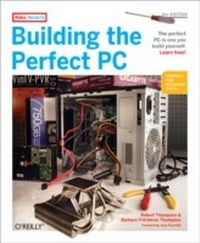
Building the Perfect PC
Description

This popular Build-It-Yourself (BIY) PC book covers everything you want to know about building your own system: Planning and picking out the right components, step-by-step instructions for assembling your perfect PC, and an insightful discussion of why you''d want to do it in the first place. Most big brand computers from HP, Dell and others use lower-quality components so they can meet their aggressive pricing targets. But component manufacturers also make high-quality parts that you can either purchase directly, or obtain through distributors and resellers. Consumers and corporations alike are opting to build rather than buy PCs to ensure high quality and compatibility.
The new edition of Building the Perfect PC shows you how to construct a variety of top-flight systems with the latest technology, including AMD Socket AM-2 and Intel Core 2 processors, that are Vista- and Linux-ready. The book includes several new options, including:
- A Budget PC you can build for approximately $350 that offers performance and reliability similar to that of mainstream systems
- A full-blown media-center system that runs Linux and MythTV or Windows MCE with multiple tuners and HDTV support
- A fire-breathing high-performance gaming system
- A fast, low-power, low-heat, low-noise, Small Form Factor system (the size of a shoe box)
- A low-cost SOHO (small office, home office) server system with a 2 terabyte (2,000 GB) disk subsystem that''s suitable for a residential environment rather than a server closet
Regardless of your technical experience, Building the Perfect PC will guide you through the entire process of building or upgrading your own computer. You''ll use the latest top-quality components, including Intel''s Core 2 Duo and AMD''s Athlon X2 CPUs. And you''ll know exactly what''s under the hood and how to fix or upgrade your PC, should that become necessary. Not only is the process fun, but the result is often less expensive and always better quality and far more satisfying than anything you could buy off the shelf.
More details
Other editions
New editions
Additional editions
Content
- Intro
- Contents
- Foreword to theSecond Edition
- Foreword to the First Edition
- Preface
- Goals of This Book
- Audience for This Book
- Organization of This Book
- Acknowledgments
- We'd Like to Hear from You
- How to Contact O'Reilly
- How to Contact the Authors
- Disclaimer
- Thank You
- Chapter 1: Fundamentals
- Why Build a PC?
- Designing the Perfect PC
- Balanced Design
- Designing a Quiet PC
- Designing a Small PC
- Things to Know and Do Before You Start
- Things You Need to Have
- Components
- Hand Tools and Supplies
- Software Tools
- Getting to Know Your Motherboard
- Troubleshooting
- Problem: When you apply power, nothing happens
- Problem: The system seems to start normally, but the display remains black
- Problem: When you connect power (or turn on the main power switch on the back of the power supply), the power supply starts briefly and then shuts off
- Problem: When you apply power, the floppy drive LED lights solidly and the system fails to start
- Problem: The optical drive appears to play audio CDs, but no sound comes from the speakers
- Problem: SATA drives are not recognized
- Problem: The monitor displays BIOS boot text, but the system doesn't boot and displays no error message
- Problem: The monitor displays a Hard Drive Failure or similar error message
- Problem: The monitor displays a No Boot Device, Missing Operating System, or similar error message
- Problem: The system refuses to boot from the optical drive
- Problem: When you first apply power, you hear a continuous high-pitched screech or warble
- Chapter 2: Choosing and Buying Components
- Choosing Components
- Case
- Power Supply
- Processor
- Heatsink/Fan Units (CPU Coolers)
- Motherboard
- Memory
- Floppy Disk Drive (FDD)
- Hard Drive
- Optical Drive
- Video Adapter
- Display
- Audio Adapter
- Speakers
- Keyboards
- Mice
- Network Adapters
- Wired network adapters
- Wireless network adapters
- Buying Components
- Buying Guidelines
- Recommended Sources
- Final Words
- Chapter 3: Building a Mainstream PC
- Determining Functional Requirements
- Hardware Design Criteria
- Component Considerations
- Case and Power Supply
- Motherboard
- Processor
- CPU Cooler
- Memory
- Video Adapter
- Video Capture Adapter
- Sound Adapter
- Network Adapter
- Hard Disk Drive
- Optical Drive
- Floppy Disk Drive
- Keyboard
- Mouse
- Speakers
- Display
- Building the Mainstream PC
- Preparing the Case
- Preparing and Populating the Motherboard
- Installing the processor
- Installing memory
- Installing the Motherboard
- Seating and securing themotherboard
- Installing the CPU Cooler
- Connecting front-panel switch and indicator cables
- Connecting front-panel USB ports
- Connecting the front-panel IEEE-1394a (FireWire) port
- Connecting the front-panel audioports
- Installing the Tuner Card
- Connecting the ATX Power Cables
- Installing the Drives
- Final Assembly Steps
- Post-Assembly
- Initial Problems
- Configuring RAID
- Installing Software
- Final Words
- Chapter 4: Building a SOHO Server
- Determining Functional Requirements
- Hardware Design Criteria
- RAID for SOHO Servers
- Component Considerations
- Case
- Power Supply
- Processor
- Motherboard
- Memory
- TV Tuner
- Hard Disk Drives
- External Hard Drives
- Optical Drive
- Keyboard, Mouse, and Display
- UPS
- Building the SOHO Server
- Preparing the Case
- Assembling and installing the power supply
- Installing the hard drives
- Installing the I/O template and standoffs
- Populating the External Drive Bays
- Installing the optical drive
- Installing the front-panel port expander
- Preparing and Populating the Motherboard
- Installing the Processor
- Installing the CPU cooler
- Installing memory
- Installing the Motherboard
- Seating and securing the motherboard
- Connecting front-panel switch and indicator cables
- Connecting front-panel USB ports
- Connecting the front-panel IEEE-1394a (FireWire) ports
- Connecting the front-panel audio ports
- Installing the Tuner Card
- Connecting the Remaining Motherboard Cables
- Final Assembly Steps
- Final Words
- Installing Software
- Chapter 5: Building a Gaming PC
- Determining Functional Requirements
- Hardware Design Criteria
- Component Considerations
- Case
- Processor
- Motherboard
- Memory
- Video Adapter
- Sound Adapter
- Hard Disk Drive
- Optical Drive
- Mouse and Keyboard
- Home mouse and keyboard
- Away mouse and keyboard
- Game Controllers
- Speakers and Headphones
- Display
- Building the Gaming PC
- Preparing the Case
- Populating the Motherboard
- Installing the processor
- Installing the CPU cooler
- Installing memory
- Installing the Motherboard
- Seating and securing the motherboard
- Connecting front-panel switch and indicator cables
- Connecting the front-panel USB ports
- Connecting the front-panel IEEE-1394a (FireWire) port
- Connecting the front-panel audio ports
- Installing the Optical Drive
- Connecting the ATX Power Cables
- Installing the Hard Drives
- Installing the Video Adapter
- Finishing Up
- The Smoke Test
- Final Words
- Chapter 6: Building a Media Center PC
- Determining Functional Requirements
- Hardware Design Criteria
- Choosing Software
- Microsoft Windows Media Center Edition 2005
- Third-Party Windows PVR Applications
- Linux PVR Applications
- Component Considerations
- Case and Power Supply
- Processor
- Motherboard
- Memory
- Media Center Video Components
- TV tuner/capture card
- Video adapter and capture/tuner Card
- Hard Disk Drive
- Optical Drive
- Keyboard and Mouse
- Speakers
- Building the Media Center PC
- Preparing the Case
- Populating the Motherboard
- Installing the processor
- Installing the CPU cooler
- Installing memory
- Installing the Motherboard
- Seating and securing themotherboard
- Connecting the front-panel switch and indicator cables
- Connecting the front-panel USB ports
- Connecting the vacuum fluorescent display and volume control
- Connecting the front-panel audio ports
- Connecting the serial ATA data cables
- Route and Connect Power to the Motherboard
- Installing the Expansion Cards
- Installing the Optical Drive
- Finishing Up
- Final Words
- Chapter 7: Building a Small Form Factor (SFF) PC
- Determining Functional Requirements
- Hardware Design Criteria
- Component Considerations
- Case and Power Supply
- Processor
- Motherboard
- Memory
- Video Adapter
- Hard Disk Drive
- Optical Drive
- External Peripherals
- Building the SFF PC
- Preparing the Case
- Installing the Processor and Memory
- Installing the processor
- Installing the CPU cooler
- Installing memory
- Installing the Motherboard
- Seating and securing the motherboard
- Connecting motherboard cables
- Installing the Low-Speed Cyclone Blower (Optional)
- Installing Drives
- Final Assembly Steps
- Final Words
- Chapter 8: Building a Budget PC
- Determining Functional Requirements
- Hardware Design Criteria
- Component Considerations
- Case and Power Supply
- Motherboard
- Processor
- CPU Cooler
- Memory
- Video Adapter
- Hard Disk Drive
- Optical Drive
- Keyboard and Mouse
- Speakers
- Display
- Building the Budget PC
- Preparing the Case
- Preparing and Populating the Motherboard
- Preparing the motherboard
- Installing the processor
- Installing the CPU cooler
- Installing memory
- Installing the Motherboard
- Seating and securing the motherboard
- Connecting front-panel switch and indicator cables
- Connecting front-panel switch and indicator cables
- Connecting front-panel USB ports
- Installing the Hard Drive
- Installing the Optical Drive
- Connecting the ATX Power Connectors
- Final Assembly Steps
- Final Words
- Installing Software
- Updating the BIOS
- End Result
- Index
- About the Authors
- Colophon
