

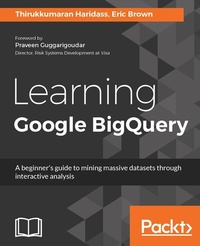
Learning Google BigQuery
A beginner's guide to mining massive datasets through interactive analysis
Published on 8. July 2025
264 pages
978-1-78728-629-0 (ISBN)
Description

No detailed description available for "Learning Google BigQuery".
More details
Edition
Digital original
Language
English
Place of publication
Birmingham
United Kingdom
Target group
Professional and scholarly
US School Grade: College Graduate Student
Edition type
Digital original
File size
10,26 MB
ISBN-13
978-1-78728-629-0 (9781787286290)
Copyright in bibliographic data and cover images is held by Nielsen Book Services Limited or by the publishers or by their respective licensors: all rights reserved.
Schweitzer Classification
Other editions
Additional editions
Thirukkumaran Haridass | Eric Brown
Learning Google BigQuery
Book
12/2017
Packt Publishing
€45.90
Shipment within 3-4 weeks
Person
Haridass Thirukkumaran :
Thirukkumaran Haridass currently works as a lead software engineer at Builder Homesite Inc. in Austin, Texas, USA. He has over 15 years of experience in the IT industry. He has been working on the Google Cloud Platform for more than 3 years. Haridass is responsible for the big data initiatives in his organization that help the company and its customers realize the value of their data. He has played various roles in the IT industry and worked for Fortune 500 companies in various verticals, such as retail, e-commerce, banking, automotive, and presently, real estate online marketing.Brown Eric :
Eric Brown currently works as an analytics manager for PMG advertising in Austin, Texas. Eric has over 11 years of experience in the data analytics field. He has been working on the Google Cloud Platform for over 3 years. He oversees client web analytics implementations and implements big data integrations in both Google BigQuery and Amazon Redshift. Eric has a passion for analytics, and especially for visualization and data manipulation through open source tools such as R. He has worked in various roles in various verticals, such as web analytics service providers, media companies, real-estate online marketing, and advertising.
Thirukkumaran Haridass currently works as a lead software engineer at Builder Homesite Inc. in Austin, Texas, USA. He has over 15 years of experience in the IT industry. He has been working on the Google Cloud Platform for more than 3 years. Haridass is responsible for the big data initiatives in his organization that help the company and its customers realize the value of their data. He has played various roles in the IT industry and worked for Fortune 500 companies in various verticals, such as retail, e-commerce, banking, automotive, and presently, real estate online marketing.Brown Eric :
Eric Brown currently works as an analytics manager for PMG advertising in Austin, Texas. Eric has over 11 years of experience in the data analytics field. He has been working on the Google Cloud Platform for over 3 years. He oversees client web analytics implementations and implements big data integrations in both Google BigQuery and Amazon Redshift. Eric has a passion for analytics, and especially for visualization and data manipulation through open source tools such as R. He has worked in various roles in various verticals, such as web analytics service providers, media companies, real-estate online marketing, and advertising.
Content
- Cover
- Title Page
- Copyright
- Credits
- Foreword
- About the Authors
- About the Reviewers
- www.PacktPub.com
- Customer Feedback
- Dedication
- Table of Contents
- Preface
- Chapter 1: Google Cloud and Google BigQuery
- Getting started with Google Cloud
- Overviewing Google Cloud Platform services
- Google Cloud storage and its features
- Learning Google BigQuery
- Working with the browser
- Running your first query
- BigQuery public datasets
- Getting started with Cloud SQL
- Cloud Datastore
- Google App engine
- App engine standard environment
- App engine flexible environment
- Google container engine
- Google compute engine
- Summary
- Chapter 2: Google Cloud SDK
- Installing Google Cloud SDK
- Installing Google Cloud SDK on Windows
- Installing Google Cloud SDK on macOS
- Installing Google Cloud SDK on Linux
- gsutil for Google Cloud Storage
- Using the bq utility for BigQuery
- Using the gcloud utility
- Connecting to Cloud SQL using gcloud
- Authorizing the client machine via Google Cloud Console
- Connecting using a proxy script
- Exporting Cloud SQL databases and tables
- Deploying to Google App Engine
- Summary
- Chapter 3: Google BigQuery Data Types
- Supported data types
- Data type considerations
- Converting data
- Sanitizing data
- When to transform your data? Before or after loading to BigQuery?
- Arithmetic Operators
- Comparison Operators
- Date Time Functions
- String Functions
- Regular Expression Functions
- Functions for transformation
- Mastering transformation with User-Defined Functions
- Some considerations when using UDFs
- UDF format
- Summary
- Further Reading
- Chapter 4: BigQuery SQL Basic
- The BigQuery interface
- Error checking
- Querying in BigQuery
- Types of queries
- Querying public data
- Basic SQL syntax
- Commenting in BigQuery SQL
- SELECT
- FROM
- WHERE
- GROUP BY
- ORDER BY
- HAVING
- Qualifying tables in query
- DISTINCT
- BigQuery SQL functions
- WITHIN
- OMIT RECORD IF
- ROLLUP
- Joining tables in BigQuery
- Inner join
- Left Outer join
- Right Outer join
- Full Outer join
- Cross join
- UNION, UNION ALL, and UNION DISTINCT
- Adding your own data in BigQuery
- Creating a table
- Inserting data to a table
- Updating data in a table
- Resetting a value
- Deleting data from a table
- Summary
- Further reading
- Chapter 5: BigQuery SQL Advanced
- Partition tables
- Creating a partition table using a GUI
- Creating a partition table using Google Cloud SDK
- Querying data in a partition table
- Using partition tables in your projects
- Querying external data sources using BigQuery
- Creating the table definition
- Querying data from external data sources
- Wildcard tables
- User-defined functions
- Views
- Querying nested and repeated records
- Summary
- Further reading
- Chapter 6: Google BigQuery API
- Accessing Google BigQuery
- Introducing Google APIs explorer
- Getting credentials for API access
- Creating a service account
- Programming with BigQuery API in C# .NET
- Authenticating the service account
- Listing all datasets and all tables in the project
- Creating a new dataset in the project
- Creating a new table within a dataset
- Loading data from a file in Google Cloud Storage to a BigQuery table
- Executing a query and displaying the result
- Executing the query and saving the result in a new table
- Streaming insert of rows
- Programming with BigQuery API in Python
- Listing all datasets and all tables in the project
- Creating a new dataset in the project
- Creating a new table within a dataset
- Importing data from a file in Google Cloud Storage to a BigQuery table
- Executing a query and displaying the result
- Execute query and copy results to a new table
- Streaming insert of rows
- Roles and permissions
- Summary
- Chapter 7: Visualizing BigQuery Data
- Why is data visualization important?
- The danger of summary statistics
- Making data visualization work for you
- Three tools for visualizing BigQuery data
- Simple yet basic - Google Data Studio
- Getting started
- Making a scatterplot in Data Studio
- Making a map in Data Studio
- Other features of Data Studio
- Simple, fairly flexible, but with a cost - Tableau
- Getting started
- Map charts in Tableau
- Create a word cloud in Tableau
- Complex but with considerable flexibility - the R programming language
- Getting started
- Summary
- Chapter 8: Google Cloud Pub/Sub
- Introduction
- Getting started with Cloud Pub/Sub
- Cloud Pub/Sub via Google Cloud Console
- Cloud Pub/Sub via Google Cloud SDK
- Cloud Pub/Sub pricing
- Message output formats
- Importing message data into BigQuery
- Google Cloud Dataprep
- Summary
- Further reading
- Index
