

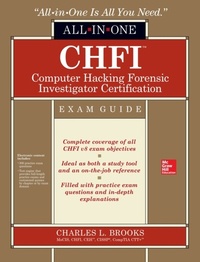
CHFI Computer Hacking Forensic Investigator Certification All-in-One Exam Guide
1st Edition
Published on 26. September 2014
428 pages
978-0-07-183155-0 (ISBN)
Available for download
Description

An all-new exam guide for version 8 of the Computer Hacking Forensic Investigator (CHFI) exam from EC-Council Get complete coverage of all the material included on version 8 of the EC-Council's Computer Hacking Forensic Investigator exam from this comprehensive resource. Written by an expert information security professional and educator, this authoritative guide addresses the tools and techniques required to successfully conduct a computer forensic investigation. You'll find learning objectives at the beginning of each chapter, exam tips, practice exam questions, and in-depth explanations. Designed to help you pass this challenging exam, this definitive volume also serves as an essential on-the-job reference. CHFI Computer Hacking Forensic Investigator Certification All-in-One Exam Guide covers all exam topics, including: Computer forensics investigation process Setting up a computer forensics lab First responder procedures Search and seizure laws Collecting and transporting digital evidence Understanding hard disks and file systems Recovering deleted files and partitions Windows forensics Forensics investigations using the AccessData Forensic Toolkit (FTK) and Guidance Software's EnCase Forensic Network, wireless, and mobile forensics Investigating web attacks Preparing investigative reports Becoming an expert witness Electronic content includes: 300 practice exam questions Test engine that provides full-length practice exams and customized quizzes by chapter or by exam domain
More details
Other editions
Additional editions
Book
06/2014
Osborne/McGraw-Hill
€42.09
Article exhausted; check different version
Content
- Cover
- Title
- Copyright Page
- Dedication
- About the Author
- Contents at a Glance
- Contents
- Acknowledgments
- Introduction
- Chapter 1 Computer Forensics Today
- So What Is This Computer Forensics Business Anyway?
- The History of Computer Forensics
- Objectives and Benefits
- Corporate vs. Criminal Investigations
- The Forensics Investigator
- Chapter Review
- Questions
- Answers
- References
- Chapter 2 The Nature of Digital Evidence
- What Is Digital Evidence?
- Anti-Digital Forensics
- Locard's Exchange Principle
- Federal Rules of Evidence (FRE)
- Computer-Generated vs. Computer-Stored Records
- Essential Data
- Best Evidence
- International Principles of Computer Evidence
- International Organization on Computer Evidence
- Scientific Working Group on Digital Evidence
- Evidence Collection
- IOCE Guidelines for Recovering Digital Forensic Evidence
- The Scientific Method
- Consider a Scenario
- Exculpatory Evidence
- Chapter Review
- Questions
- Answers
- References
- Chapter 3 The Investigation Process
- The Process Is Key
- Overview
- Before the Investigation
- Preparing the Investigation
- Seizing the Evidence
- Analyzing the Evidence
- Reporting and Testifying
- Chapter Review
- Questions
- Answers
- References
- Chapter 4 Computer Forensics Labs
- What Services Are You Offering?
- Staffing Requirements and Planning
- Becoming Certified
- Setting Up Your Lab
- Physical Location Needs
- Software Requirements
- Hardware Requirements
- Field Tools
- Lab Hardware
- Other Considerations
- Chapter Review
- Questions
- Answers
- References
- Chapter 5 Getting the Goods
- Searching and Seizing Computers
- Is Your Search and Seizure Unwarranted?
- You Have a Warrant
- Electronic Surveillance
- Post-seizure Issues
- First Responder Procedures
- First on the Scene
- Managing the Crime Scene
- Collecting and Transporting the Evidence
- Collecting and Preserving Electronic Evidence
- The Crime Scene Report
- A Checklist for First Responders
- Data Acquisition and Duplication
- Data Acquisition: A Definition
- Static vs. Live Acquisition
- Validating the Acquisition
- Acquisition Issues: SSDs, RAID, and Cloud
- Concepts in Practice: Data Acquisition Software and Tools
- Chapter Review
- Questions
- Answers
- References
- Chapter 6 Spinning Rust
- Disk Drives and File Systems
- Everything You Wanted to Know About Disk Drives
- File Systems
- Getting the Boot
- Booting from a Live CD
- Recovering Deleted Files and Partitions
- Recovering Disk Partitions
- Recovering File Systems and Files
- Theory into Practice: File and Partition Recovery Tools
- Steganography and Graphics File Formats
- Graphics Files
- Steganography
- Theory into Practice: Graphics File Tools and Steganography Detection Tools
- Chapter Review
- Questions
- Answers
- References
- Chapter 7 Windows Forensics
- Windows Forensics Analysis
- Live Investigations: Volatile Information
- Live Investigations: Nonvolatile Information
- Forensic Investigation of a Windows System
- Windows Log Analysis
- Windows Password Storage
- Theory into Practice: Forensics Tools for Windows
- Cracking Passwords
- Passwords: The Good, the Bad, and the Ugly
- Password-Cracking Types
- Theory into Practice: Password-Cracking Tools
- Chapter Review
- Questions
- Answers
- References
- Chapter 8 Forensic Investigations
- Forensic Investigations
- Installation and Configuration
- Creating the Case and Adding Data
- Analyzing the Data
- Generating the Report
- Choosing the Proper Forensic Software
- Forensic Investigations Using FTK
- Installation and Configuration
- Creating the Case and Adding Data
- Analyzing the Data
- Generating the Report
- Forensic Investigations Using EnCase
- Installation and Configuration
- Creating the Case and Adding Data
- Analyzing the Data
- Generating the Report
- So Did We Get the Evidence We Need?
- Which One to Choose?
- Chapter Review
- Questions
- Answers
- References
- Chapter 9 Network Forensics
- Network Forensics: A Definition
- Network Forensics and Wired Networks
- Investigating Network Traffic
- Network Forensics: Attack and Defend
- Network Security Monitoring
- Theory into Practice: Network Forensic Tools
- Network Forensics and Wireless Networks
- What's Different About Wireless?
- The Saga of Wireless Encryption
- Investigating Wireless Attacks
- Theory into Practice: Wireless Forensic Tools
- Log Capturing and Event Correlation
- Logs, Logs, Logs
- Legal Issues and Logging
- Synchronizing Time
- SIM, SEM, SIEM-Everybody Wants One
- Theory into Practice: Log Capturing and Analysis Tools
- Chapter Review
- Questions
- Answers
- References
- Chapter 10 Mobile Forensics
- Cellular Networks
- Cellular Data
- Mobile Devices
- PDAs
- Plain Ol' Cell Phones
- Music Players (Personal Entertainment Devices)
- Smart Phones
- Tablets and Phablets
- What Can Criminals Do with Mobile Phones?
- Retrieving the Evidence
- Challenges in Mobile Forensics
- Precautions to Take Before Investigating
- The Process in Mobile Forensics
- Theory into Practice: Mobile Forensic Tools
- Chapter Review
- Questions
- Answers
- References
- Chapter 11 Attacking Applications
- Web-based Attacks
- Web Applications: A Definition
- Mounting the Attack
- Web Applications: Attack and Defend
- Web Tools
- Follow the Logs
- Investigating the Breach
- E-mail Attacks
- E-mail Architecture
- E-mail Crimes
- Laws Regarding E-mail
- E-mail Headers and Message Structure
- E-mail Investigation
- Concepts in Practice: E-mail Forensic Tools
- Chapter Review
- Questions
- Answers
- References
- Chapter 12 The Whole Truth, and Nothing But the Truth
- Can I Get a Witness?
- Technical vs. Expert Witnesses
- Pre-trial Report Preparation
- I Just Want to Testify
- Writing a Good Report
- What Makes an Effective Report?
- Documenting the Case
- Theory into Practice: Generating a Report
- Do's and Don'ts for a DFI
- Resting the Case
- Chapter Review
- Questions
- Answers
- References
- Appendix A Acronyms
- Appendix B About the Download
- System Requirements
- Installing and Running Total Tester
- About Total Tester
- Technical Support
- Glossary
- Index

