

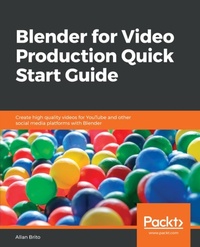
Blender for Video Production Quick Start Guide
Create high quality videos for YouTube and other social media platforms with Blender
Published on 23. September 2024
176 pages
978-1-78980-965-7 (ISBN)
Description

No detailed description available for "Blender for Video Production Quick Start Guide".
More details
Edition
Digital original
Language
English
Place of publication
Birmingham
United Kingdom
Target group
Professional and scholarly
US School Grade: College Graduate Student
Edition type
Digital original
File size
15,81 MB
ISBN-13
978-1-78980-965-7 (9781789809657)
Copyright in bibliographic data and cover images is held by Nielsen Book Services Limited or by the publishers or by their respective licensors: all rights reserved.
Schweitzer Classification
Other editions
Additional editions
Allan Brito
Blender for Video Production Quick Start Guide
Create high quality videos for YouTube and other social media platforms with Blender
Book
11/2018
Packt Publishing
€39.10
Shipment within 3-4 weeks
Person
Brito Allan :
Allan Brito is an architect with a strong background in the use of technology in all phases of project development. His friends used to say that he swapped bricks for pixels. Besides working in the architecture business, he also has more than 10 years of experience as a college teacher, helping students to create animations, 3D games, and mobile apps. In the academic field, he was in charge of the e-learning department of one of the largest colleges in Brazil for almost eight years, using technologies such as interactive 3D content, games, and virtual reality as learning tools. Blender is one of the essential tools in his workflow, and he has used it every day since the days of version 2.35 in 2005.
Allan Brito is an architect with a strong background in the use of technology in all phases of project development. His friends used to say that he swapped bricks for pixels. Besides working in the architecture business, he also has more than 10 years of experience as a college teacher, helping students to create animations, 3D games, and mobile apps. In the academic field, he was in charge of the e-learning department of one of the largest colleges in Brazil for almost eight years, using technologies such as interactive 3D content, games, and virtual reality as learning tools. Blender is one of the essential tools in his workflow, and he has used it every day since the days of version 2.35 in 2005.
Content
Table of Contents
Blender as a Video Editor for YouTube
Editing and Cutting Video Footage in Blender
Using Properties to Enhance Video
Animated Properties for Video Effects
Creating Intro Videos for YouTube with Text and Motion Graphics
Using Videos as Textures for 3D Compositions
Adding Sound and Voiceover for YouTube
Align 3d content with video using virtual cameras
Exporting Video for YouTube
Blender as a Video Editor for YouTube
Editing and Cutting Video Footage in Blender
Using Properties to Enhance Video
Animated Properties for Video Effects
Creating Intro Videos for YouTube with Text and Motion Graphics
Using Videos as Textures for 3D Compositions
Adding Sound and Voiceover for YouTube
Align 3d content with video using virtual cameras
Exporting Video for YouTube
