

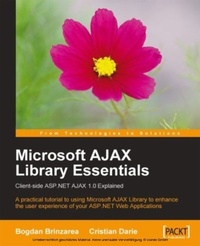
Microsoft AJAX Library Essentials: Client-side ASP.NET AJAX 1.0 Explained
A practical tutorial to enhancing the user experience of your ASP.NET web applications with the final release of the Microsoft AJAX Library
1st Edition
Published on 13. January 2025
300 pages
978-1-84719-104-5 (ISBN)
Description

A practical tutorial to enhancing the user experience of your ASP.NET web applications with the final release of the Microsoft AJAX LibraryKey Features - A rapid and practical guide to including AJAX features in your.NET applications
- Learn practical development strategies and techniques
- Go through a case study that demonstrates the theory you learned throughout the book.
Book DescriptionMicrosoft AJAX Library Essentials is a practical reference for the client-side library of the ASP.NET AJAX Framework 1.0, and a tutorial for the underlying technologies and techniques required to use the library at its full potential. The main goal of this book is to get you comfortable with the Microsoft AJAX Library, a huge set of functions that can be used for developing powerful client-side functionality.Beginning with a hands-on tour of the basic technologies associated with AJAX, JavaScript, XMLHttpRequest, JSON, and the DOM, you'll move on to a crash course in the Microsoft AJAX tools. You will learn, through numerous step-by-step exercises, how to create basic AJAX applications, how the object-based programming model of JavaScript works, and how Microsoft AJAX Library extends this model. You'll understand the architecture of the Microsoft AJAX components, how they all fit together, and exactly what they can do for you. Then you will learn how to use the Microsoft AJAX Library in your web projects, and a detailed case study will walk you through creating your own customized client components. At every stage of your journey, you'll be able to try out examples to illuminate the theory, and consolidate your understanding. In addition to learning about the client and server controls, you'll also see how to handle errors and debug your AJAX applications.To complement your new found skills, the book ends with a visual reference of the Microsoft AJAX Library namespaces and classes, including diagrams and quick explanations for all the classes mentioned in the book, providing an invaluable reference you will turn to again and again.What you will learn - This book teaches you, through step-by-step exercises, the following essential topics:
- How to create basic AJAX applications using JavaScript, CSS, DOM, and the XMLHttpRequest object.
- Understand the object-oriented model of JavaScript.
- Learn what the Microsoft AJAX Library is made of.
- Understand how the Microsoft AJAX Library extends the object-oriented capabilities of JavaScript by adding support for namespaces, interfaces, events, properties, and an improved set of base classes.
- Implement JavaScript classes and interfaces based on Visual Studio class diagrams
- Create client components, controls and behaviors, by extending existing elements of the page, registering events, and utilizing the page life cycle.
- Go through a case study that demonstrates the theory you learned throughout the book.
Who this book is forThis book has been written for ASP.NET developers entering the world of the ASP.NET AJAX Framework, and for existing ASP.NET AJAX developers looking for a more detailed tutorial on the client-side of the framework: the Microsoft AJAX Library.alt="Microsoft AJAX Library Essentials" title="Microsoft AJAX Library Essentials
- Learn practical development strategies and techniques
- Go through a case study that demonstrates the theory you learned throughout the book.
Book DescriptionMicrosoft AJAX Library Essentials is a practical reference for the client-side library of the ASP.NET AJAX Framework 1.0, and a tutorial for the underlying technologies and techniques required to use the library at its full potential. The main goal of this book is to get you comfortable with the Microsoft AJAX Library, a huge set of functions that can be used for developing powerful client-side functionality.Beginning with a hands-on tour of the basic technologies associated with AJAX, JavaScript, XMLHttpRequest, JSON, and the DOM, you'll move on to a crash course in the Microsoft AJAX tools. You will learn, through numerous step-by-step exercises, how to create basic AJAX applications, how the object-based programming model of JavaScript works, and how Microsoft AJAX Library extends this model. You'll understand the architecture of the Microsoft AJAX components, how they all fit together, and exactly what they can do for you. Then you will learn how to use the Microsoft AJAX Library in your web projects, and a detailed case study will walk you through creating your own customized client components. At every stage of your journey, you'll be able to try out examples to illuminate the theory, and consolidate your understanding. In addition to learning about the client and server controls, you'll also see how to handle errors and debug your AJAX applications.To complement your new found skills, the book ends with a visual reference of the Microsoft AJAX Library namespaces and classes, including diagrams and quick explanations for all the classes mentioned in the book, providing an invaluable reference you will turn to again and again.What you will learn - This book teaches you, through step-by-step exercises, the following essential topics:
- How to create basic AJAX applications using JavaScript, CSS, DOM, and the XMLHttpRequest object.
- Understand the object-oriented model of JavaScript.
- Learn what the Microsoft AJAX Library is made of.
- Understand how the Microsoft AJAX Library extends the object-oriented capabilities of JavaScript by adding support for namespaces, interfaces, events, properties, and an improved set of base classes.
- Implement JavaScript classes and interfaces based on Visual Studio class diagrams
- Create client components, controls and behaviors, by extending existing elements of the page, registering events, and utilizing the page life cycle.
- Go through a case study that demonstrates the theory you learned throughout the book.
Who this book is forThis book has been written for ASP.NET developers entering the world of the ASP.NET AJAX Framework, and for existing ASP.NET AJAX developers looking for a more detailed tutorial on the client-side of the framework: the Microsoft AJAX Library.alt="Microsoft AJAX Library Essentials" title="Microsoft AJAX Library Essentials
More details
Other editions
Additional editions
Cristian Darie | Bogdan Brinzarea
Microsoft Ajax Library Essentials
Book
07/2007
Packt Publishing
€51.10
Shipment within 3-4 weeks
Content
- Intro
- Microsoft AJAX Library Essentials: Client-side ASP.NET AJAX 1.0 Explained: A practical tutorial to using Microsoft AJAX Library to enhance the user experience of your ASP.NET Web Applications
- Table of Contents
- Copyright
- Credits
- About the Authors
- About the Reviewers
- Preface
- What This Book Covers
- What You Need for This Book
- Who is This Book for
- Conventions
- Reader Feedback
- Customer Support
- Downloading the Example Code for the Book
- Errata
- Questions
- 1. AJAX and ASP.NET
- The Big Picture
- AJAX and Web 2.0
- Building Websites Since 1990
- HTTP and HTML
- ASP.NET and Other Server-Side Technologies
- JavaScript and Other Client-Side Technologies
- What's Missing?
- The World of AJAX
- What is AJAX Made Of?
- Uses and Misuses of AJAX
- Introducing ASP.NET AJAX
- Resources and Tools
- Setting Up Your Environment
- Installing IIS
- Installing Visual Web Developer
- Creating a Folder for Your Project
- Preparing the Atlas Application in Windows Vista
- Preparing the Atlas Web Application in Windows XP
- Hello World!
- Time for Action-Quickstart AJAX
- What Just Happened?
- Summary
- 2. AJAX Foundations
- JavaScript and the Document Object Model
- Time for Action-Playing with JavaScript and the DOM
- What Just Happened
- JavaScript Events and the DOM
- Time for Action-Using JavaScript Events and the DOM
- What Just Happened?
- Even More DOM
- Time for Action-Even More DOM
- What Just Happened?
- JavaScript, DOM, and CSS
- Time for Action-Working with CSS and JavaScript
- What Just Happened?
- The XMLHttpRequest Object
- Creating the XMLHttpRequest Object
- Initiating Server Requests
- Handling the Server Response
- Time for Action-Making Asynchronous Calls with XMLHttpRequest
- What Just Happened?
- Summary
- 3. Object-Oriented JavaScript
- Concepts of Object-Oriented Programming
- Objects and Classes
- Encapsulation
- Inheritance
- Polymorphism
- Object-Oriented JavaScript
- JavaScript Functions
- Functions as Variables
- Anonymous Functions
- Inner Functions and JavaScript Closures
- JavaScript Classes
- Class Diagrams
- C# and JavaScript Classes
- Referencing External Functions
- Thinking of Objects as Associative Arrays
- Creating Object Members on the Fly
- Private Members
- Prototypes
- The JavaScript Execution Context
- var x, this.x, and x
- Using the Right Context
- Inheritance using Closures and Prototypes
- Inheritance Using Closures
- Inheritance Using Prototyping
- Introducing JSON
- Summary
- 4. Introducing the Microsoft AJAX Library
- Microsoft AJAX Library Components
- Asynchronous Communication
- Client Asynchronous Communication
- Server Asynchronous Communication
- Working with WebRequest
- Time for Action-WebRequest
- What Just Happened?
- More WebRequests
- Time for Action-More WebRequest
- What Just Happened?
- Summary
- 5. OOP with the Microsoft AJAX Library
- The New Features
- JavaScript Base Classes Extensions
- Time for Action: Bubble Sort and Base Classes Extensions
- What Just Happened?
- Classes in Microsoft AJAX Library
- The Type, Namespaces, and Events
- Time for Action-Creating and Using the Person Class
- What Just Happened?
- Inheritance
- Time for Action-Implementing Inheritance using Microsoft AJAX Library
- What Just Happened?
- Enumerations
- Interfaces
- Time for action-Inheritance and Interfaces
- What Just Happened?
- OOP Recommendations
- Summary
- 6. Creating Client Components
- DOM Elements and Events
- Components, Behaviors, and Controls
- Creating Components
- Disposing of Components
- Sys.Application and Client Page Life-Cycle Events
- The init Event
- The load Event
- The pageLoad() Method
- The pageUnload() Method
- The unload Event
- Behaviors
- Controls
- Quicksteps for Creating Custom Client Components
- Summary
- 7. Case Study: Timer and EnhancedTextBox
- The Timer Component
- The EnhancedTextBox Behavior
- Creating Timer and EnhancedTextBox
- Time for Action-Creating Custom Client Components
- What Just Happened?
- Using the Components
- Summary
- 8. Debugging Tools and Techniques
- AJAX Debugging Overview
- Debugging and Tracing with Microsoft AJAX Library
- MicrosoftAjax.debug.js
- Anonymous Functions vs. Pseudo-Named Functions
- Parameters Validation
- Debugging in Internet Explorer
- Web Development Helper
- Internet Explorer Developer Toolbar
- Other tools
- Debugging in Firefox
- Firebug
- Venkman JavaScript Debugger
- Web Developer
- Fiddler
- Testing
- Summary
- A. Microsoft AJAX Library Reference
- Conventions
- Function Class
- emptyMethod() Method
- _validateParams() Method
- Parameters
- Returns
- Remarks
- Example
- createDelegate() Method
- Parameters
- Returns
- Remarks
- Example
- createCallback() Method
- Parameters
- Returns
- Remarks
- Example
- Type Class
- JavaScript Base Type Extensions
- Array Class
- Boolean Class
- Date Class
- Error Class
- create() Method
- Parameters
- Returns
- Remarks
- Example
- Number Class
- Object Class
- RegExp Class
- String Class
- Sys Namespace
- Sys.Application Class
- Sys.ApplicationLoadEventArgs Class
- Sys.Browser Class
- Sys.CancelEventArgs Class
- Sys.Component Class
- Sys.CultureInfo Class
- Sys.Debug Class
- Sys.EventArgs Class
- Sys.EventHandlerList Class
- Sys.IContainer Interface
- Sys.IDisposable Interface
- Sys.INotifyDisposing Interface
- Sys.INotifyPropertyChange Interface
- Sys.PropertyChangedEventArgs Class
- Sys.ScriptLoader Class
- Sys.ScriptLoaderTask Class
- Sys.StringBuilder Class
- Sys.UI Namespace
- Sys.UI.Behavior Class
- Sys.UI.Bounds Class
- Sys.UI.Control Class
- Sys.UI.DomElement Class
- getElementById() Method ($get)
- Parameters
- Remarks
- Example
- addCssClass() Method
- Parameters
- Example
- containsCssClass() Method
- Parameters
- Returns
- Example
- removeCssClass() Method
- Parameters
- Example
- toggleCssClass() Method
- Parameters
- Example
- getLocation() Method
- Parameters
- Returns
- getBounds() Method
- Parameters
- Returns
- Remarks
- Example
- setLocation() Method
- Parameters
- Remarks
- Example
- Sys.UI.DomEvent Class
- Sys.UI.Key Class
- addHandler() Method ($addHandler)
- Parameters
- Remarks
- Example
- addHandlers() Method ($addHandlers)
- Parameters
- Remarks
- Example
- clearHandlers() Method ($clearHandlers)
- Parameters
- Remarks
- Example
- preventDefault() Method
- Example
- removeHandler() Method
- Parameters
- Example
- stopPropagation() Method
- Example
- Sys.UI.MouseButton Enumeration
- Sys.UI.Point Class
- Sys.UI.VisibilityMode Enumeration
- Sys.Net Namespace
- Sys.Net.NetworkRequestEventArgs Class
- Sys.Net.WebRequest Class
- Sys.Net.WebRequestExecutor Class
- Sys.Net.WebRequestManager Class
- Sys.Net.XmlHttpExecutor Class
- Sys.Serialization Namespace
- Sys.Serialization.JavaScriptSerializer Class
- serialize() Method
- Parameters
- Returns
- Remarks
- deserialize() Method
- Parameters
- Returns
- Remarks
- Index
