

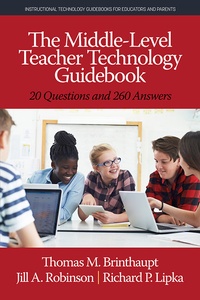
Middle-Level Teacher Technology Guidebook
20 Questions and 260 Answers
1st Edition
Published on 6. January 2019
49 pages
978-1-64113-715-7 (ISBN)
Description

This guidebook is designed to be the middle-level teacher's friend in addressing a wide variety of questions regarding the use of educational and instructional technologies. It can serve as a companion and guide through the myriad challenges and opportunities related to the effective use of technology in one's classroom and school.
A sample of middle level U.S. teachers provided us with detailed answers about their experiences with using technology in their teaching. Specifically, they shared their challenges, barriers, ideas, and suggestions for working successfully with administrators, technology specialists, students, fellow teachers, and parents when teaching with technology. We have organized the teachers' experiences and recommendations according to each stakeholder.
Rather than recommending or reviewing specific educational technology companies, applications, or tools, we provide a large number of strategies that are "built to last" and should be applicable regardless of the specific tool under consideration. We assume that it doesn't ultimately matter what the tool or technology is that you're using-it's how and why you're using it for teaching and learning that will determine whether it is successful or not. The "how" and "why" aspects encompass the built-to- last strategies included in this guidebook.
A sample of middle level U.S. teachers provided us with detailed answers about their experiences with using technology in their teaching. Specifically, they shared their challenges, barriers, ideas, and suggestions for working successfully with administrators, technology specialists, students, fellow teachers, and parents when teaching with technology. We have organized the teachers' experiences and recommendations according to each stakeholder.
Rather than recommending or reviewing specific educational technology companies, applications, or tools, we provide a large number of strategies that are "built to last" and should be applicable regardless of the specific tool under consideration. We assume that it doesn't ultimately matter what the tool or technology is that you're using-it's how and why you're using it for teaching and learning that will determine whether it is successful or not. The "how" and "why" aspects encompass the built-to- last strategies included in this guidebook.
All prices
More details
Other editions
Additional editions
Thomas M. Brinthaupt | Jill A. Robinson | Richard P. Lipka
The Middle-Level Teacher Technology Guidebook
20 Questions and 260 Answers
Book
06/2019
Information Age Publishing
€54.10
Article not available at the moment
Thomas M. Brinthaupt | Jill A. Robinson | Richard P. Lipka
The Middle-Level Teacher Technology Guidebook
20 Questions and 260 Answers
Book
06/2019
Information Age Publishing
€104.90
Article not available at the moment
Content
- Cover
- Series page
- The Middle-Level Teacher Technology Guidebook
- Library of Congress Cataloging-in-Publication Data
- Contents
- PREFACE: Introduction to the Guidebook
- Acknowledgments
- PART 1: Technology Questions and Issues When Working With School/District Administration
- PART 2: Technology Questions and Issues When Working With Technology Specialists
- PART 3: Technology Questions and Issues When Working With Students
- PART 4: Technology Questions and Issues When Working With Fellow Teachers
- PART 5: Technology Questions and Issues When Working With Parents
- PART 6: Supplemental Resources

