

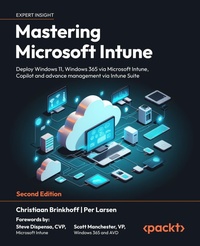
Mastering Microsoft Intune
Deploy Windows 11, Windows 365 via Microsoft Intune, Copilot and advance management via Intune Suite
2nd Edition
Published on 21. May 2024
828 pages
978-1-83546-247-8 (ISBN)
Description

No detailed description available for "Mastering Microsoft Intune".
More details
Other editions
Additional editions
Christiaan Brinkhoff | Per Larsen
Mastering Microsoft Intune
Deploy Windows 11, Windows 365 via Microsoft Intune, Copilot and advance management via Intune Suite
Book
03/2024
2nd Edition
Packt Publishing
€63.80
Shipment within 3-4 weeks
Persons
Brinkhoff Christiaan:
Christiaan Brinkhoff works as a Principal Program Manager and Community Director for Windows 365 and AVD at Microsoft, in his role at Microsoft, he works on features such as Windows 11, Windows 365 app, Switch and Boot. Christiaan is also an Author (3 books) and Inventor (3 patents). His mission is to drive innovation while bringing Windows 365, Windows, and Microsoft Intune closer together, drive community efforts around virtualization to empower Microsoft customers in leveraging new cloud virtualization scenarios. Christiaan joined Microsoft in 2018 as part of the FSLogix acquisition. He has also been rewarded with the Microsoft MVP, Citrix CTP, and VMware vExpert community achievements - for his continued support in the EUC community.Larsen Per:
Per Larsen works as a Senior Program Manager for Microsoft Endpoint Manager - Customer Acceleration Team - Commercial Management Experiences (CMX) Engineering, where he takes learnings from Microsoft's largest and most strategic customers back into the rest of engineering to drive improvements for the service so that customers have a continuously improving product experience. He also helps deploy and adopt Microsoft Endpoint Manager - Microsoft Intune. Per mainly focuses on the management of Windows and special devices such as HoloLens 2, Surface Hub, and Microsoft Teams Room System. Per was also an MVP in Enterprise Mobility, from 1st July 2016 to when he joined Microsoft on 1st April 2018.
Christiaan Brinkhoff works as a Principal Program Manager and Community Director for Windows 365 and AVD at Microsoft, in his role at Microsoft, he works on features such as Windows 11, Windows 365 app, Switch and Boot. Christiaan is also an Author (3 books) and Inventor (3 patents). His mission is to drive innovation while bringing Windows 365, Windows, and Microsoft Intune closer together, drive community efforts around virtualization to empower Microsoft customers in leveraging new cloud virtualization scenarios. Christiaan joined Microsoft in 2018 as part of the FSLogix acquisition. He has also been rewarded with the Microsoft MVP, Citrix CTP, and VMware vExpert community achievements - for his continued support in the EUC community.Larsen Per:
Per Larsen works as a Senior Program Manager for Microsoft Endpoint Manager - Customer Acceleration Team - Commercial Management Experiences (CMX) Engineering, where he takes learnings from Microsoft's largest and most strategic customers back into the rest of engineering to drive improvements for the service so that customers have a continuously improving product experience. He also helps deploy and adopt Microsoft Endpoint Manager - Microsoft Intune. Per mainly focuses on the management of Windows and special devices such as HoloLens 2, Surface Hub, and Microsoft Teams Room System. Per was also an MVP in Enterprise Mobility, from 1st July 2016 to when he joined Microsoft on 1st April 2018.
Content
Table of Contents - Introduction to Microsoft 365
- Cloud-Native Endpoints
- Requirements for Microsoft Intune
- What is Windows 365?
- Deploying Windows 365
- Windows Deployment and Management
- Windows Autopilot
- Application Management and Delivery
- Understanding Policy Management
- Advanced Policy Management
- Intune Suite
- Copilot/AI
- Identity and Security Management
- Monitoring and Endpoint Analytics
- Universal Print
- Troubleshooting Microsoft Intune
- Troubleshooting Windows 365
- Community Help
- Cloud-Native Endpoints
- Requirements for Microsoft Intune
- What is Windows 365?
- Deploying Windows 365
- Windows Deployment and Management
- Windows Autopilot
- Application Management and Delivery
- Understanding Policy Management
- Advanced Policy Management
- Intune Suite
- Copilot/AI
- Identity and Security Management
- Monitoring and Endpoint Analytics
- Universal Print
- Troubleshooting Microsoft Intune
- Troubleshooting Windows 365
- Community Help
